Chapter 4
4-53
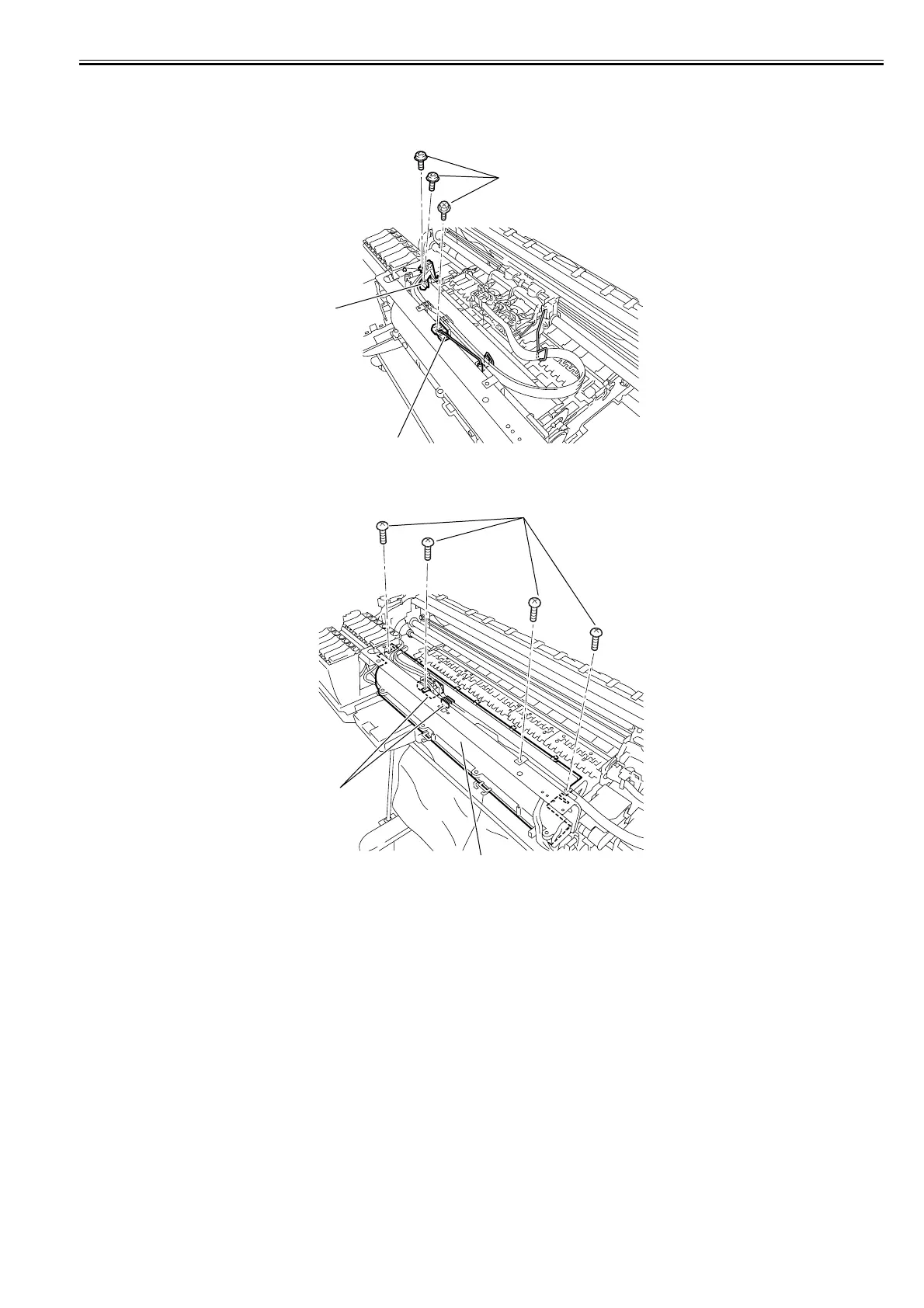
c) Removing the platen duct
1) When removing the platen duct, first open the top cover, and then remove the output guide, maintenance cartridge, waste ink box, left and right circle cover, tank
cover, right upper cover, operation panel, mist filter, filter cover, filter, right cover, right front cover, and mist fan.
Refer to DISASSEMBLY/REASSEMBLY > Points to Note on Disassembly andReassembly > External Cover.
2) Remove the three screws[1], and then remove the tube guide[2] and wire guide[3].
F-4-119
3) Remove the front duct[3] by removing the four screws[2] and freeing ink tube from guide[1].
F-4-120
[1]
[3]
[2]
[1]
[3]
[2]














 To Next Page