Chapter 4
4-57
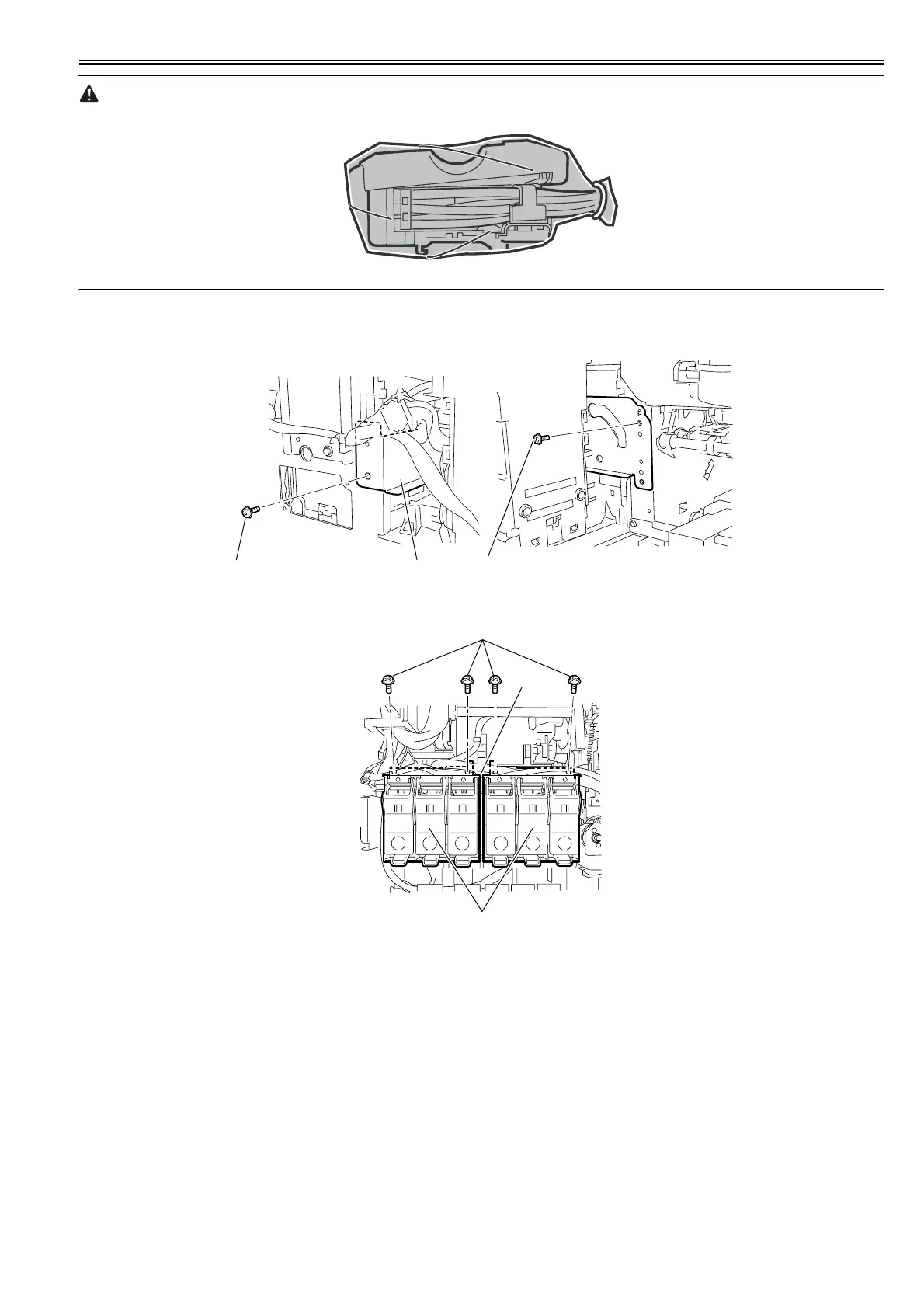
Put the removed joint base in a plastic bag so that ink does not splash.
F-4-127
6) Remove the cutter unit and cutter mounting plate.
Refer to DISASSEMBLY/REASSEMBLY > Point to Note on Disassembly and Reassembly > Cutter
7) Remove the two screws[1], and then remove the support plate[2].
F-4-128
8) Remove the four screws[1] and joint[3], and then remove the two ink tank unit R[2].
F-4-129
[1] [2]
[1]
[1]
[2]
[3]














 To Next Page