1
If there are additional pages of documents to be scanned, place the next document on the platen glass,
and press .
● Repeat this step until you nish scanning all of the pages.
● When there is only one page to be scanned, proceed to the next step.
2
Tap <Start Sending>.
➠ The documents are scanned to the shared folder or FTP server.
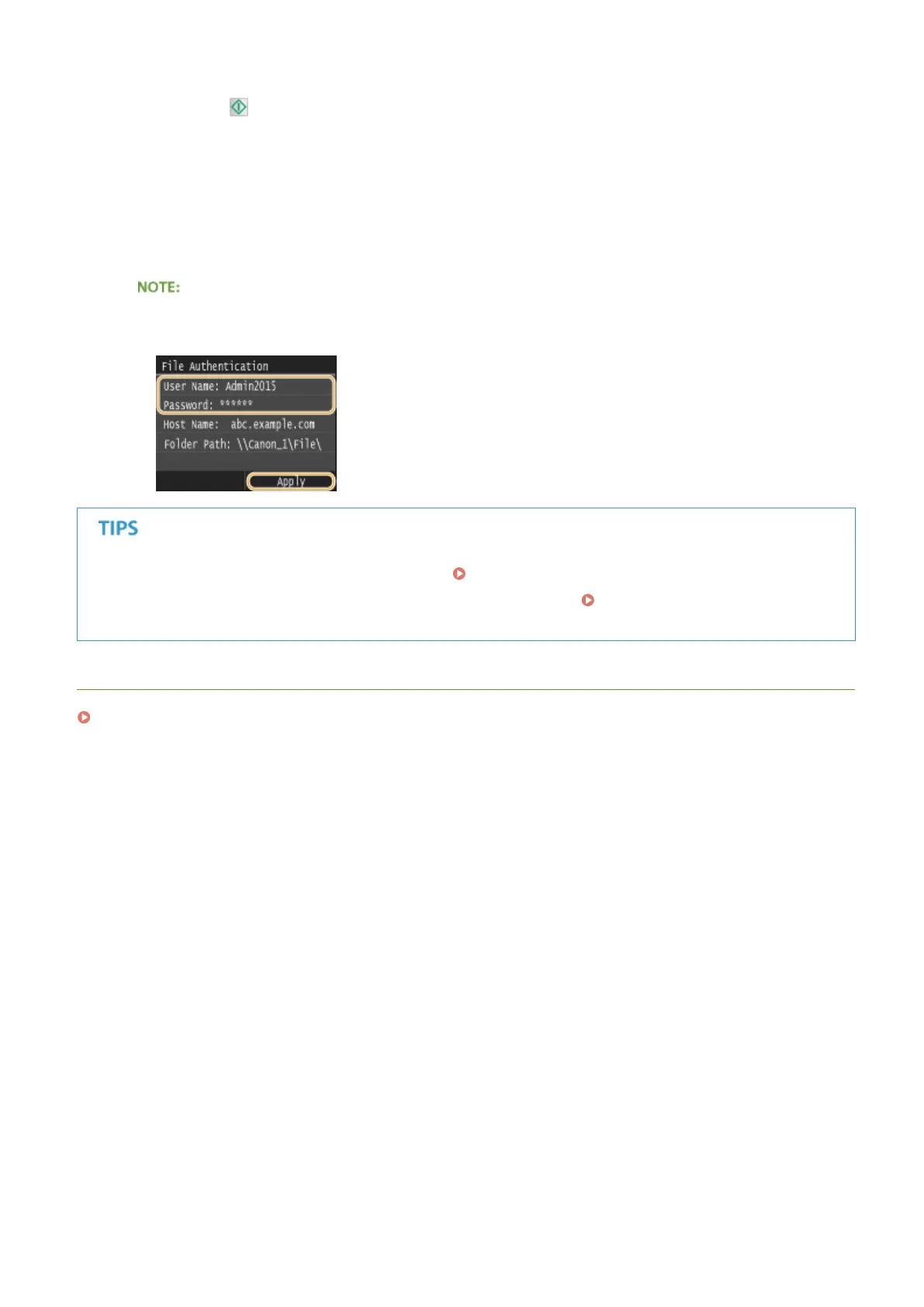
If the <File Authentication> screen is displayed
● Enter the user name and password with the numeric keys, and tap <Apply>.
● If you always want to scan with the same settings: Changing Default Settings(P. 376)
● If you want to register a combination of settings to use when needed: Registering Frequently Used Scan
Settings (E-Mail/I-Fax/Shared Folder/FTP Server)(P. 379)
LINKS
Checking Status and Log for Sent Documents (E-Mail/Shared Folder/FTP Server)(P. 383)
Using the Machine as a Scanner
344



 To Next Page