Configure the Scan Function
Introduction to the Scan Function
Definition
The scan function enables you to create digital documents from paper originals. You can scan
paper originals from the automatic document feeder (ADF) and from the glass plate of the
scanner.
Scan Types and Output Locations
NOTE
The scan function requires a software license. If you have a license, scan to file, scan to SMB,
scan to email and scan to USB are available. Scan to DocBox requires an additional software
license for the DocBox function.
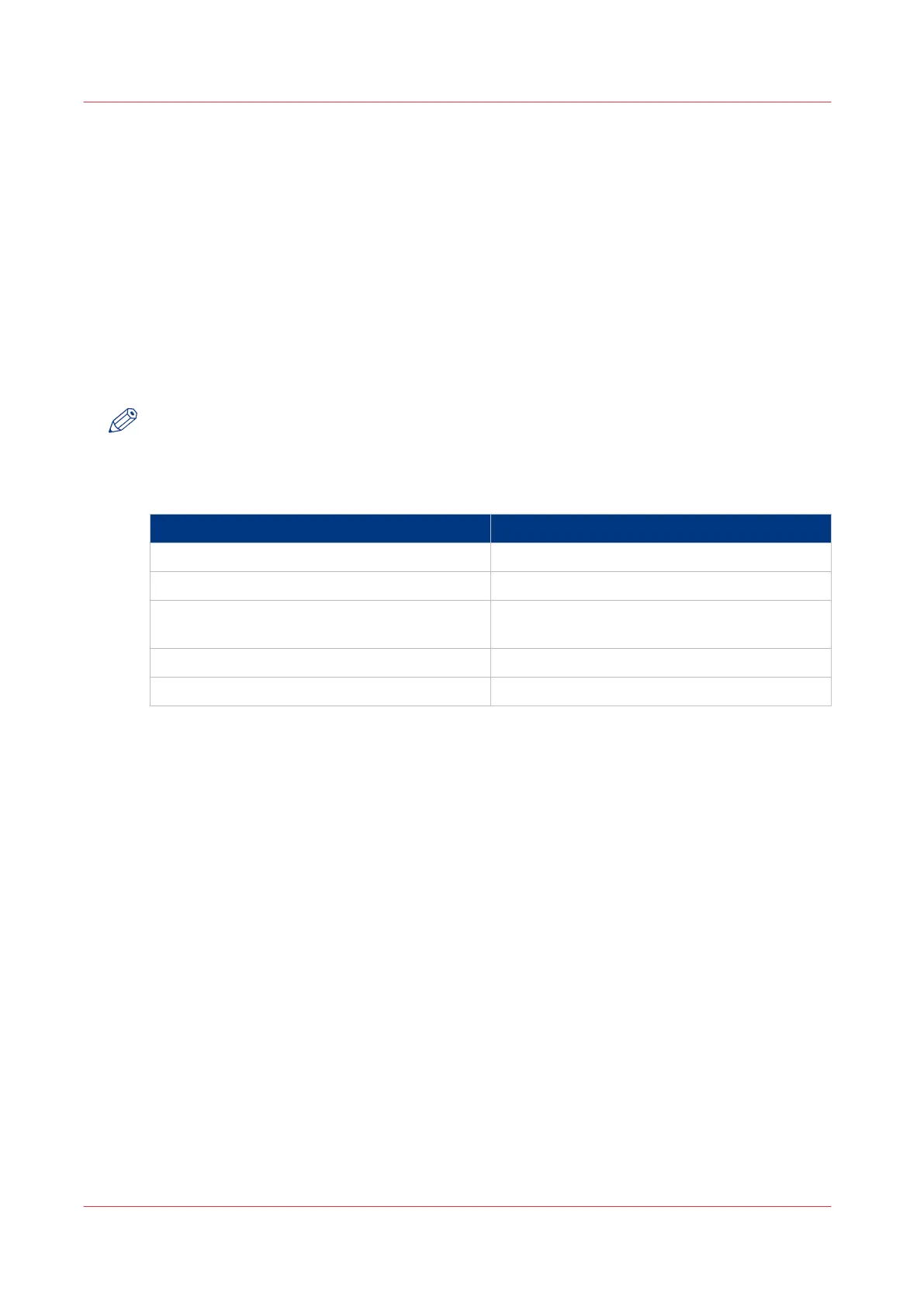
Scan types and output locations
Scan type Output location
Scan to file FTP server
Scan to SMB SMB server
Scan to email SMTP server. The file is attached to an email
message.
Scan to USB USB flash drive
Scan to DocBox PRISMAsync controller
Condition
The customer must have a fully configured FTP, SMB and SMTP server available. The settings in
the Settings Editor are used to connect the printer to the customer's FTP, SMB and SMTP server.
Configuration
To use the scan-to-file, scan-to-SMB and scan-to-email functions, the following items must be
configured in the Settings Editor on the PRISMAsync controller.
• Scan to file ([Configuration] -> [Connectivity])
• Scan to SMB ([Workflow] -> [SMB shares])
• Scan to email ([Configuration] -> [Connectivity])
• LDAP server ([Configuration] -> [Connectivity]), if available. Otherwise, you can use an address
list file (ral.csv) to search for recipients.
• A scan profiles file (sjt.csv) in which the scan-to-email and scan-to-file templates are defined
([Workflow] -> [Scan profiles]).
Configure the Scan Function
248
Chapter 8 - Carry Out Scan Jobs
Canon varioPRINT 135 Series














 To Next Page