The Control Panel
Introduction
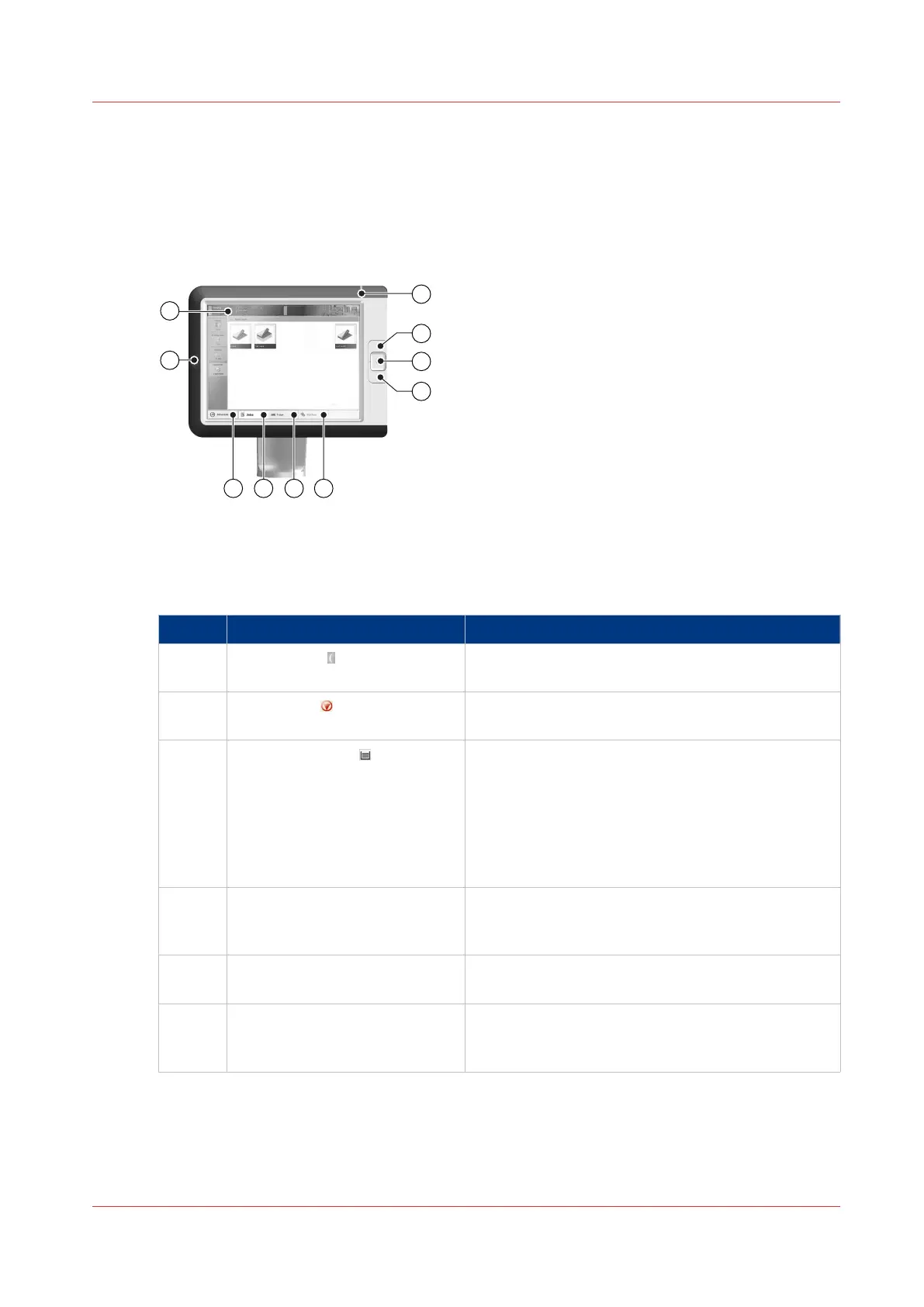
The control panel helps you to carry out print jobs, copy jobs and scan jobs. This section
describes the main components of the control panel.
[2] The control panel
The main components of the control panel
The main components of the control panel
Component Function
1 Sleep button Put the system into the sleep mode or wake up the
system.
2 Stop button Stop the printing process after a set or as soon as
possible.
3 Paper tray button Get immediate access to the [Trays] section on the
control panel to do the following (for example):
• Check the content of all paper trays.
• Load a new media type into a paper tray.
• Change the media type which is available in one
of the paper trays.
• Open the front door of the printer.
4 USB port Insert a USB drive into the USB port to:
• Print any documents on the USB drive, or
• Scan paper originals to the USB drive
5 [Schedule] button (optional) Access the [Schedule] view to manage the jobs in
the schedule.
6 [Jobs] button Manage and print the jobs in the lists of [Waiting
jobs], [Scheduled jobs] and [Printed jobs], or in a
DocBox (optional).
4
The Control Panel
Chapter 2 - Main Parts
19
Canon varioPRINT 135 Series














 To Next Page