Unlock a Job in a DocBox
Introduction
Unlocking a job can be required if you want to split a locked, combined job into the original jobs,
for example.
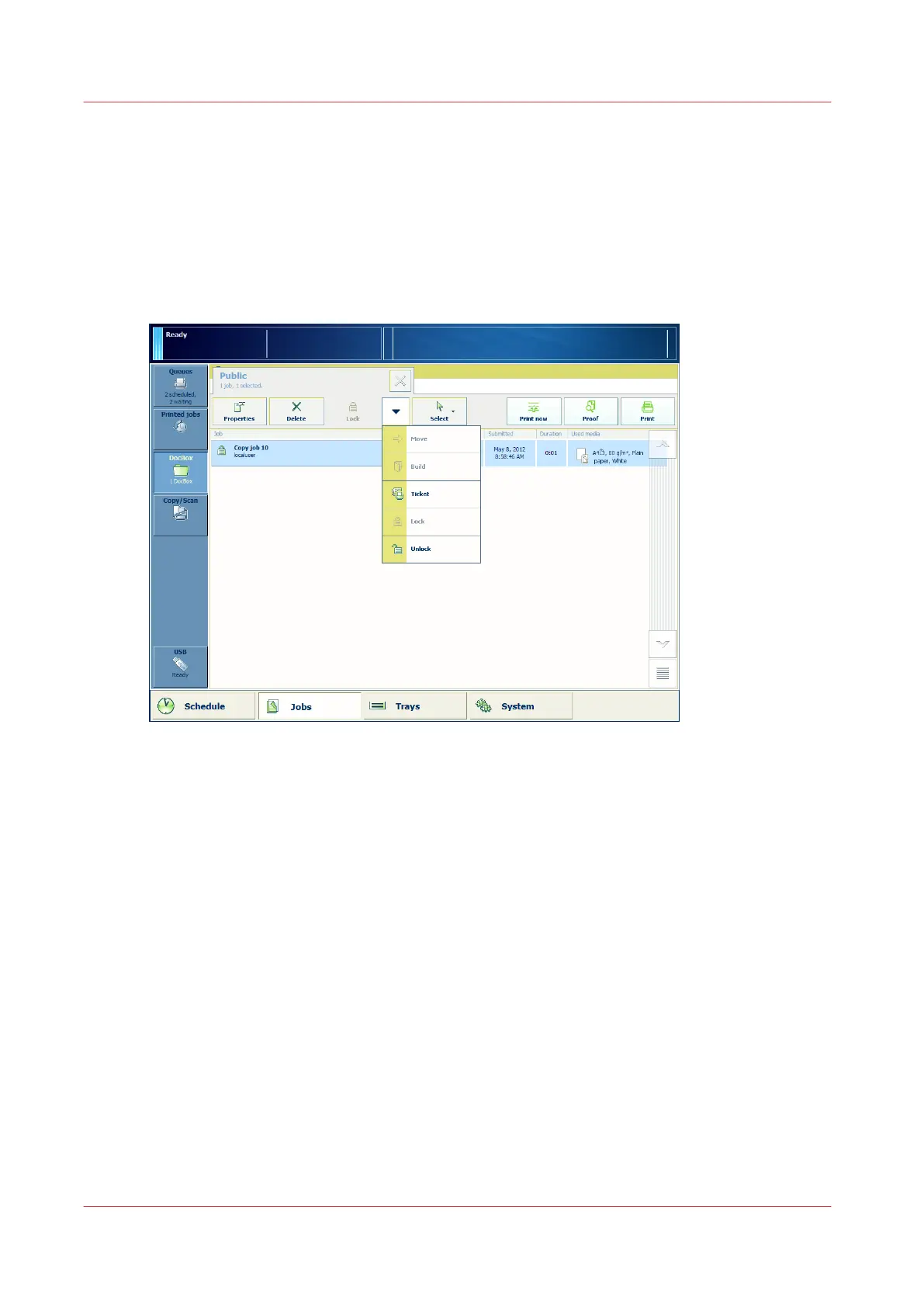
Illustration
[62] Select [Unlock].
Procedure
1.
On the control panel, touch [Jobs] -> [DocBox].
2.
Touch the DocBox that contains the job you want to unlock.
3.
Touch the job that you want to unlock.
4.
From the drop-down menu, select [Unlock].
Unlock a Job in a DocBox
304
Chapter 9 - Use the DocBox (Option)
Canon varioPRINT 135 Series














 To Next Page