Remove the Removable Hard Disk
Before you begin
Shut down the printer completely.
Wait until the Sleep button and the On/Off button are off.
Remove the removable hard disk
Step Action Illustration
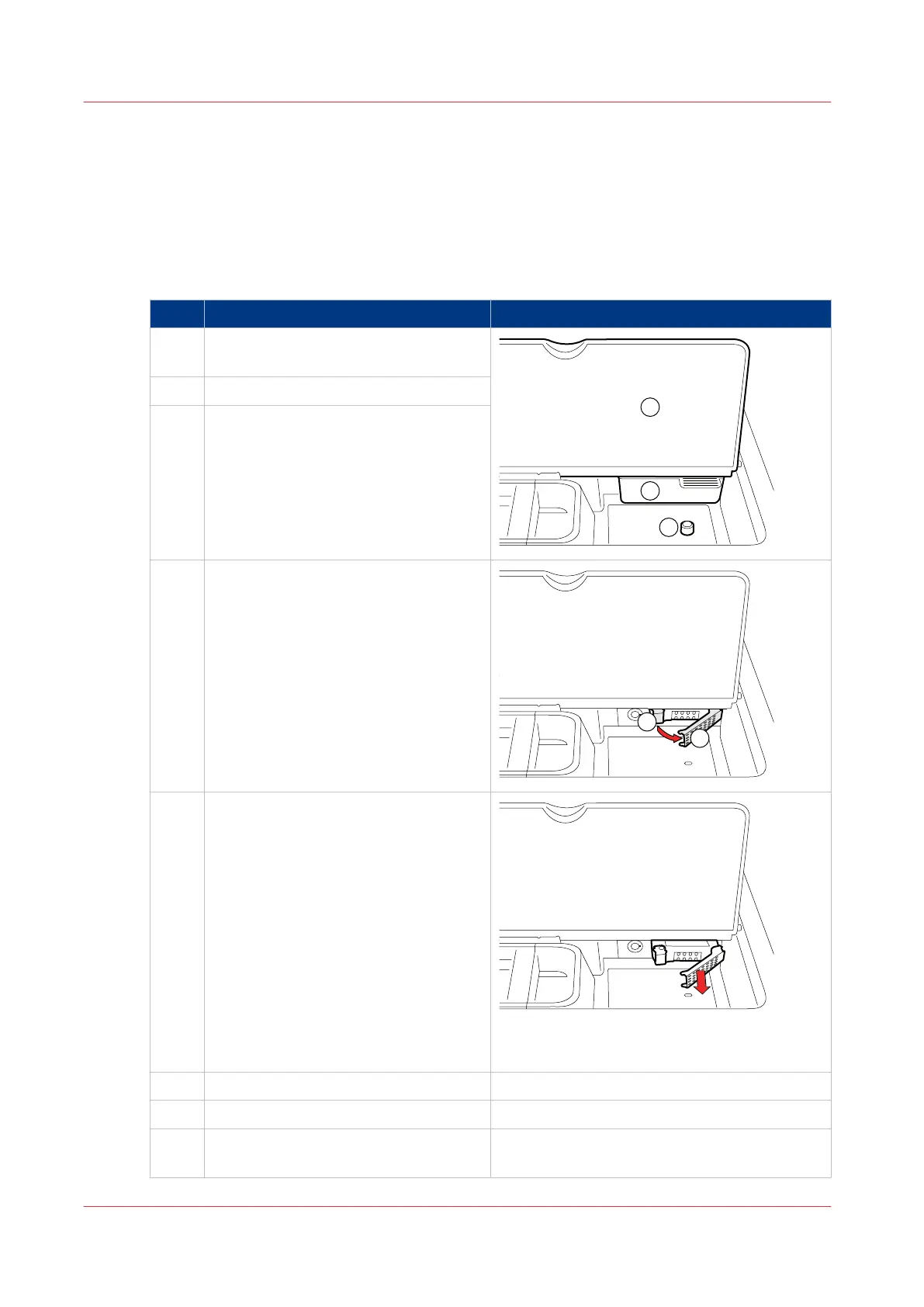
1 Open the cover (1) in front of the oper-
ator panel.
2 Remove the staple box (2).
3 Remove the lock (3).
4 Press the left-hand latch (1) of the hard
disk housing. The right-hand handle (2)
is released.
5 Pull the right-hand handle to slide out
the removable hard disk.
6 Place the staple box back.
7 Close the cover.
8 Store the hard disk in a secure place,
for example a safe.
Remove the Removable Hard Disk
314
Chapter 10 - Removable Hard Disk (Option)
Canon varioPRINT 135 Series


 To Next Page
 Loading...









