Advanced Maintenance Actions for High Capacity
Stacker-G1
Replace the Flip Rings in the Flip Unit
When to do
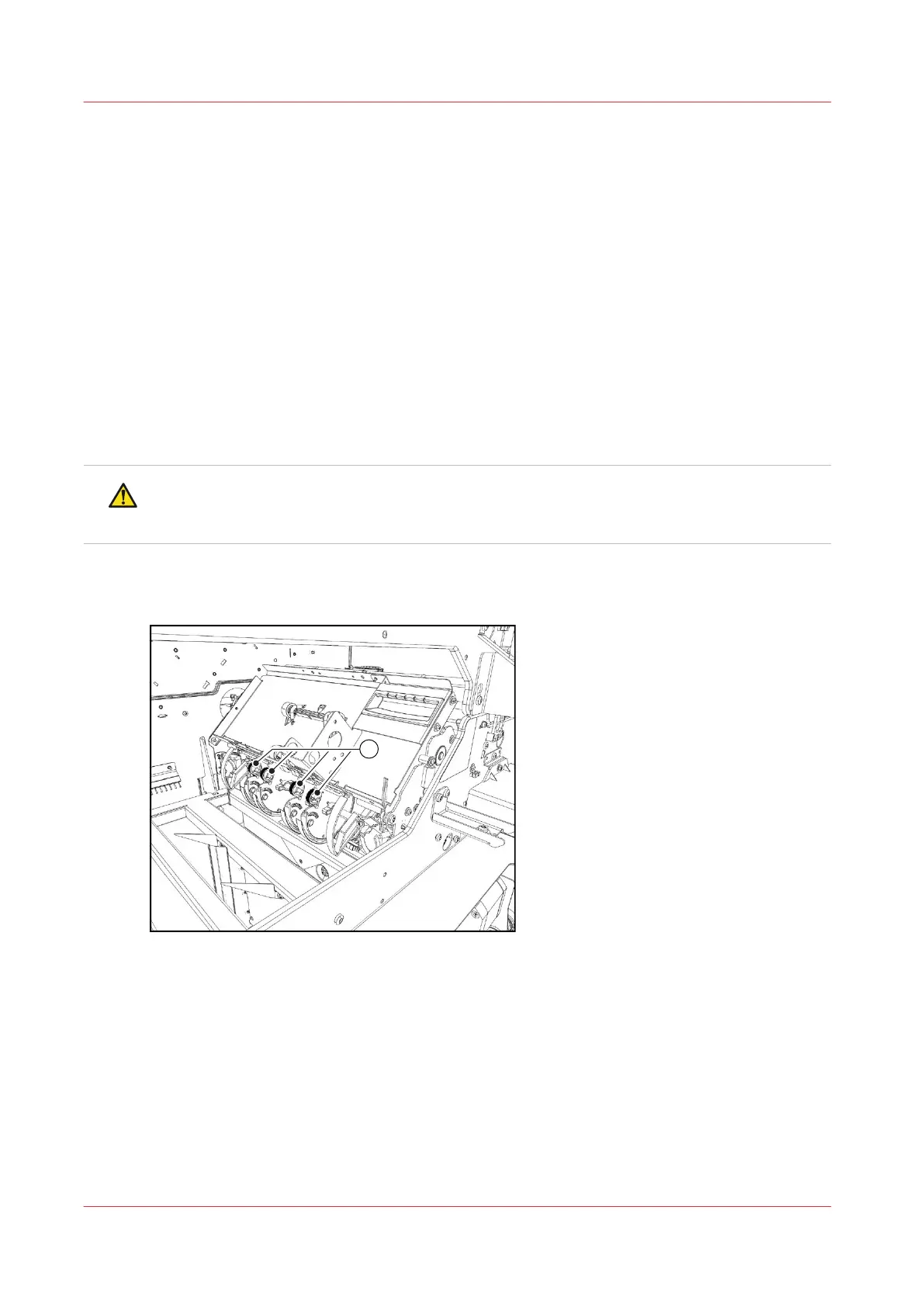
Replace the four flip rings (indicated by (1) in the illustration below) when the stacking quality is
not OK or when the flip rings are worn significantly. The flip rings are located behind the front
cover.
Required tools
Four new flip rings
CAUTION
Only trained personnel is allowed to carry out this action, if supported by your service
organization.
Illustration
[77] The location of the flip rings
Advanced Maintenance Actions for High Capacity Stacker-G1
412
Chapter 18 - Printer Operation Care (POC)
Canon varioPRINT 135 Series














 To Next Page