Deal with Paper Dust and Use of the [Paper quality] Setting
Introduction
Good paper is best run with the highest paper quality factor: [Normal].
Lower grade media such as recycled paper can leave more paper dust in the machine. This can
lead to uneven, dark areas on prints with ghosts (echos) of previous pages. If necessary, you can
improve the print quality by decreasing the value of the [Paper quality] setting to [Low] or
[Lower].
When to do
1. Decrease the [Paper quality] from [Normal] to [Low] when the use of lower grade media
causes quality issues.
2. Decrease the [Paper quality] from [Low] to [Lower] when the quality issues are not solved by
using the [Low] mode.
NOTE
When you change a value of the [Paper quality] setting, a restart of the printer is required. The
restart takes 2-3 minutes.
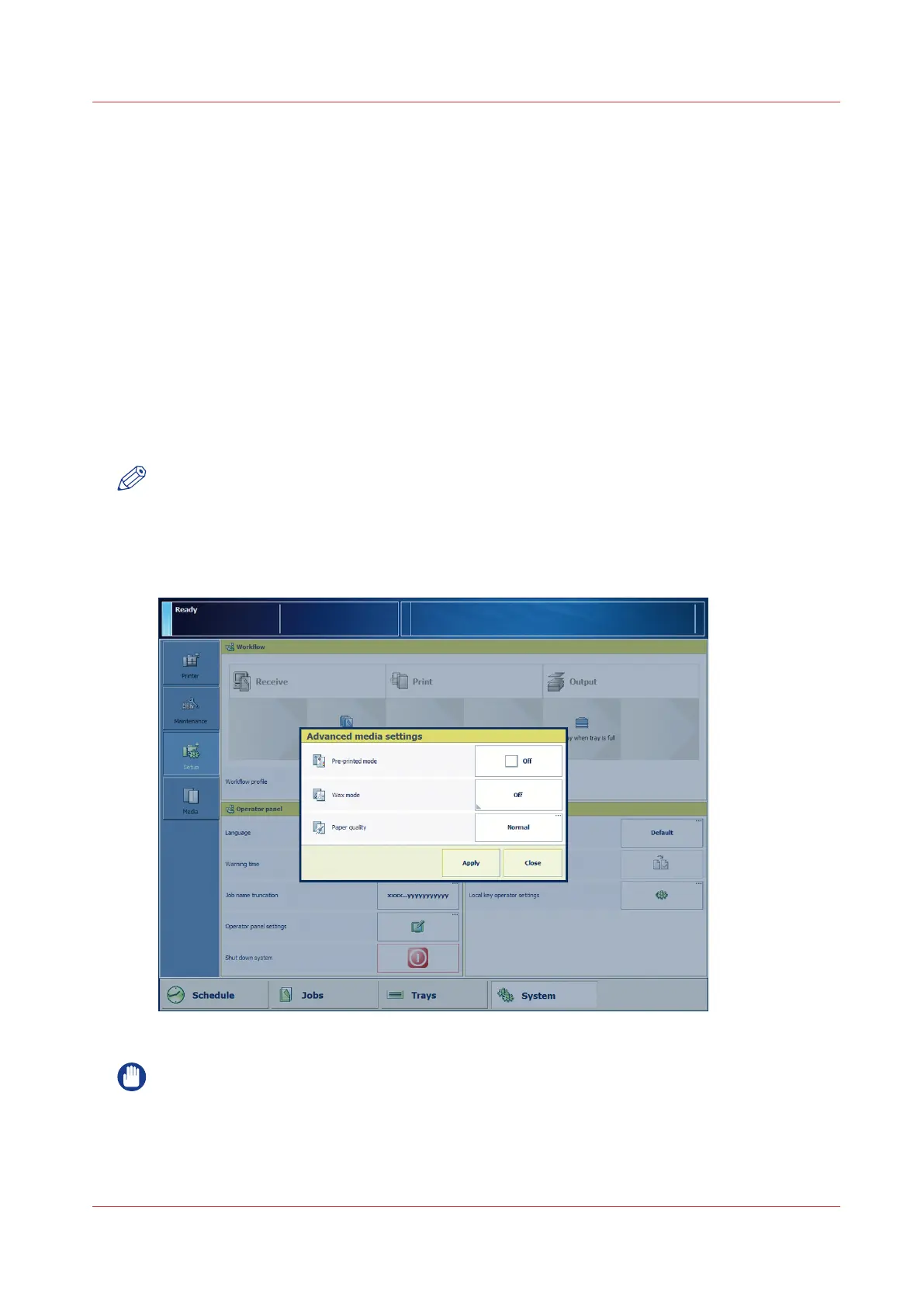
Illustration
[25] The [Paper quality] setting
IMPORTANT
Make sure that you put the [Paper quality] setting back to [Normal] when you have finished
using fiber-rich media.
Deal with Paper Dust and Use of the [Paper quality] Setting
Chapter 5 - Media Handling
79
Canon varioPRINT 135 Series














 To Next Page