Use the JIS B5 Adapter (Option)
When to do
When you place small media with a short edge of 182 mm - 203 mm (7.2" - 8.0") in the bulk trays
of an external paper module, especially JIS B5.
Before you begin
1. Open a bulk tray of an external paper module.
2. Remove the current media from that bulk tray.
3. Place the media.
Required tools
1 JIS B5 adapter
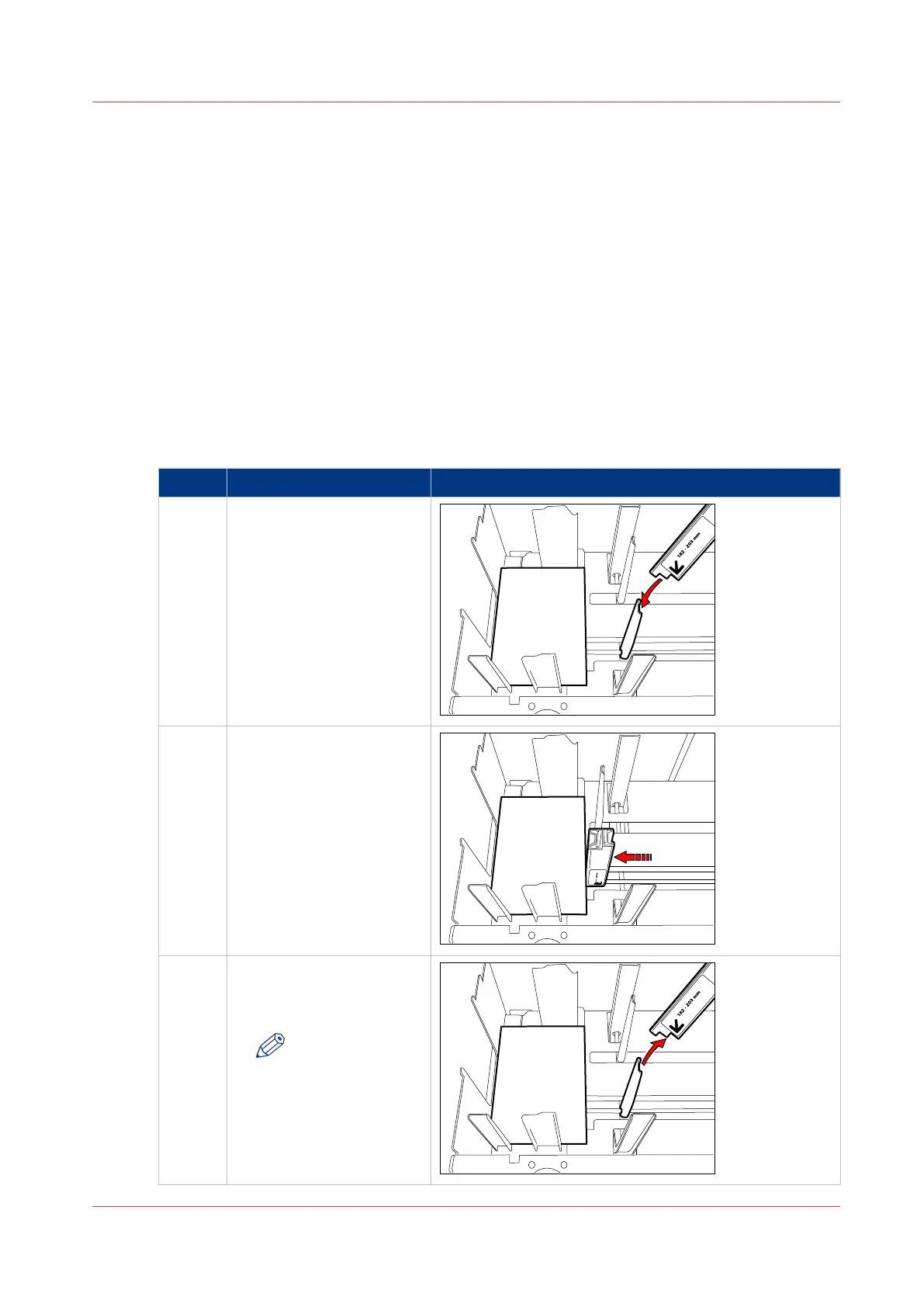
Place and remove the adapter
Step Action Illustration
1 Place the adapter over the
front slider at the right-
hand side.
2 Slide the adapter against
the media.
3 When you place a larger
media type, make sure that
you remove the adapter.
NOTE
Do not store the
adapter inside
the paper tray.
Otherwise, an er-
ror can occur.
Use the JIS B5 Adapter (Option)
Chapter 5 - Media Handling
73
Canon varioPRINT 135 Series














 To Next Page