Introduction to the [Media] Section
Introduction
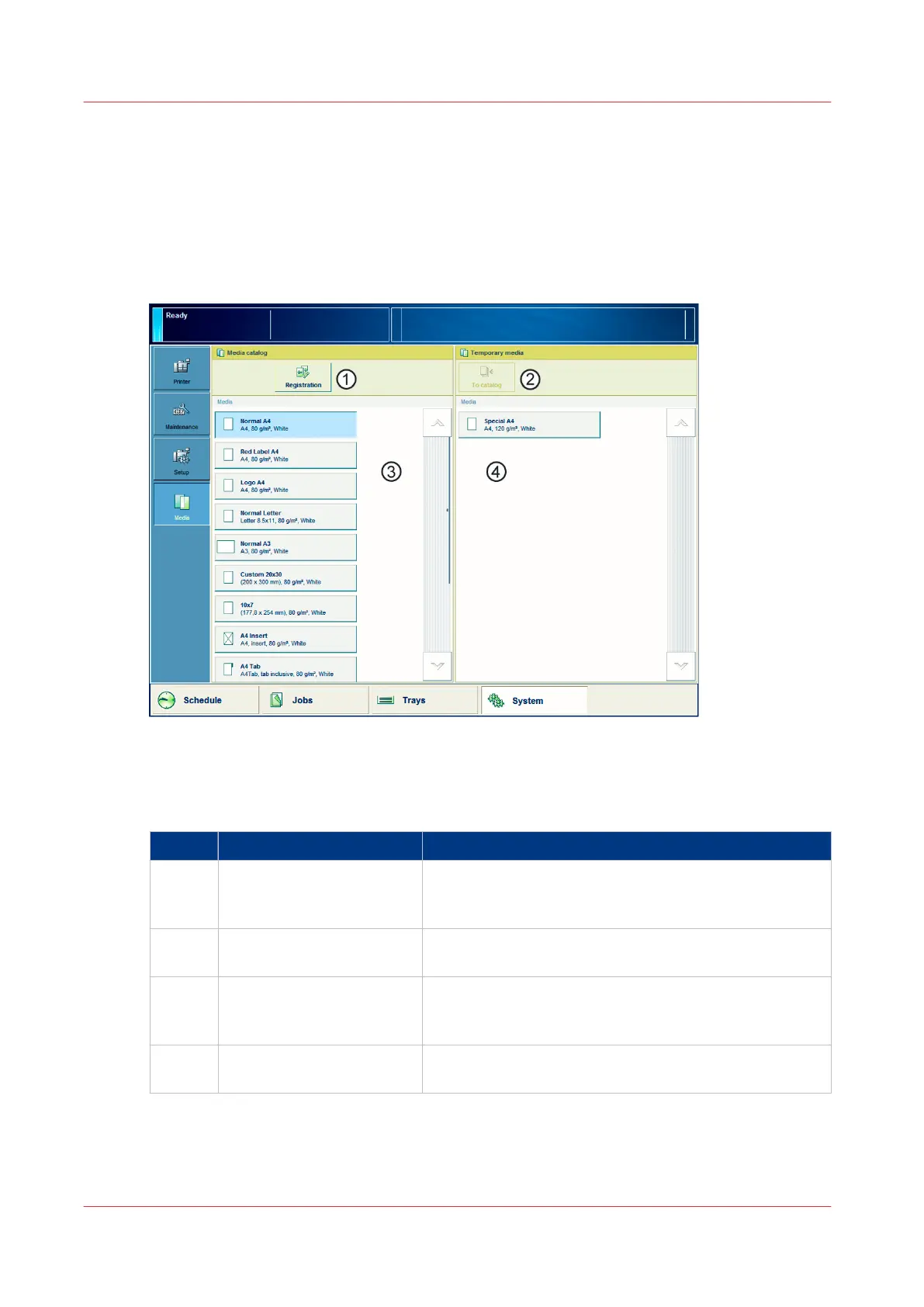
This section gives an overview of the [Media] section in the [System] view.
Overview of the [Media] Section
[19] Overview of the [Media] section
The Items of the [Media] Section
Description of the [Media] section
Item Function
1 [Registration] button Touch the [Registration] button after selecting a media
from the media catalog to start a registration procedure
for that media.
2 [To catalog] button Touch the [To catalog] button after selecting a tempora-
ry media to add that media to the media catalogue.
3 List of all the media that
are available in the media
catalog.
The list displays the current content of the media cata-
log.
4 List of temporary media The list displays the temporary media that are currently
available on the system.
Introduction to the [Media] Section
58
Chapter 5 - Media Handling
Canon varioPRINT 135 Series














 To Next Page