Handle the Jobs in a DocBox
Overview of the Available Settings for DocBox Jobs
Introduction
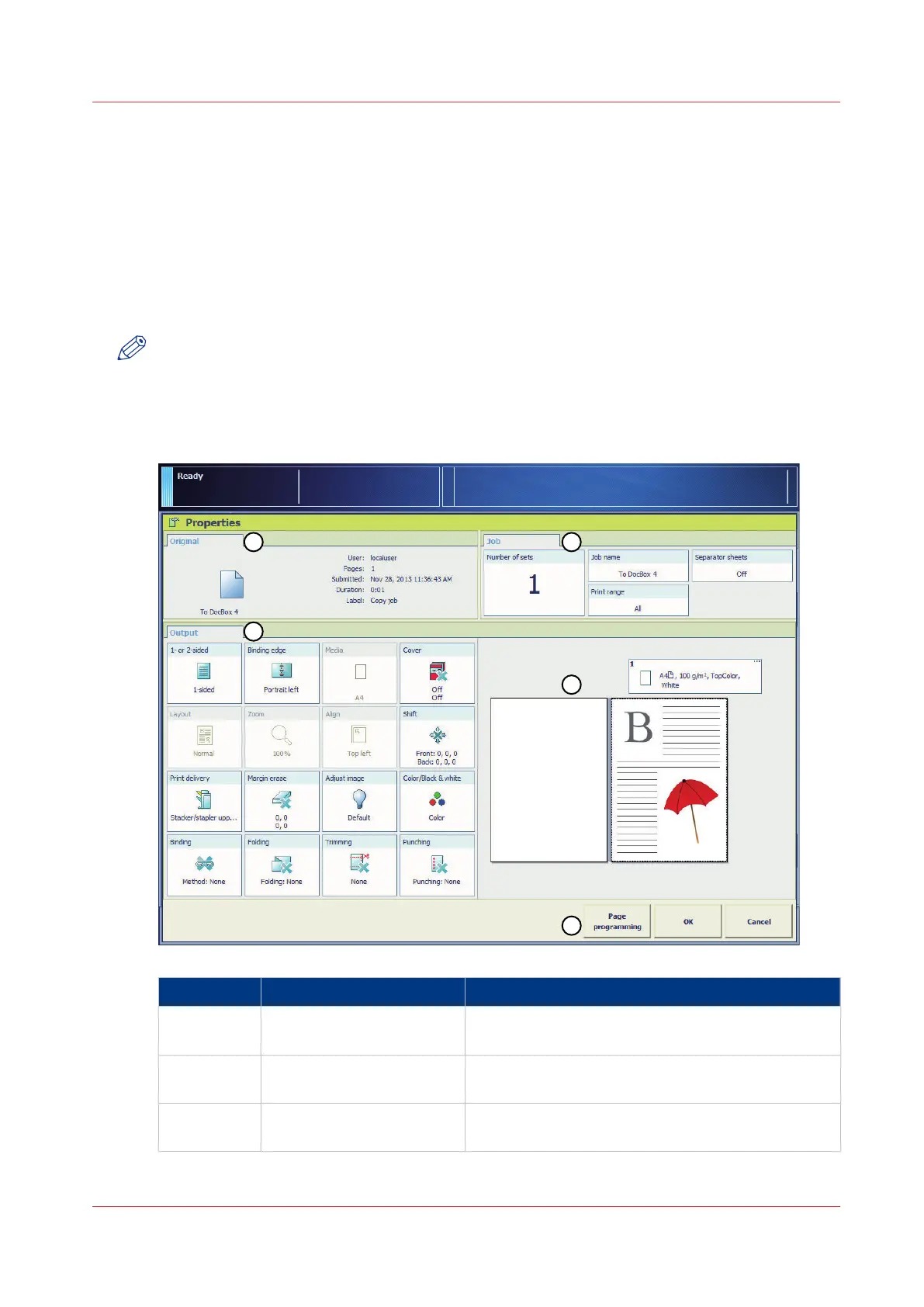
When you select a job in a DocBox and touch [Properties], the current settings of the selected job
are displayed. Below, the available settings are described.
NOTE
Depending on the type of job you want to edit, either a print job or scan job, some settings
cannot be changed. When a setting cannot be changed, the setting is greyed out.
Illustration
Number Pane Description
1 [Original] The [Original] pane shows the settings you can de-
fine for the paper originals
2 [Output] The [Output] pane shows the generic settings you
can define for the whole job
3 [Jobs] The [Jobs] pane shows the settings you can define
for the job
4
Handle the Jobs in a DocBox
Chapter 9 - Use the DocBox (Option)
283
Canon varioPRINT 135 Series














 To Next Page