Use the Separation Enhancer
Introduction
The separation enhancer improves the separation performance of specific media, such as coated
media. The table below gives recommendations about the use of the separation enhancer.
To prevent the risk of double sheet separations, it is advised to remove the separation enhancer
in all other situations.
The trays three and four both contain a separation enhancer. You can use the separation
enhancer in all the trays.
When to use the separation enhancer
Media formats Coated media types All other media types
Small formats: A4, LTR, 16K, B5, US Standard > 100 g/m² (28 lb
bond)
Never
Large formats: (A3, SRA3, A3+, 8K, B4, Legal) Always > 160 g/m² (60 lb cov-
er)
NOTE
Only deviate from the recommendations above when the printer repeatedly stops while the
operator panel displays the error code ORE147x1.
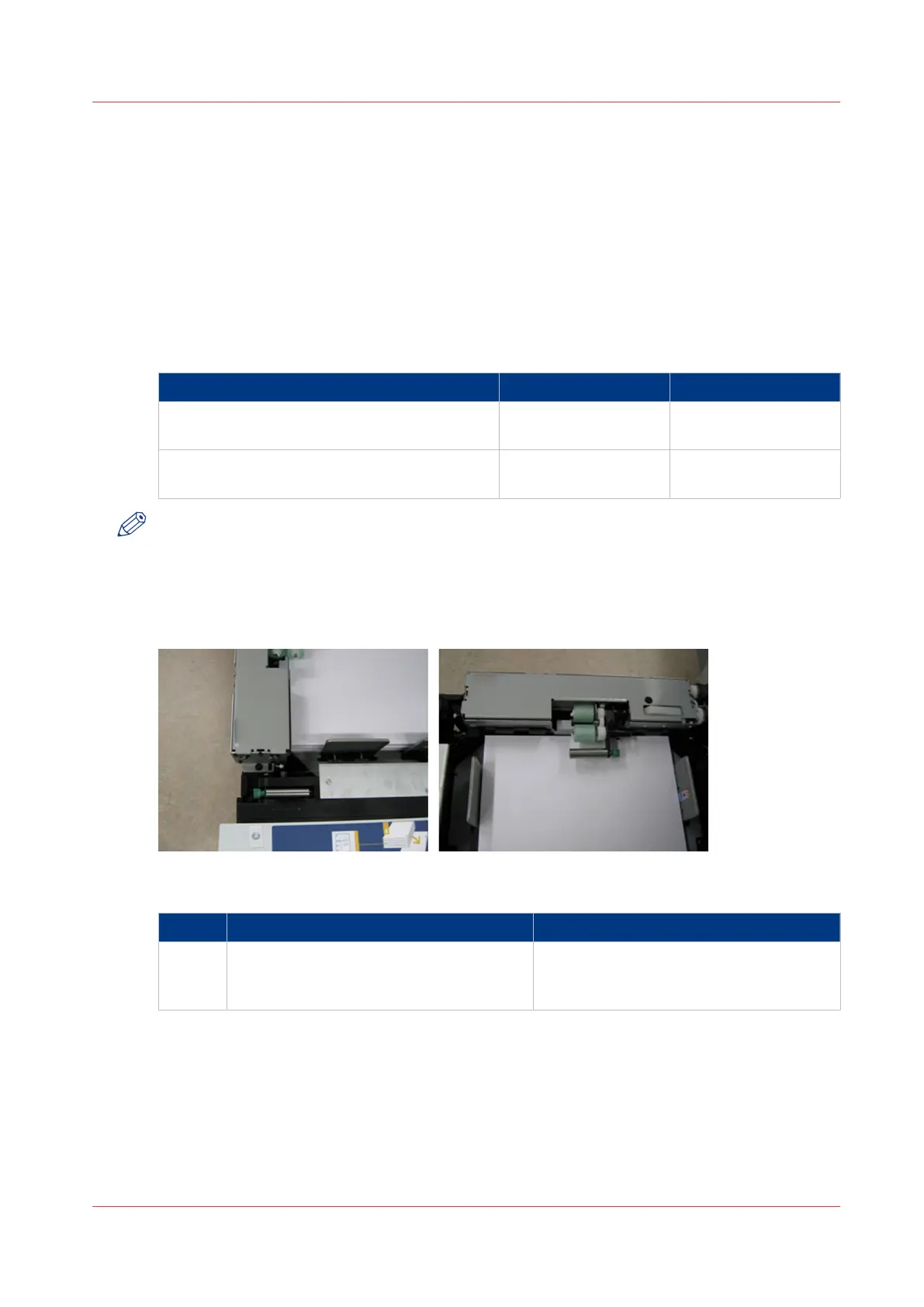
Illustration
[21] The separation enhancer
Install the separation enhancer
Step Action Remarks
1 Touch [System] -> [Maintenance] -> [Start
maintenance] -> [Separation enhancer] ->
[Start].
4
Use the Separation Enhancer
Chapter 5 - Media Handling
63
Canon varioPRINT 135 Series














 To Next Page