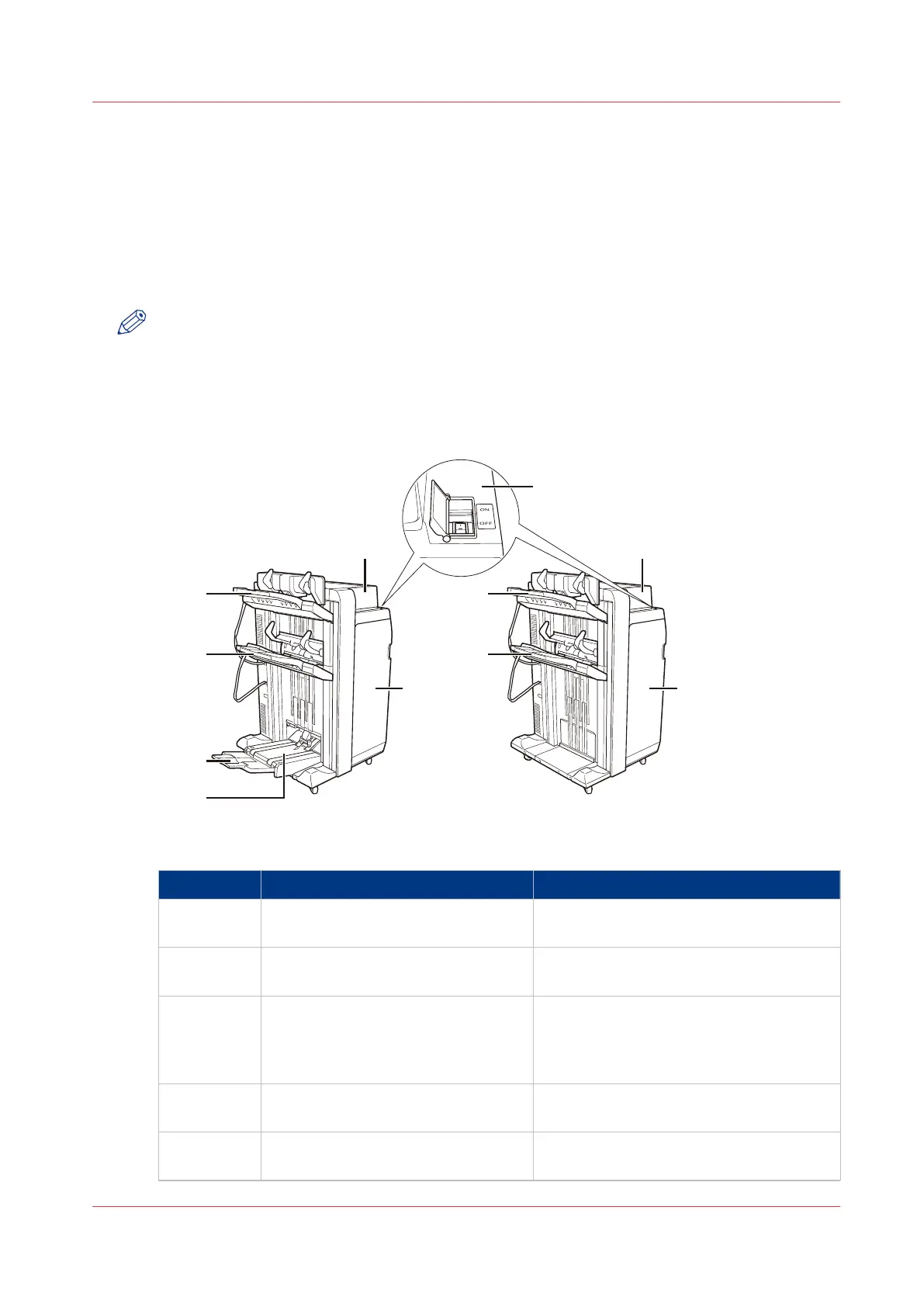
The Stacker/Stapler
Introduction
The stacker/stapler (either Finisher-AF1 or Finisher-AK1) can stack and staple your prints. When
the Saddle Finisher (either Saddle Finisher-AF1 or Saddle Finisher-AK2) is available, you can also
create half-folded, saddle-stitched booklets. Furthermore, an optional Puncher Unit can be
integrated in the stacker/stapler to punch the prints.
NOTE
See the Operation guide of Finisher-AF1/Saddle Finisher-AF2/Puncher Unit-BP1/BQ1/BR1, or
Finisher-AK1/Saddle Finisher-AK2/Puncher Unit-BT1/BU1 for detailed information about the
stacker/stapler.
External View
[5] The main parts of Saddle Finisher-AK2 and Finisher-AK1
Main parts
Component Function
1 Main power switch Put the switch on "I" to turn on the stack-
er/stapler.
2 Top cover Open the top cover to clear a paper jam
inside the unit.
3 Front door Open the front door to replace the staple
cartridge, remove jammed paper, or clear
a staple jam in the stacker/stapler, in the
stapler unit or in the saddle stitch unit.
4 Booklet tray (Saddle Finisher-
AF2/AK2 only)
Receive saddle stitched booklets.
5 Auxiliary booklet tray (Saddle Finish-
er-AF2/AK2 only)
Pull out the auxiliary booklet tray to re-
ceive large size booklets.
4
The Stacker/Stapler
Chapter 2 - Main Parts
27
Canon varioPRINT 135 Series














 To Next Page