INSTRUMENTS/CONTROLS
55
RIGHT PAGE
Bur 6-34090EUR
INFORMATION CENTER
BD02B020
Example: If the operator wanted location 061 to indicate engine oil service
intervals, when the engine oil is changed, location 061 would be reset to begin
accumulating hours for the next oil change. The operator could then go into
location 061 and monitor the accumulating hours. When location 061 reaches the
engine oil change interval, the operator would change the oil and reset location
061 again.
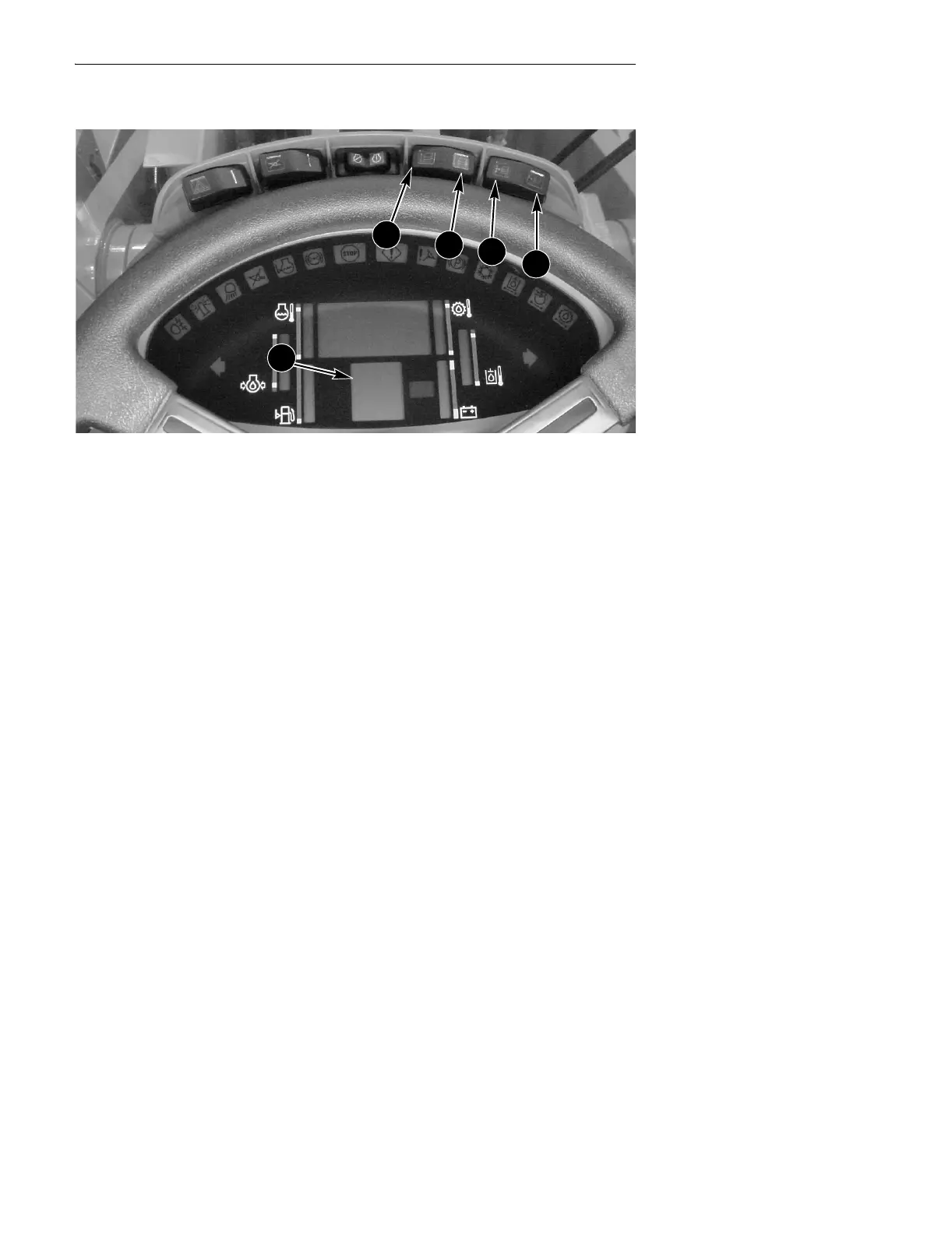
To view the service hour interval locations:
● Press the program (C) switch (left side of the program/reset (C, D) switch).
● Press the up count (A) switch until the display reads the desired location (010 -
070).
● Return the program/reset (C, D) switch to the OFF (center) position.
● Read the accumulated hours shown on the Display Center.
To reset the service interval hours:
● Press the program (C) switch (left side of the program/reset (C, D) switch).
● Press the up count (A) switch until the display reads the desired location (010 -
070).
● Return the program/reset (C, D) switch to the OFF (center) position.
● Push the down count (B) switch and hold for 3 seconds. The service interval
hours in the Display Center will reset to 0.
A. UP COUNT C. PROGRAM
B. DOWN COUNT D. RESET
A
B
C
D
1



 To Next Page