INSTRUMENTS/CONTROLS
63
RIGHT PAGE
Bur 6-34090EUR
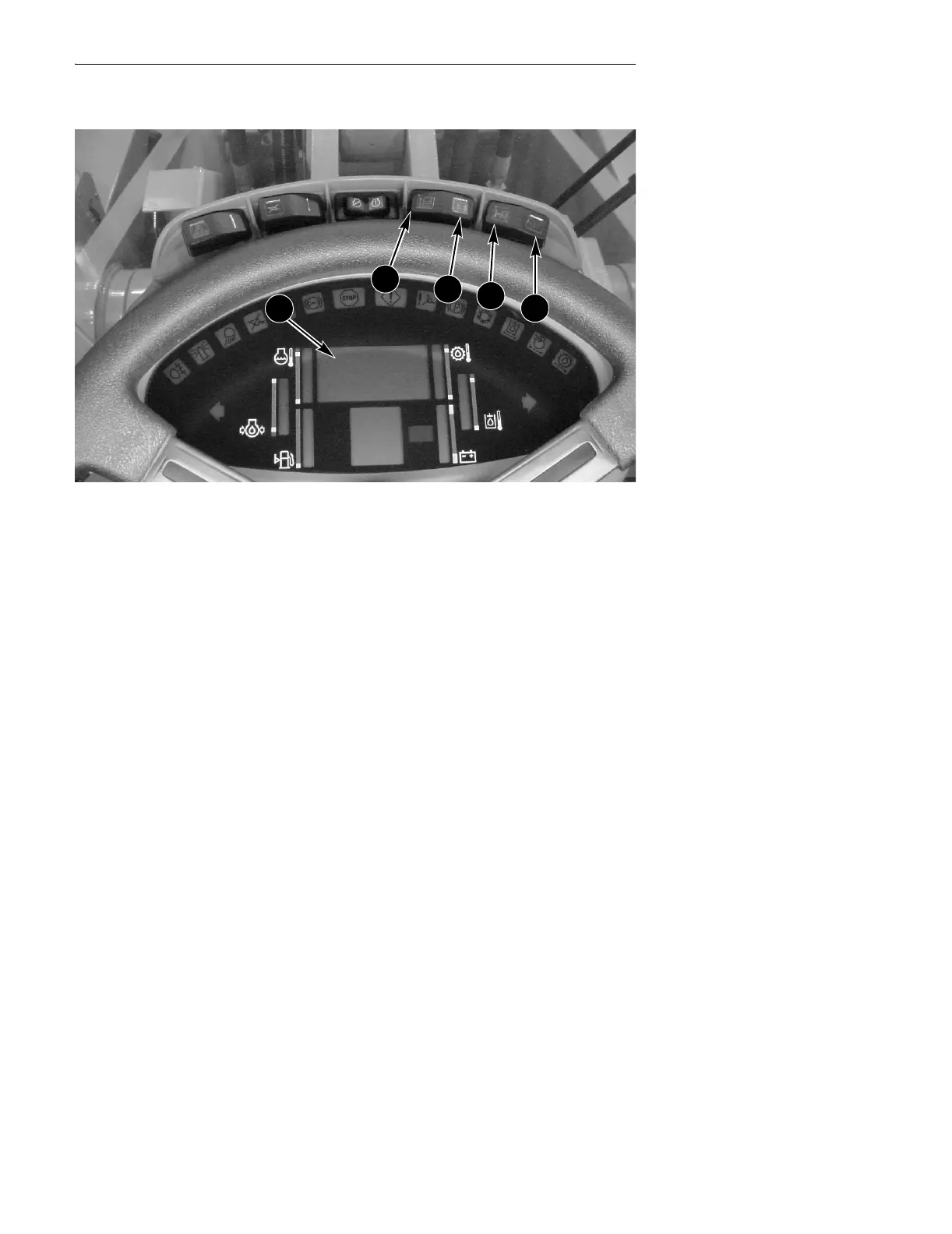
GAUGE DISPLAY
BD02B020
Setting Display Center Lamp
You can set the brightness of your display lights for two separate conditions. The
first is with your work lights OFF, and the second is with the work lights ON.
● Press the program (C) switch.
● Press the up count (A) switch until the display reads 012 (for lamps OFF) or
013 (for lamps ON).
● Return the program/reset (C, D) switch to the OFF (center) position.
● To increase the brightness of the display lights press the up count (A) switch.
● To decrease the brightness of the display lights press the down count (B)
switch.
● The brightness can be varied between 001 - 100, with 100 being the brightest.
Your machine is shipped from the factory with brightness setting of 070 for
working lights OFF and 020 for lamps ON.
● Press the reset (D) switch momentarily (0.25 second) and you are done.
A. UP COUNT C. PROGRAM
B. DOWN COUNT D. RESET
A
B
C
D
2



 To Next Page