6-MAINTENANCE
7.Cleanthematingsurfacesontheadapter.Checkthe
adapterforwearanddamages.
8.Insertanewtoothasitcompletelymatetheadapter.
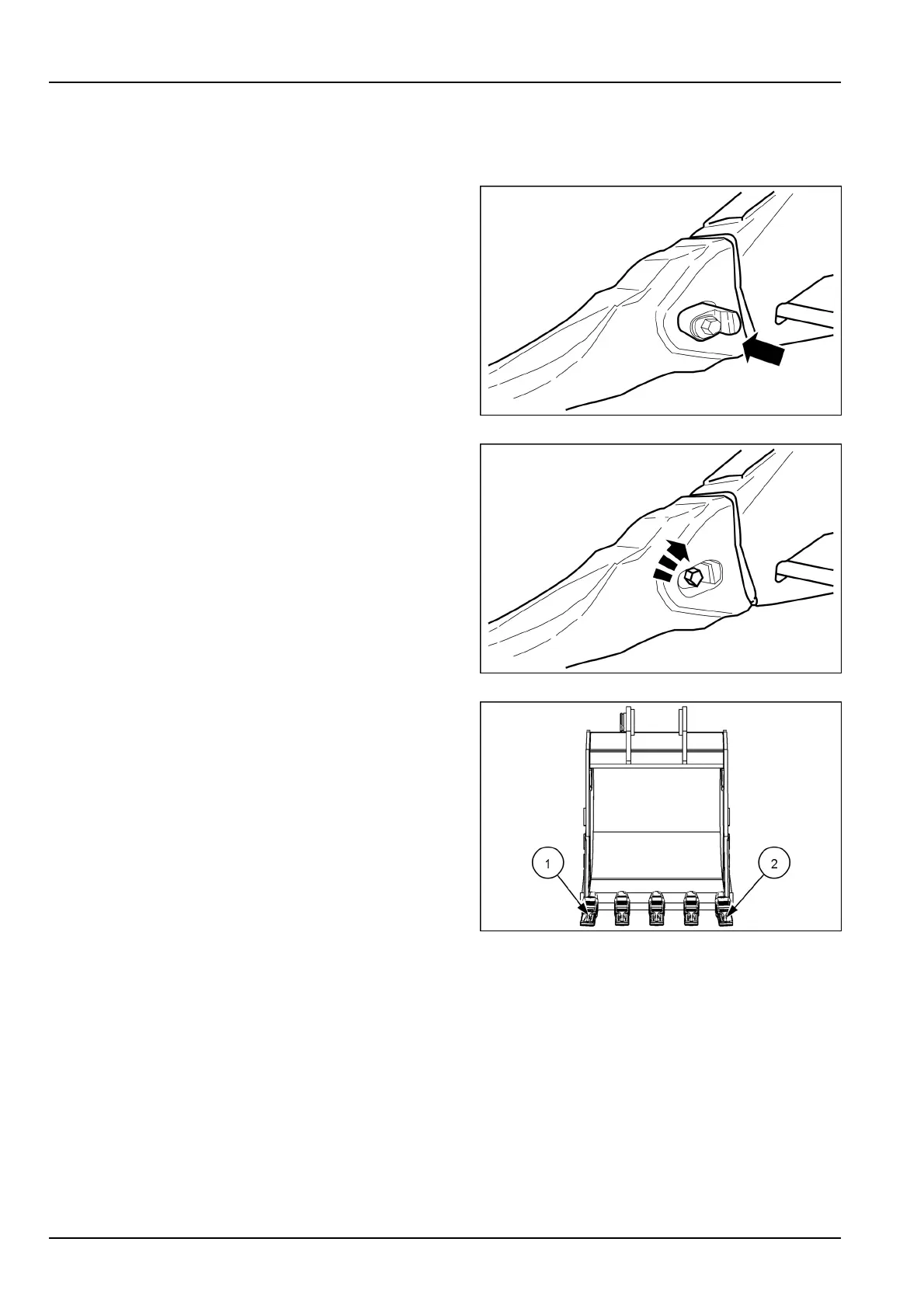
9.Insertthemountingpin.Pushuntilthelockingstud
touchesthealigningsurfaceontheadapter.
SMIL16CEX0462AA4
10.Turnthelockingstud90°clockwiseusinganhexag-
onalwrenchinordertolockthemountingpininposi-
tion.
11.Makesurethatthetoothisalignedwiththeadapter,
andthatithasnobacklash.
SMIL16CEX0461AA5
NOTE:ifallteethhavetobereplaced,itisrecommended
toremovethemstartingfromtooth(1)uptotooth(2).Itis
alsorecommendedtofollowthesameorderfrom(1)to(2)
toinstallthenewteeth.
SMIL16CEX0477AA6
6-82



 To Next Page