9-ACCESSORIES
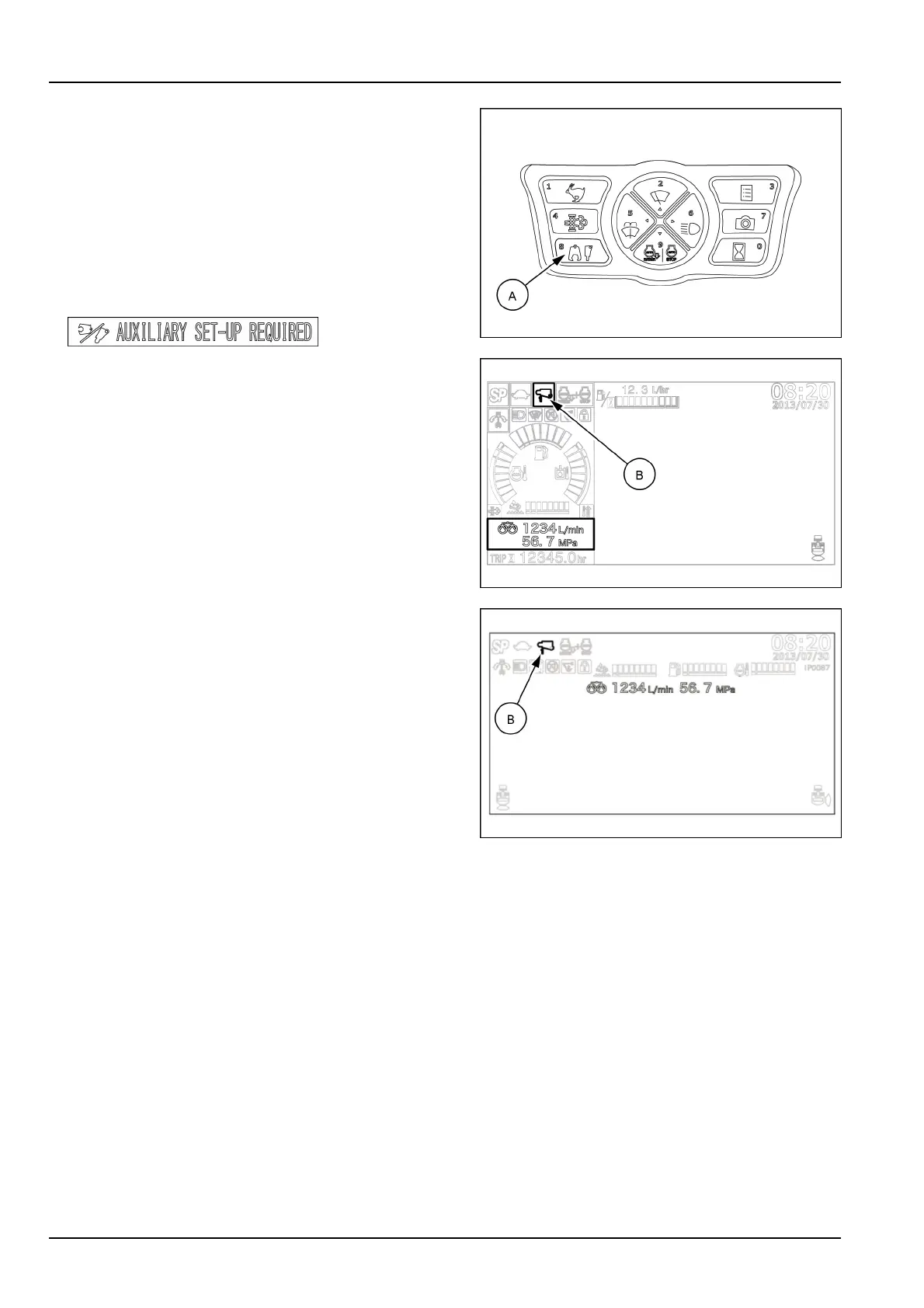
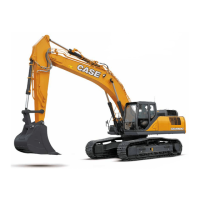
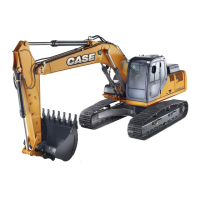
7.Starttheengine.Presstheattachmentselectorbutton
(A)untilthebreakericon(B)featuringtherequired
owrate/pressurecombination(1to5)appearsonthe
topleftofthedisplay.Ifadifferentsettingisnecessary,
orincaseofforgottensettings,refertotheOperational
settingsparagraphpreviouslyinthisSection.
NOTICE:Ifoperationwiththehydraulicattachment
isattemptedwithoutmakinganysetting,awarning
buzzersoundsandthemessageAUXILIARYSETUP
REQUIREDisdisplayed.
SMIL15CEX1234AA17
SMIL15CEXZ405AB18
SMIL19CEX0563AA19
8.SelecttheSPworkmode.
9.Setthegatelockleverinforwardposition.
10.Operatethecontrolsofboom,armandbucketinor-
dertopositionthebreakerrighttothestructureorto
theobjecttobecrushed.
9-20


 To Next Page