9-ACCESSORIES
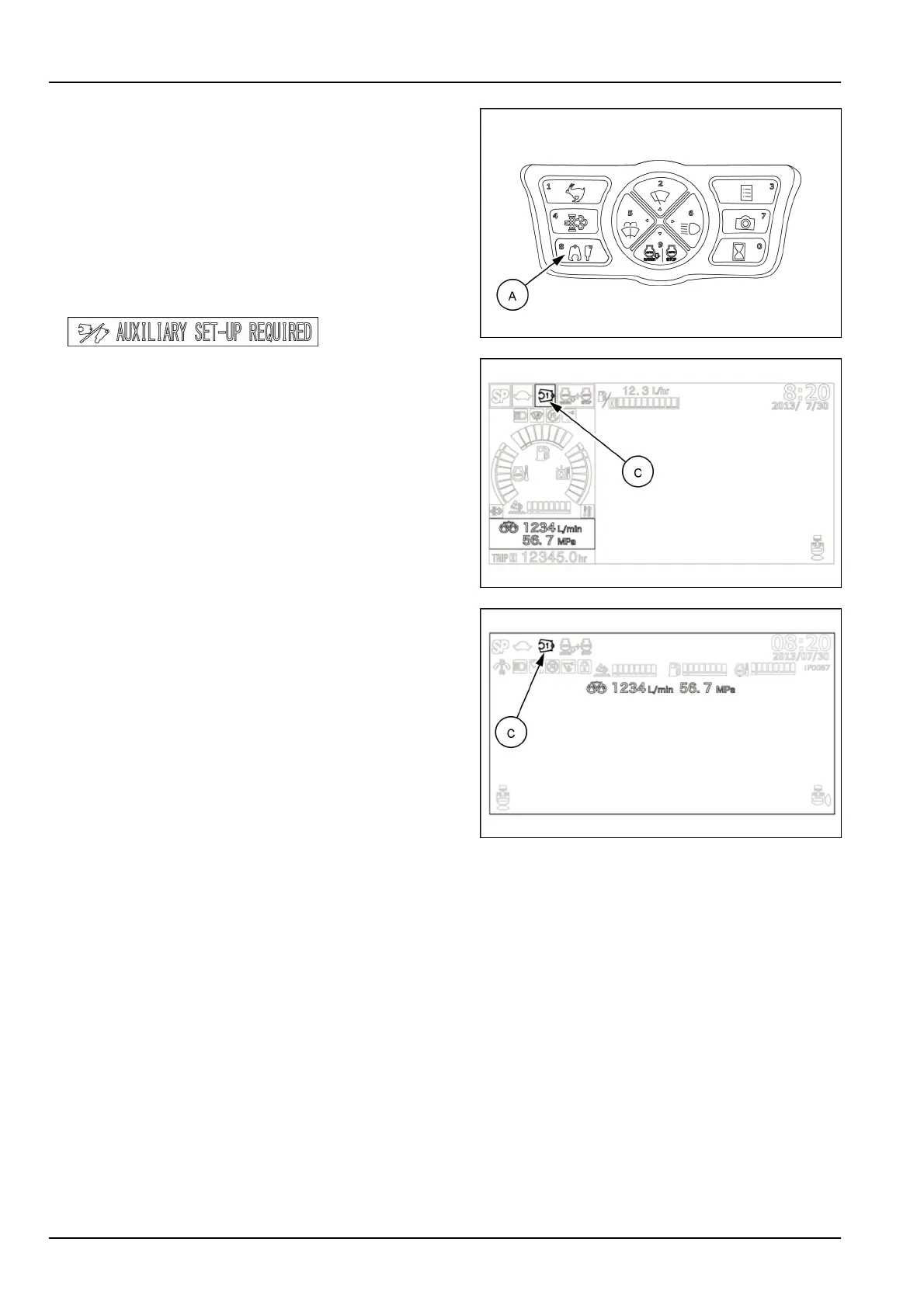
7.Starttheengine.Presstheattachmentselectorbutton
(A)untilthecrushericon(C)featuringtherequiredow
rate/pressurecombination(1to5)appearsonthetop
leftofthedisplay.Ifadifferentsettingisnecessary,or
incaseofforgottensettings,refertotheOperational
settingsparagraphpreviouslyinthisSection.
NOTICE:Ifoperationwiththehydraulicattachment
isattemptedwithoutmakinganysetting,awarning
buzzersoundsandthemessageAUXILIARYSETUP
REQUIREDisdisplayed.
SMIL15CEX1234AA32
SMIL19CEX2000AA33
SMIL19CEX0564AA34
8.SelecttheSPworkmode.
9.Setthegatelockleverinforwardposition.
10.Makesurethatthecontrolpatternofthehydraulic
crusherisasintended.Slideupanddownthepropor-
tionalswitchlocatedontheright-handcontrollever,
andconrmthecontroldirectiontoopenthecrusher
andthecontroldirectiontoclosethecrusher.
NOTICE:ifcontroldirectionsforopeningandclosing
arenotasintended,checkforanalternativesetupof
theconnectingportsontheattachment.
NOTICE:Alwayskeepeachconnectinghoseonthe
samesideofthearm.Nevercross-overtheconnect-
inghosesbetweenthetwosidesofthearm.
11.Operatethecontrolsofboom,armandbucketinor-
dertopositionthecrusherrighttothestructureorto
theobjecttobecrushed.
9-26


 To Next Page