3-CONTROLSANDINSTRUMENTS
Operatingmode
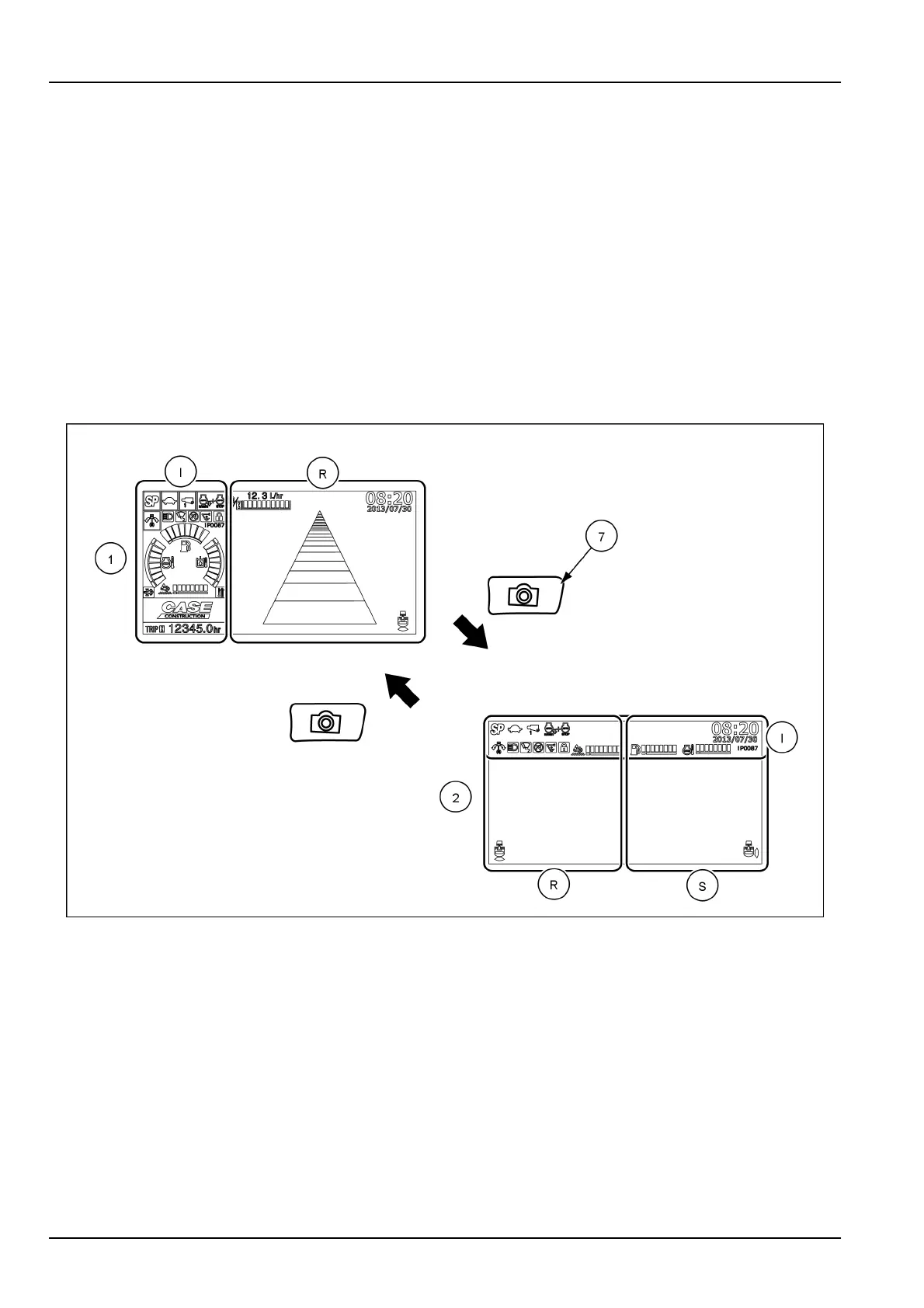
Themachineisdefaultequippedwitharearexternalcamera.Theoperatingmodeofthedisplay(1)showstheview
oftherearcamera(R)andaninformationband(I)thatincludestheiconsandthewarningsrelatedtothefunctioning
ofthemachine.
Themachinecanbeoptionallyequippedwithanadditionalright-sideexternalcamera.Asupplementaryoperating
modeofthedisplay(2)showsboththeviewoftherearcamera(R)andtheviewoftheright-sidecamera(S).The
iconsandthewarningsrelatedtothefunctioningofthemachineareshownonthetopofthedisplay.
Pressthecameraviewselectorbutton(7)ontheinstrumentclustertoselecttheoperatingmode(1)ortheoperating
mode(2).Theoperatingmodeofthedisplaytoggleseverytimethebuttonispressed.
NOTE:Thedefaultsequenceoftheoperatingmodesofthedisplaystartsfromtheoperatingmode(1).Consultthe
CASECONSTRUCTIONdealerforsettingadifferentsequenceoftheoperatingmodesofthedisplay.
NOTE:IfthemachineisequippedwiththeFieldViewMonitorsystem,analternativeoperatingmodeofthedisplay
canbeselected.RefertoChapter9.
SMIL15CEXY894FB4
NOTICE:Duringmachineoperation,makesuretoselecteitheroneoperatingmodeofthedisplayinordertoensure
propervisibilityaroundthemachine.
3-28


 To Next Page