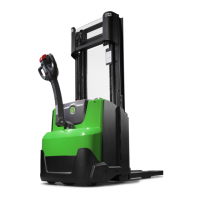
© Cesab 8 – 13 T Code(s): 841, 842, 843
Repair manual: Troubleshooting Model(s): S210, S212, S212S, S212L, S214, S214L, S220D
Publication Number: 7588857-040 Date: 2018-05-01 Applies from serial number: 6384351-
2:515
No return signal
from K110 (DHU/
TWIS) within 0.6
seconds after
logging on
Everything is
stopped at once,
the parking brake
is activated, and
the main
contactor opens
1: Error on CAN
bus wiring or
connection
2: Wrong setting
for parameter
102
3: No connection
with K110
4: Loose
connections
5: Software
failure
1: Check the CAN bus
• Check that CAN bus is intact in
terms of wiring harness,
resistance and connectors.
Disconnect the battery. Check
that the resistance between
(X41:3) and (X41:4) is 54 - 66
ohms.
• Check that the CAN wiring
harness is not pinched.
Measure resistance between
the chassis and CAN connector.
Limit value >24 kOhm
2: Check parameters.
• Check that factory parameters
are set according to the truck
configuration.
• Check that other parameters
are set correctly.
3: Check K110 (DHU/TWIS)
• Check that the DHU's green
LED is lit. If the LED is not lit:
Check the DHU's feed voltage =
battery voltage
• Make sure it is possible to
connect TruckCom to the DHU.
If it is possible to connect them,
check the DHU's configuration.
If there is a power supply but no
communication, check the CAN
bus. If it still not possible to
communicate with the DHU,
replace the unit.
4: Check for loose connections
• Switch on the truck, and pull
carefully in the branches of the
wiring harness to find any loose
connections, and note when/if
the error code appears.
5: Update the truck software
• Update the truck software to the
latest version.
Code Description
Truck
behaviour
Error cause(s) Procedure
https://www.forkliftpdfmanuals.com/


 To Next Page