© Cesab 8 – 56 T Code(s): 841, 842, 843
Repair manual: Troubleshooting Model(s): S210, S212, S212S, S212L, S214, S214L, S220D
Publication Number: 7588857-040 Date: 2018-05-01 Applies from serial number: 6384351-
8.10 Digital input/output status
8.10.1 Test mode "9" –
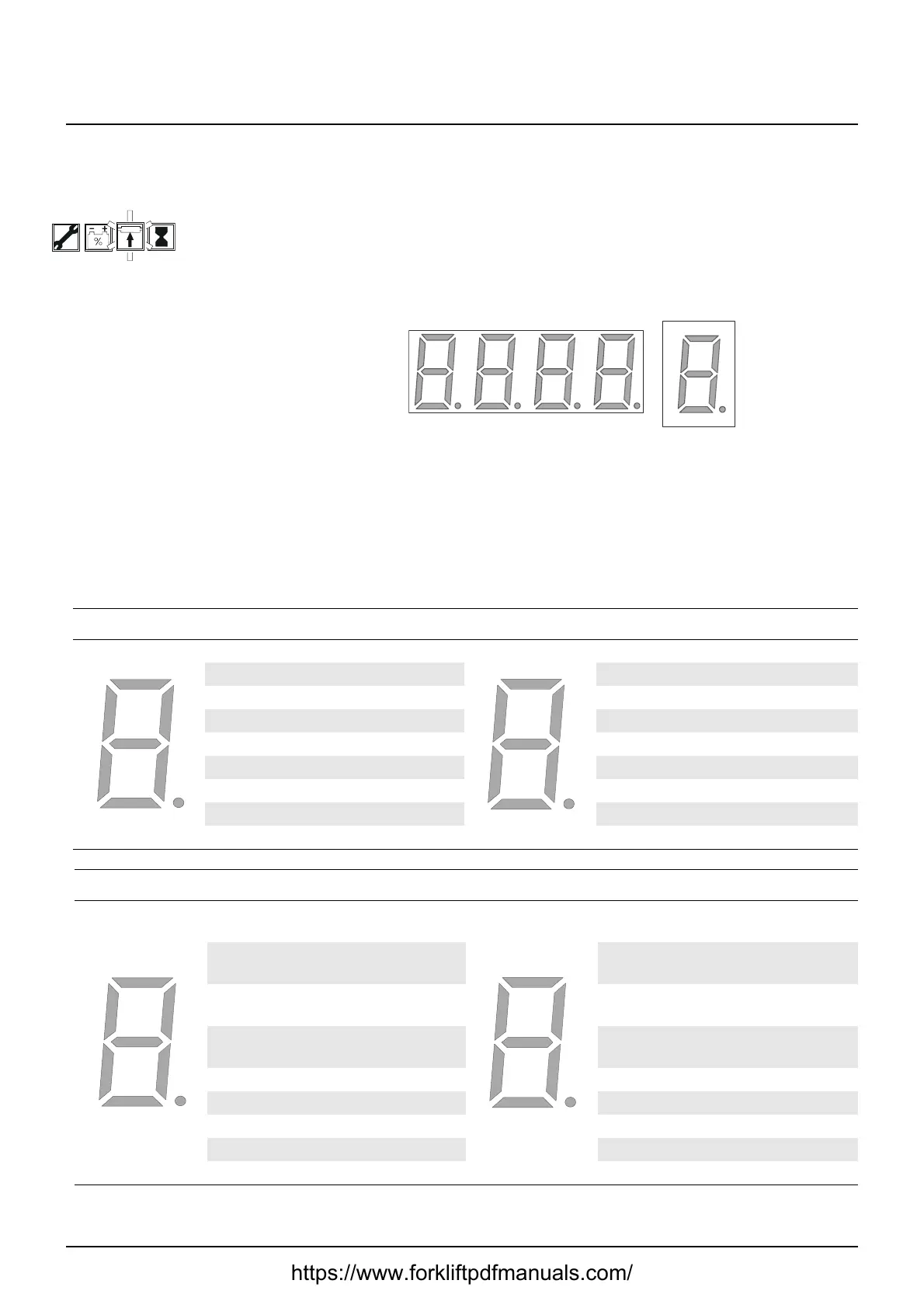
In this mode, the digital inputs and outputs are tested by checking specific
segments on the display according to the following tables.
Position:
1. Digital input of ICH [A5]
2. Digital input/output of ICH [A5]
3. Transistor regulator inputs
4. Transistor regulator inputs
1 – 8: Reference to segment
Digit 1, ICH digital in Digit 2, ICH digital in/out
Segment Description Segment Description
1 Option button 6 1 Rear button up
2 Option button 5 2 Rear button down
3 Option button 4 3 Front button up
4 Option button 1 4 Front button down
5 Option button 2 5 Main contactor
6 Option button 3 6 Horn input
7 ICH address (node ID) 7 Brake output
8 - 8 Pump
Digit 3, ICH digital in Digit 4, ICH digital in
Segment Description
Segmen
t
Description
1
Top position sensor not
active (B61)
1 Input 9
2
Steering arm active
(B60)
2 Input 10
3
Operator on platform
(B119)
3 Input 11
4 Input 4 4 Input 12
5 Input 5 5 Input 13
6 Platform up (B120) 6 Input 14
7 Gate up (121) 7 Motor encode, channel A
8 Gate down (B122) 8 Motor encode, channel B
https://www.forkliftpdfmanuals.com/


 To Next Page