Page | 98
SOFTWARE UPDATES [CONTINUED]
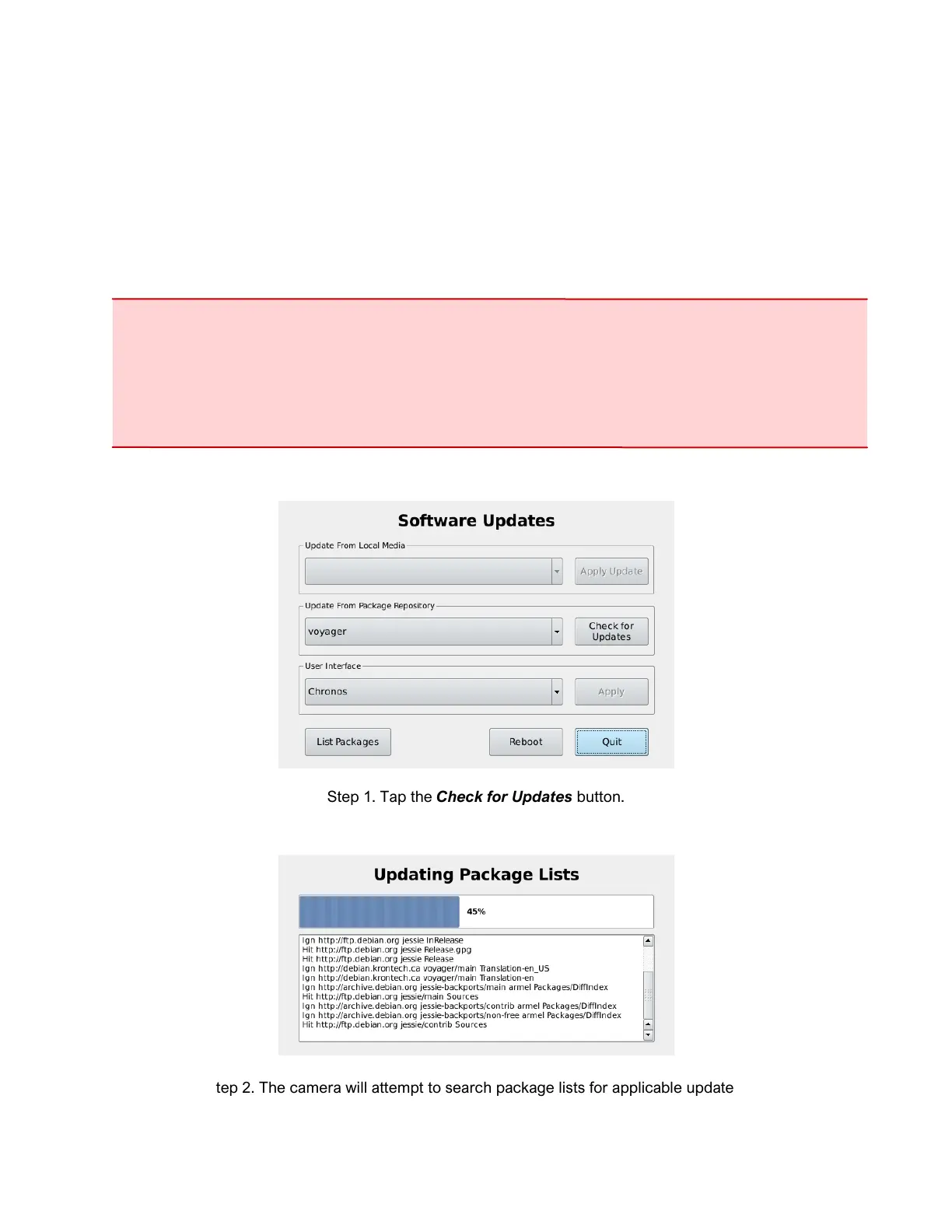
The following section provides a step-by-step demonstration of the camera’s online software update
procedure. Prior to starting this procedure, please ensure that the camera is connected to the internet via
the ethernet port. Network status can be fount by navigating to the Network tab in the Util screen.
WARNING: Always back up configuration and calibration data prior to a software update.
Ensure the camera is either connected to AC power or ensure that the battery is charged over
25%. DO NOT power off the camera while an update is in progress.
In the case that an update is also applied to the camera’s power manager, the fan will run at full
speed and the status LED will blink green and red until this is complete.
Step 1. Tap the Check for Updates button.
Step 2. The camera will attempt to search package lists for applicable updates.



 To Next Page