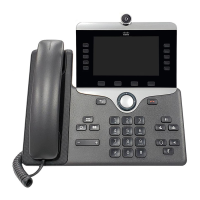
Cisco IP Phone Cleaning
To clean your Cisco IP Phone, use only a dry soft cloth to gently wipe the phone and the phone screen. Do
not apply liquids or powders directly to the phone. As with all non-weatherproof electronics, liquids and
powders can damage the components and cause failures.
When the phone is in sleep mode, the screen is blank and the Select button is not lit. When the phone is in
this condition, you can clean the screen, as long as you know that the phone will remain asleep until after you
finish cleaning.
Cisco IP Conference Phone 8832 Administration Guide for Cisco Unified Communications Manager
178
Cisco IP Conference Phone Troubleshooting
Cisco IP Phone Cleaning


 To Next Page
 Loading...