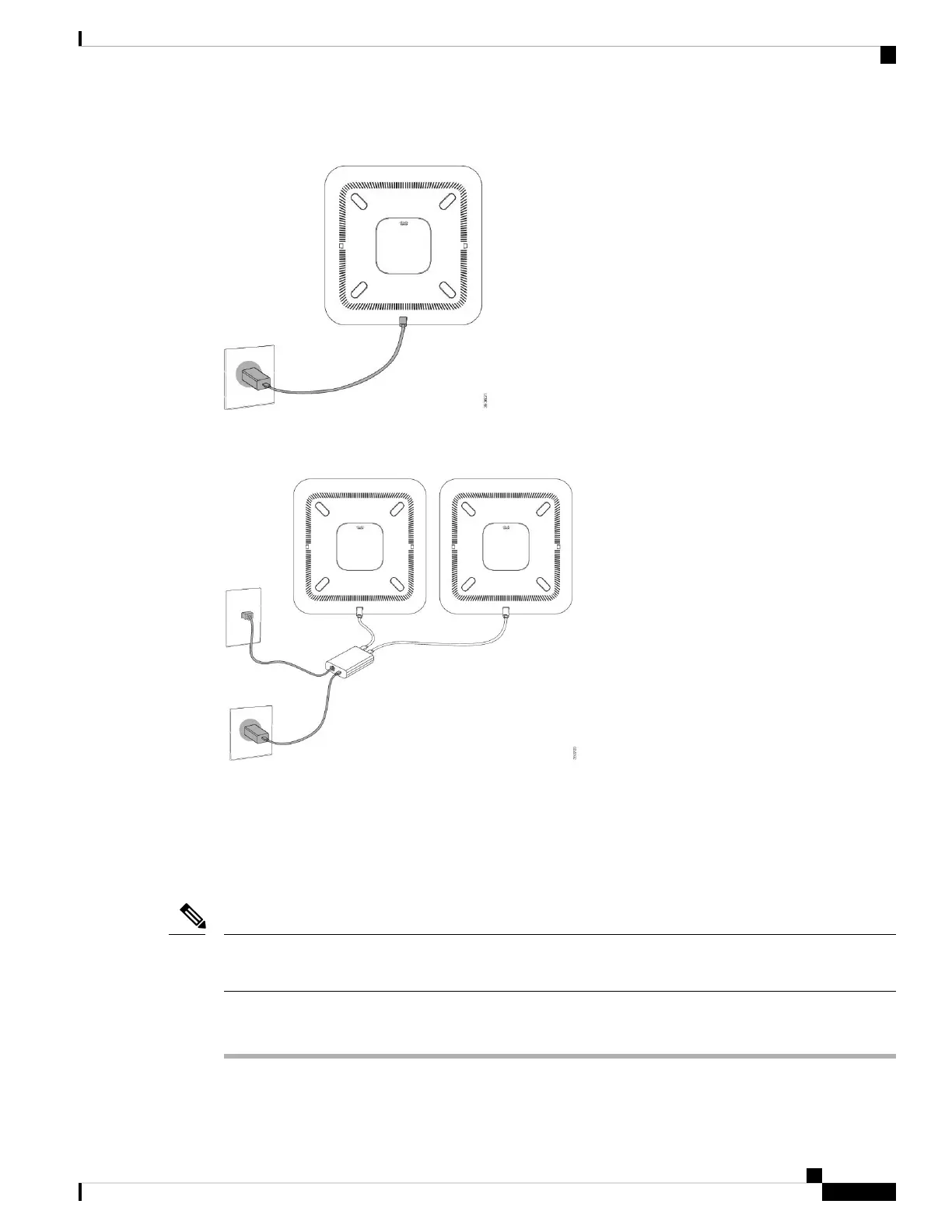
Figure 8: Conference Phone Power Option When Connected to a Wi-Fi Network
Figure 9: Conference Phone Power Option in Daisy Chain Mode
The following figure shows the power option when the phone is connected in daisy chain mode.
Install the Wired Expansion Microphones
The conference phone supports an optional kit with two wired expansion microphones. You can extend the
microphones up to 7 feet (2.13m) from the phone. For best results, we recommend that the microphones be
placed at least 3 feet (0.91m) away from the phone.
You must use either two wired microphones or two wireless microphones with the phone, but not a mixed
combination.
Note
Procedure
Step 1 Plug the end of the microphone cable into the port on the side of the conference phone.
Cisco IP Conference Phone 8832 Administration Guide for Cisco Unified Communications Manager
31
Cisco IP Conference Phone Installation
Install the Wired Expansion Microphones



 To Next Page
 Loading...