108
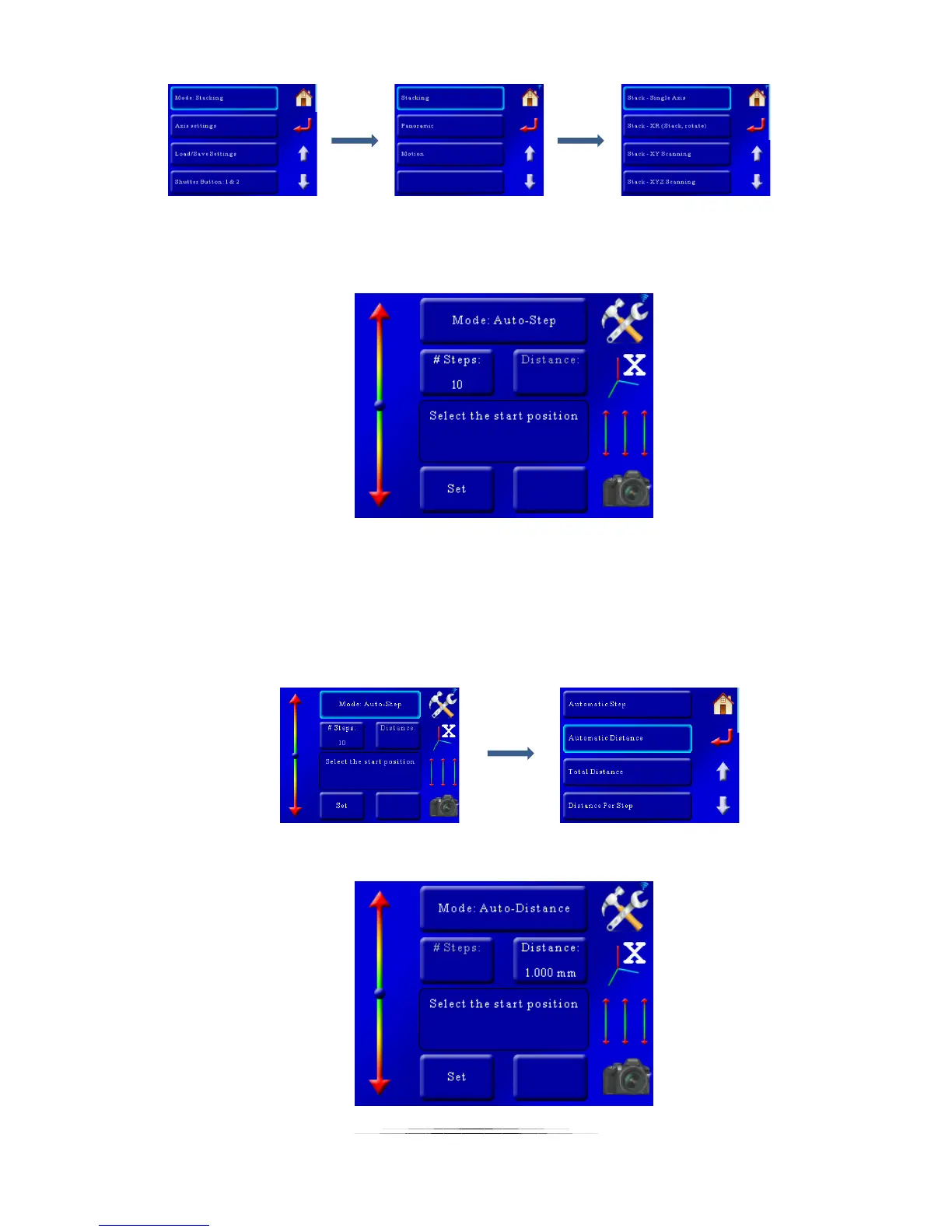
That will bring up the single-axis stacking mode:
Here you can see that the axis indicator on the right hand side of the screen says we’re
controlling the “X” axis. If you have the macro rail attached to a different axis you can touch this
button to select that axis.
Now that we’re in stacking mode let’s select the mode that you’ll probably use the most often:
“Auto-Distance”. To do this press the “Mode” button at the top and select “Auto-Distance”:
Now we will see the “Auto-Distance” screen:



 To Next Page