110
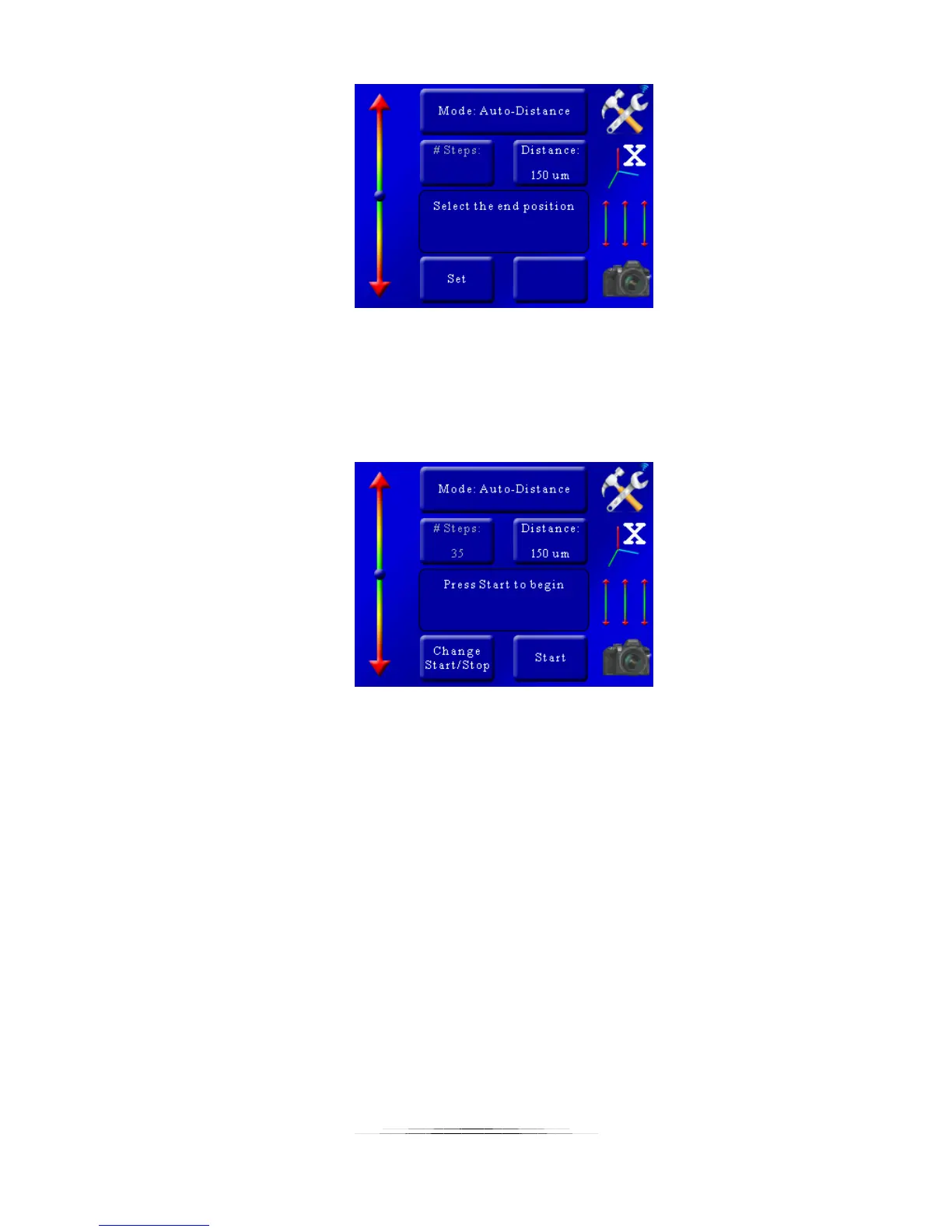
Here we are asked to find the end position. Once again use the slider on the left to move the
macro rail to the end of the stack – which for us is past the ant’s head. We’ll have the end
position a little past where we want to make sure we give the stacking software extra data
instead of not enough. Once the rail gets to the end position just press the “Set” button. That
will bring up this screen:
We can now see the motor will have to move 35 times (“# steps”) to go from the start position
to the end position. Because StackShot 3X takes a picture before moving you would end up with
36 pictures total for this stack.
You now have two options – “Change Start/Stop” and “Start”. If we were to press “Change
Start/Stop” we would go through the above process all over again of choosing the start and stop
positions. We’re pretty happy with what we have so the next step is to press the “Start” button.
As soon as the “Start” button is pressed the macro-rail will return to the starting position. You’ll
hear a direction reversal as soon as it gets to the start and that is completely normal – the
controller is removing backlash in the rail prior to starting. It will then start the focus stacking
process. The current motor step and remaining time is displayed:



 To Next Page