119
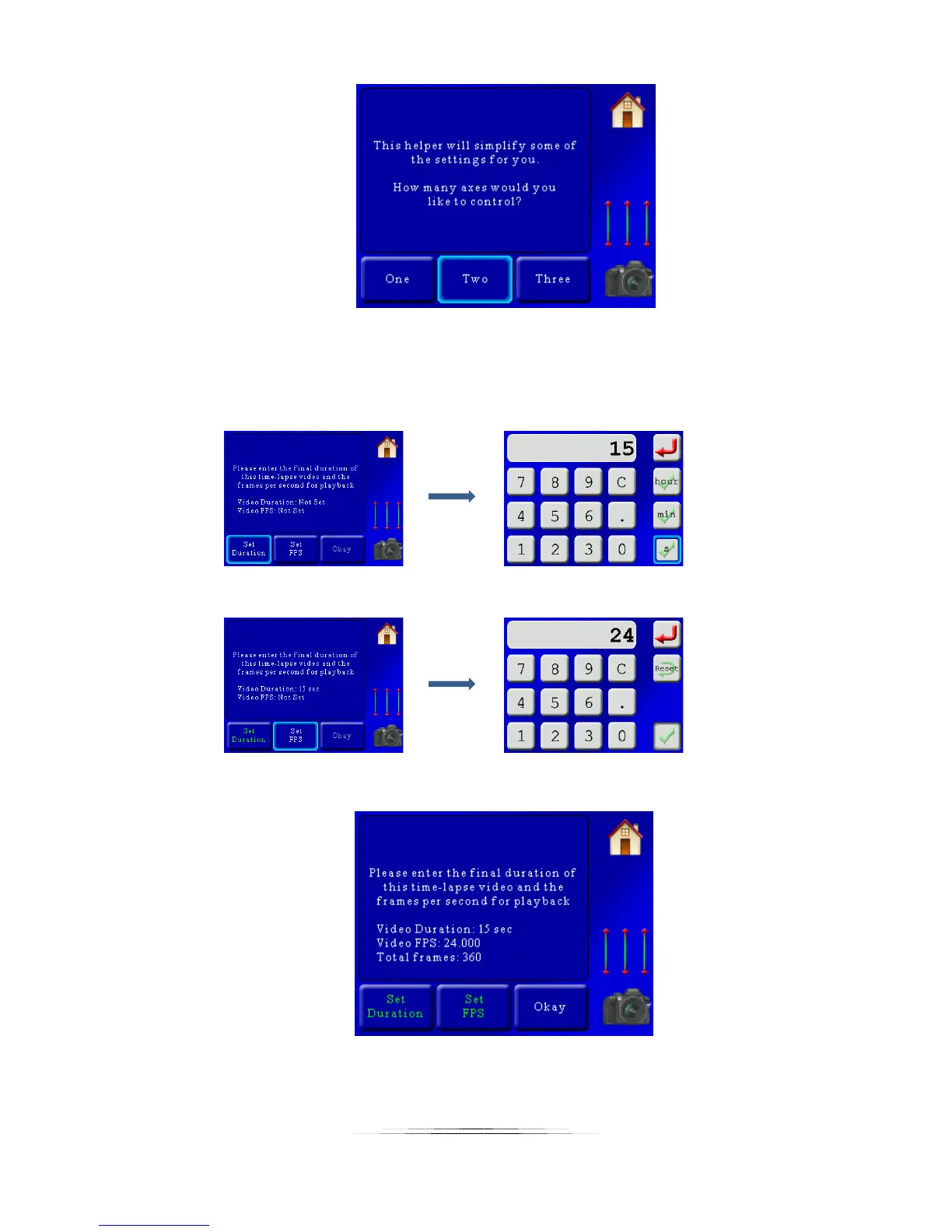
Once we press “Two”, we’re asked to enter the final duration of the video and the frames per
second. This final duration is the playback duration and will be used to calculate the total
number of frames required. In our example we want a 15 second video at 24 frames per
second. Here we set the playback duration:
… and now the frames per second:
Now we have everything set and see a summary screen:
There we go! 360 total frames. Not overly ambitious but definitely enough to get us some great
video. Now that those two parameters are set press the “Okay” button. We’ll then see:



 To Next Page