120
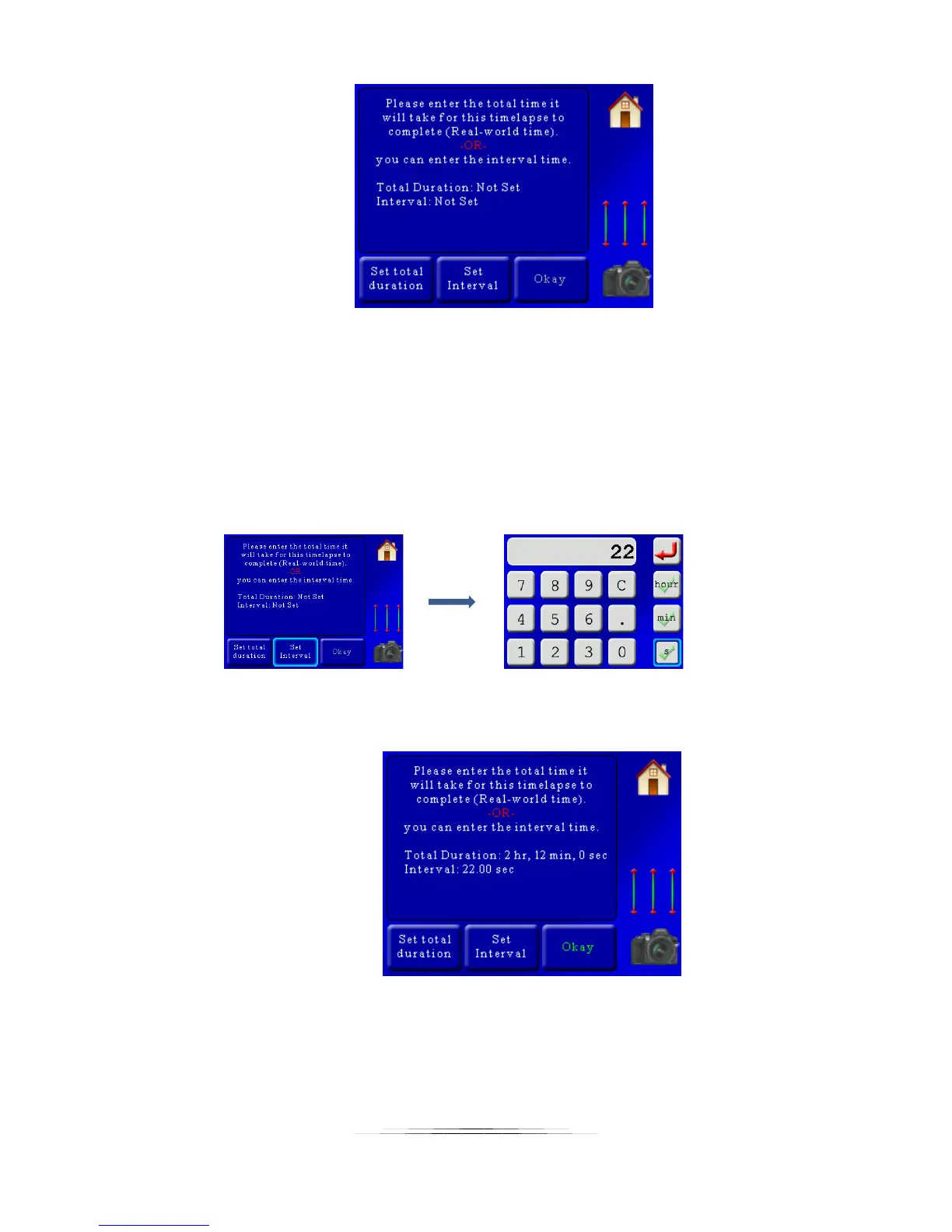
Here we’re given two options. StackShot 3X needs to know how long to wait between
photographs. There are two ways to enter this – the total “real world” duration (how long you
want the time lapse to take in real life) or you can set the interval directly. In this case since we
know our exposure is set to 20 seconds on the camera so the interval had best be longer than
that! Otherwise we’ll be moving while the camera is still open. The helper will have a default
motor settle time (waiting for vibration to end) of two seconds and for our time lapse we want it
to go as fast as it can – so we’ll set the interval to 22 seconds. That’ll take pictures about as fast
as we can:
Now we see a summary for the interval:
Our interval is set to 22 seconds, and the controller lets us know that the total “real
world” time will be two hours and 12 minutes. Looks good! So now we press the
“Okay” button which takes us to the next screen.



 To Next Page