65
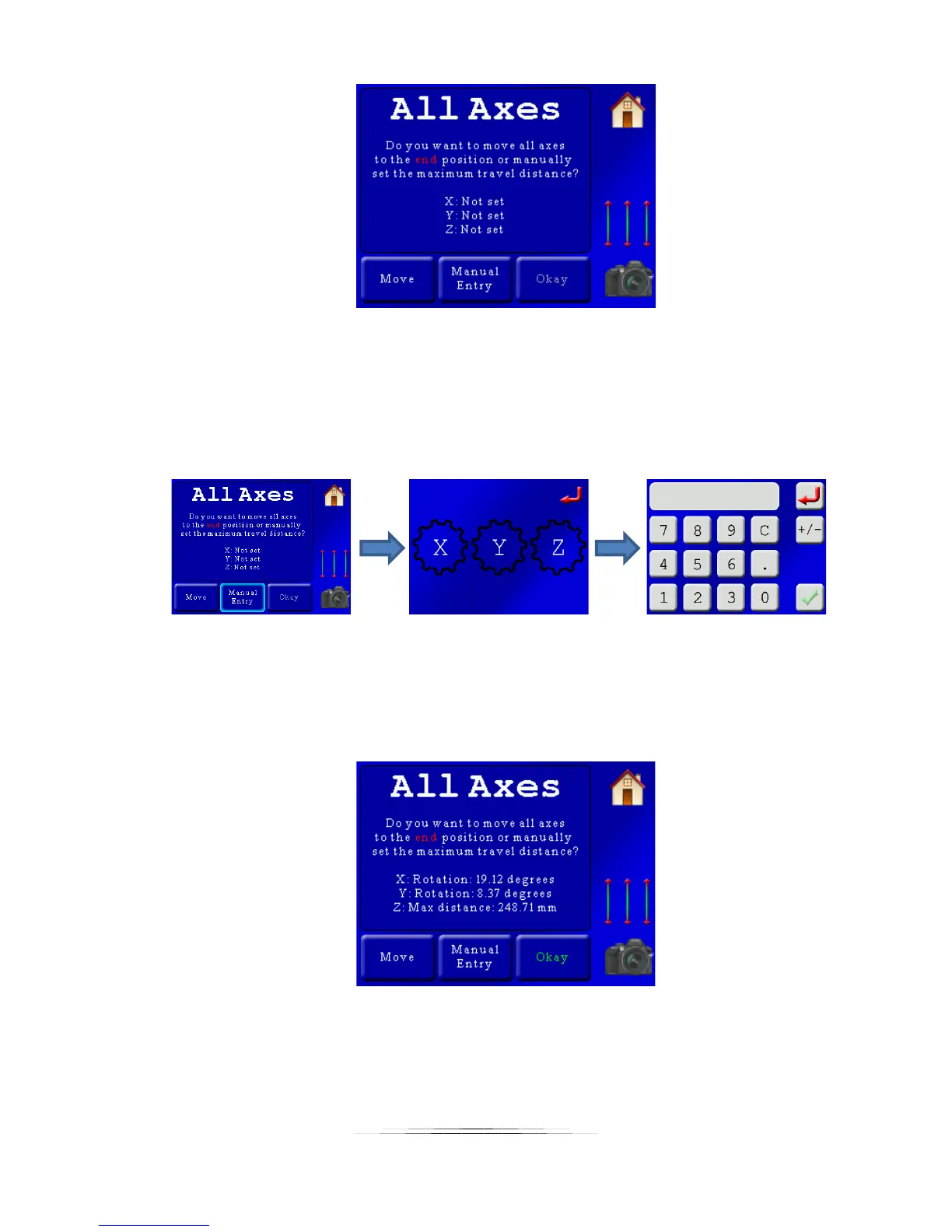
Now we need to set the end position for all axes. There are two options for choosing the end
position for all three axes (or as many as you have selected). If you press the “Move” button,
the three-axis slider will appear and you can adjust the position visually. If, however, you know
how many millimeters or degrees you want an axis to move you can press the “Manual Entry”
button. This will bring up a screen asking which axis you want to manually enter the travel
distance for and then followed by the distance entry screen:
Note: If you are using the manual entry you can enter positive and negative degrees/distances
by pressing the +/- button on the distance entry screen.
After making adjustments the screen will show a summary of the distances. In this example we
used the position sliders to get the end point exactly where we wanted it:
If this is acceptable press the “Okay” button. The helper is complete! You will then see the
main summary screen with your motion profile for all three axes:



 To Next Page