64
Z-axis: Smooth start and finish
Z-axis: Slider
Once we’ve selected the motion profile and the attached gear for each axis we’re prompted
with the following:
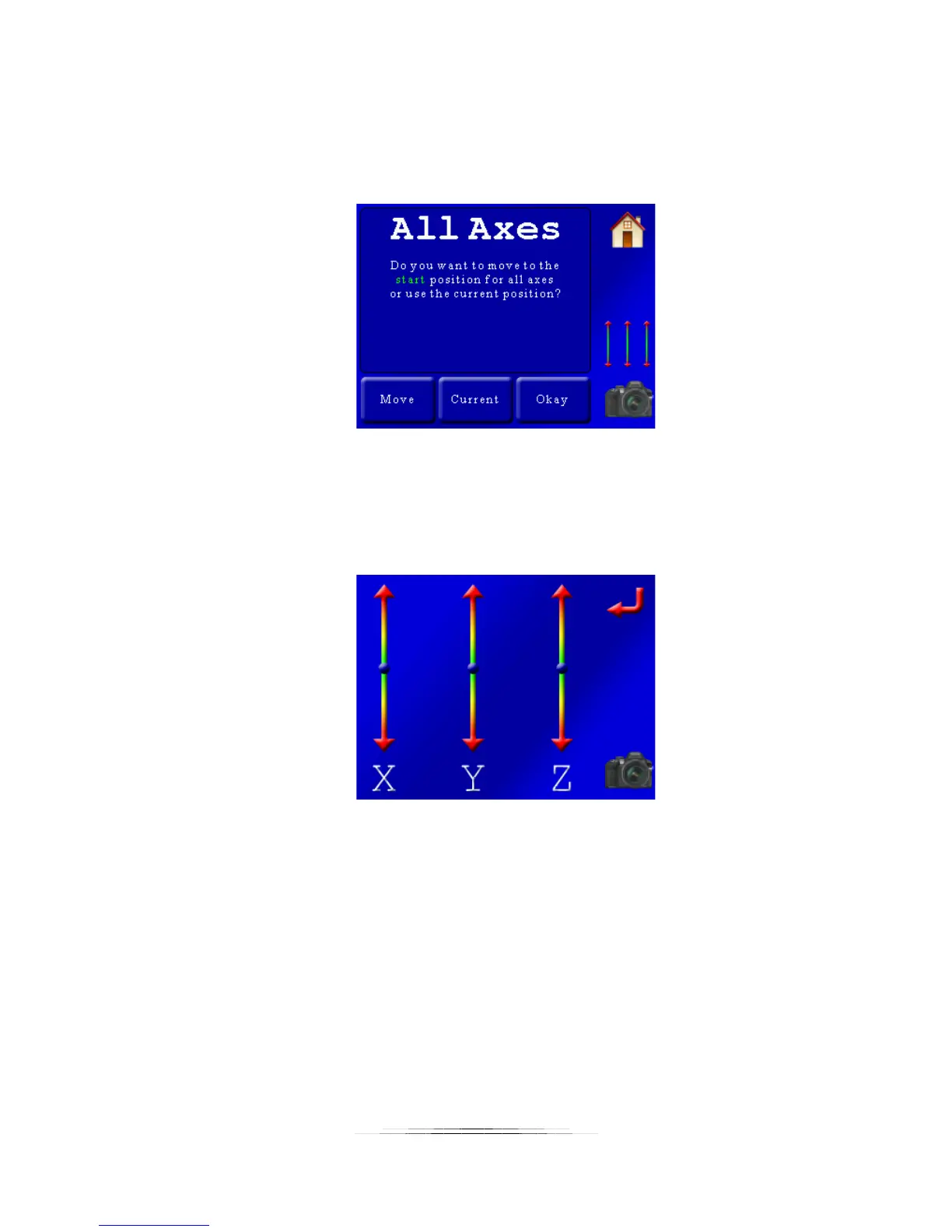
Here we are asked to choose the start position for all axes. You have to adjust the start position
for all three (or as many as you selected) axes. You have two options to choose from: Use the
“current” position (you’re already at the start) or “move” to the start position. If you press
“current” you’ll be taken to the next screen. If you press “move”, you will see the three-axis
slider to adjust the position:
Using the sliders above adjust the position for each axis to the starting point. When complete,
press the red “return” arrow.
If the starting position is good press the “Okay” button and then we will see:



 To Next Page