68
change either the duration or the frames per second if you’re not happy with the total number
of frames.
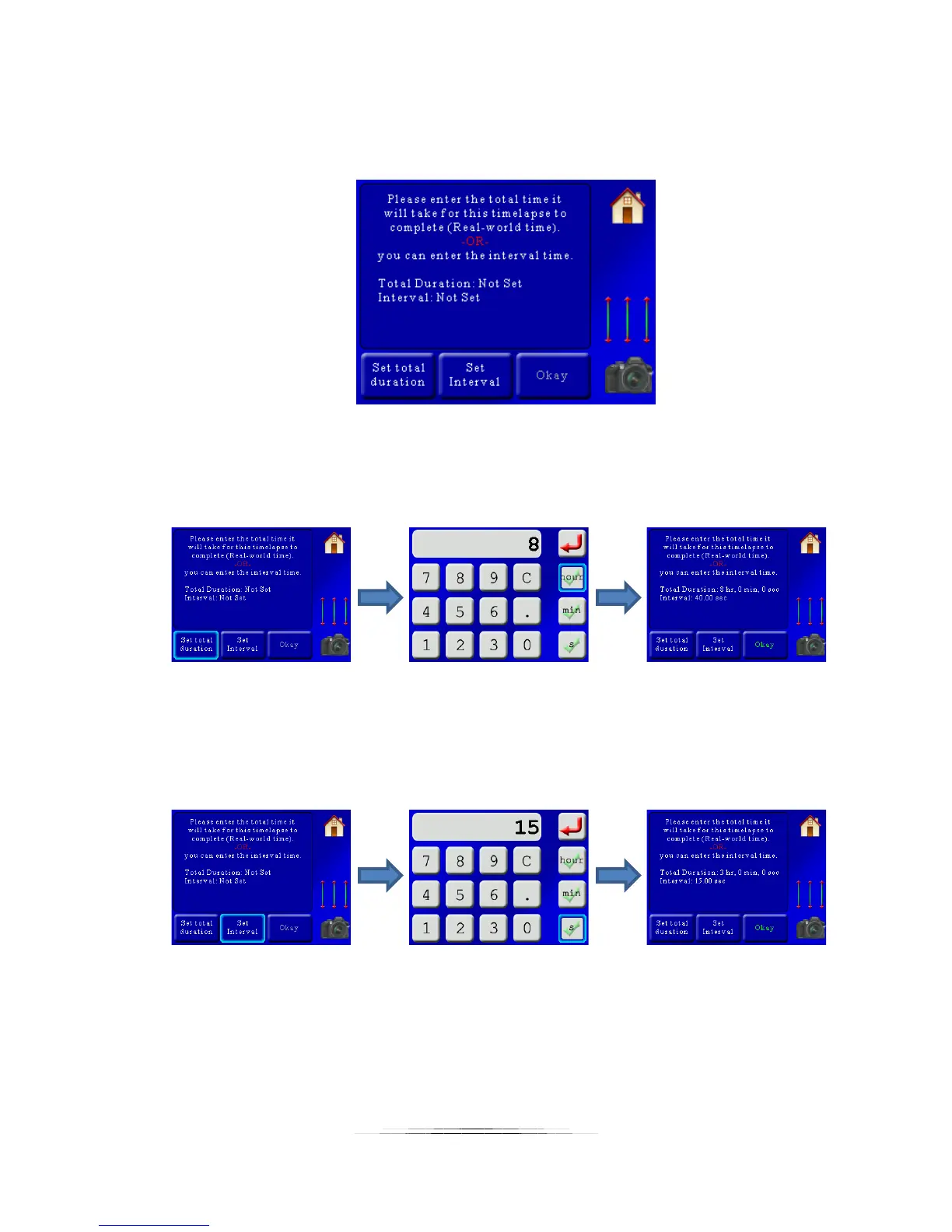
Once you press “Okay” you will now be asked for the total duration or interval:
You only have to set one of these. The “Total Duration” is used when you know how long you
would like to run the time lapse over. This is usually a long time (hours) since it is “Real-world”
time. So if you would like the time lapse to run over 8 hours you would press:
StackShot 3X will calculate what the interval time should be, which in this case is 40 seconds.
Sometimes you don’t care how long the time lapse video will take but you do know how often
you would like it to take a photograph. In this case, press the “Set Interval” button and enter
the interval between frames:
In this example, we set the interval (time between frames) to 15 seconds. This gives a total
“Real-world” time of three hours.
If you enter a time that is too fast you will see a warning that the time will be adjusted. If you
don’t want it adjusted you are given the option to go back and change the “Video Duration” or
“FPS”.



 To Next Page