85
7.12.2.2 Macro-Rail Settings
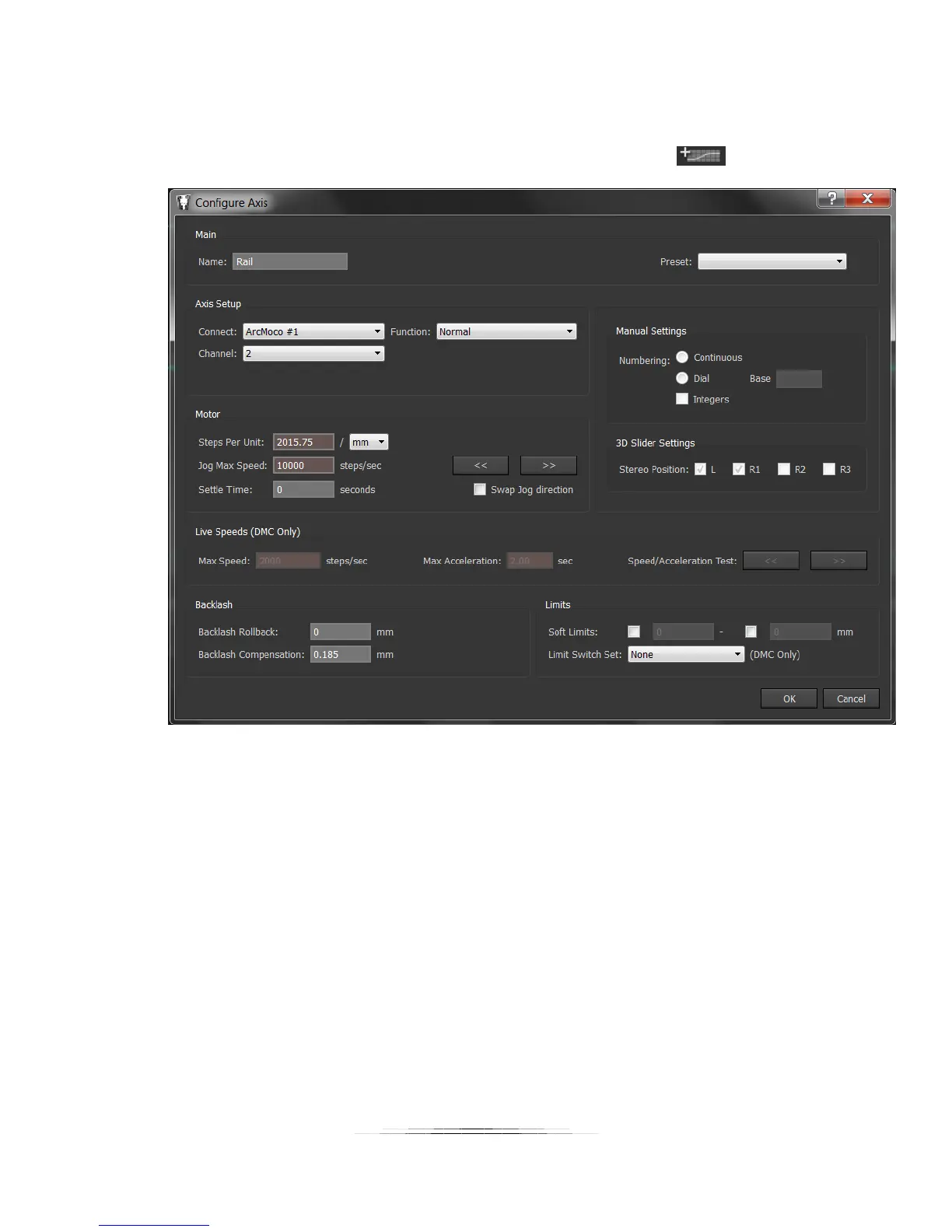
We’ll add a second axis for the macro-rail by clicking the “Add Axis” icon:
Here are the parameters that need to be changed:
Name: Rail
Connect: Leave at ArcMoco #1
Channel: 2 (This is the Y-axis, the second motor available)
Steps Per Unit: 2015.7480315 / mm
Settle Time: Whatever your application requires
Swap Jog direction: NOT Checked
Backlash Compensation: 0.185 mm
Press OK!



 To Next Page