158 - Troubleshooting and Technical Support DeviceMaster Installation and Configuration Guide: 2000594 Rev. F
Troubleshooting and Technical Support
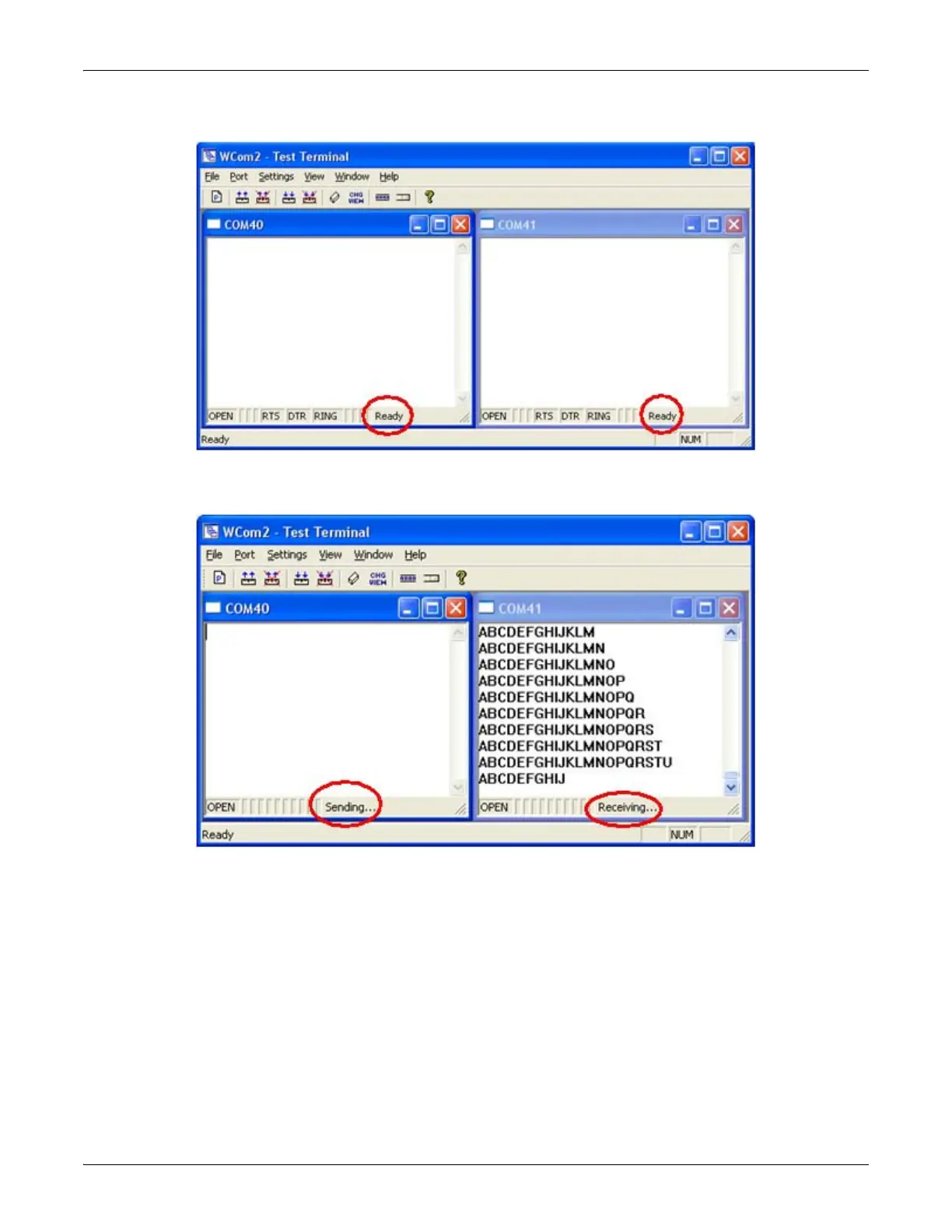
Both COM ports show Ready on the status bar.
4. Right-click in ONE window and select the Receive option from the pop up.
5. Right-click the OPPOSITE window and click Send.
The Status line shows Sending or Receiving. In this case, COM40 is sending data and COM41 is receiving
the data which is visually confirmed by the data scrolling across the COM41 window.
Note: If you do not see the data being received it MAY be necessary to also disable the RTS and DTR
options from the right-click pop-up menu in each COM port.
6. Right-click and remove the check mark on the Sending COM port.



 To Next Page