28 - Hardware Installation DeviceMaster Installation and Configuration Guide: 2000594 Rev. F
Hardware Installation
5. Verify that the PWR LED has completed the boot cycle and network connection for the DeviceMaster is
functioning properly using the table below.
6. Go to Initial Configuration on Page 33 to configure the DeviceMaster for use.
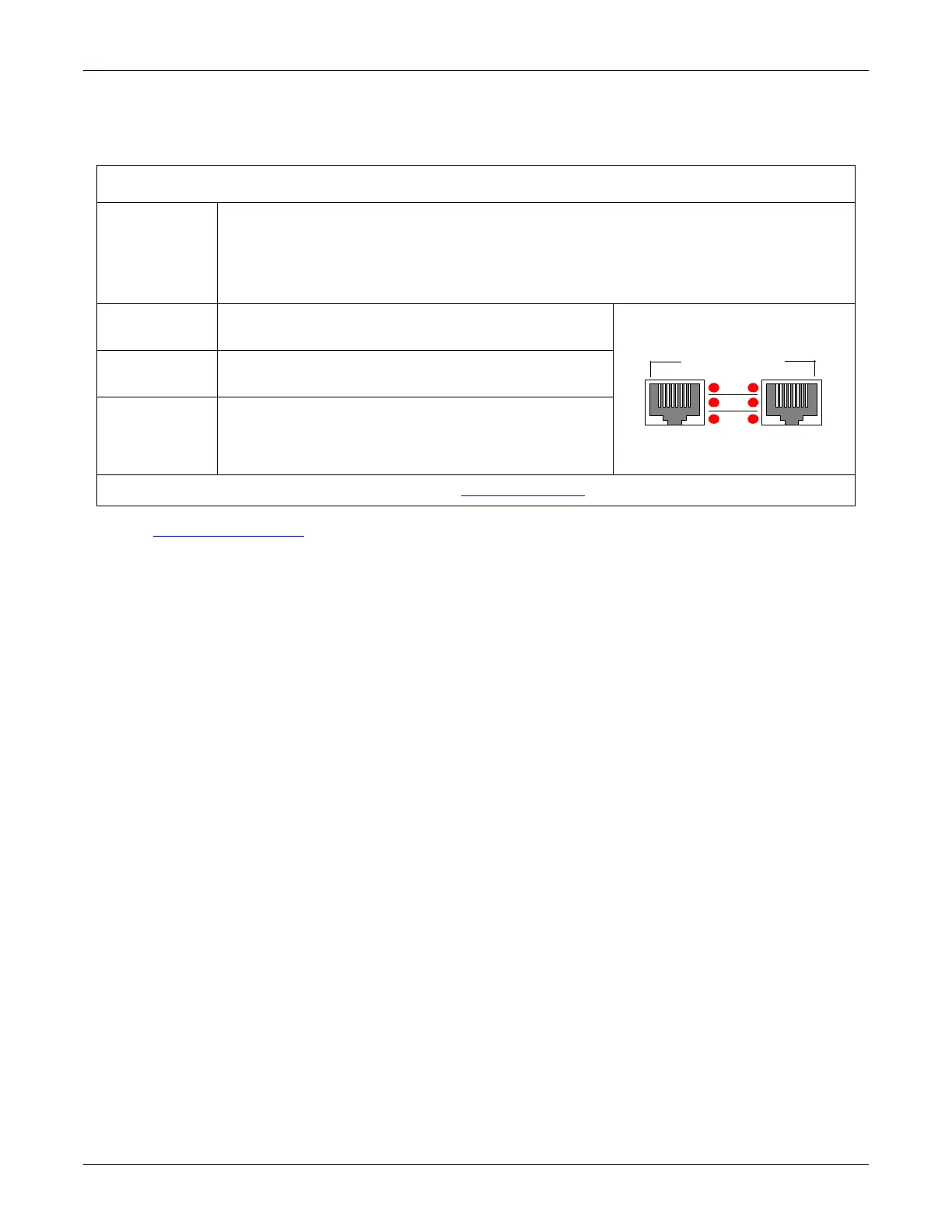
DeviceMaster PRO 16-Port LED Description
Red LED
(Front panel)
Red LED on the front panel of the DeviceMaster PRO is lit, indicating you have power
and it has completed the boot cycle.
Note: The LED flashes while booting and it takes approximately 15 seconds for the
Bootloader to complete the cycle. When the Bootloader completes the cycle, the
LED has a solid, steady light that blinks approximately every 10 seconds.
LNK/ACT
The red LNK/ACT LED is lit, indicating that you
have a working Ethernet connection.
COL
If the red COL LED is lit, there is a network
collision.
100
If the red 100 LED is lit, it indicates a working 100
MB Ethernet connection (100 MB network, only). If
the LED is not lit, it indicates a 10 MB Ethernet
connection.
Note: For additional LED information, go to the Status LED table on Page 148.
LNK/
ACT
COL
100
10/100 NETWORK
UP DOWN



 To Next Page