DeviceMaster Installation and Configuration Guide: 2000594 Rev. F Device Driver (NS-Link) Installation - 57
Configuring the NS-Link Driver for Windows
9. Configure the remainder of the device properties:
a. If desired, change the User-Friendly Device Name.
b. Optionally, set a different Keep Alive Timeout period. You can set the amount of time in seconds that
this DeviceMaster waits until it closes this connection and frees all the ports associated with it.
c. Optionally, set the TCP Timeout Multiplier value.
d. Optionally, click a different Scan Rate (ms).
e. Optionally, click Verbose Event Log if you want to log additional DeviceMaster information into the
event log.
f. After making your changes, click Apply if you have additional configuration procedures or click Ok if
you have completed configuring your DeviceMaster.
Note: You can refer to the help system if you need information about any of the options or features.
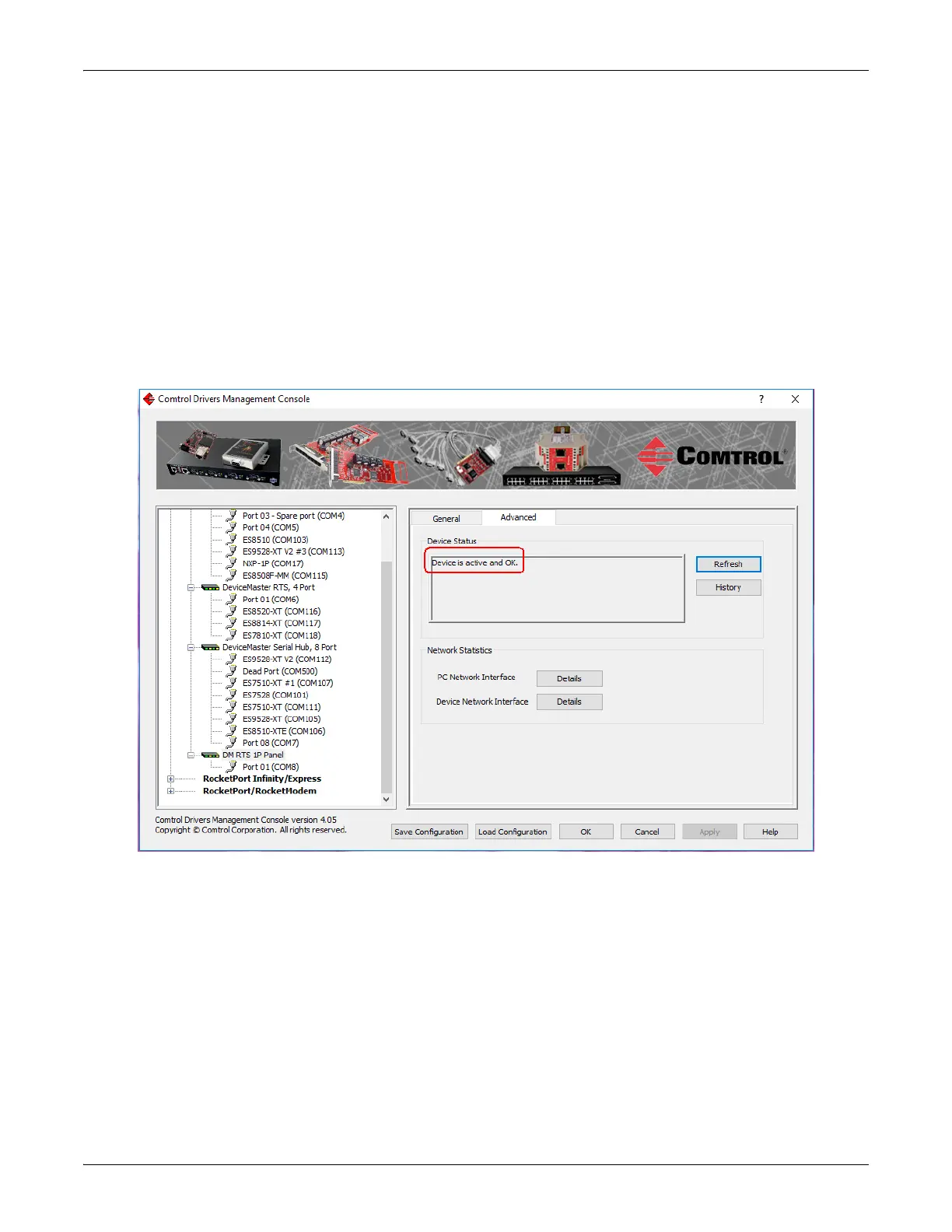
10. Optionally, you can click the Advanced tab and verify that the Device Status message indicates that the
DeviceMaster is active and Ok.
11. Go to the next subsection to configure COM port properties.



 To Next Page