97
Setup
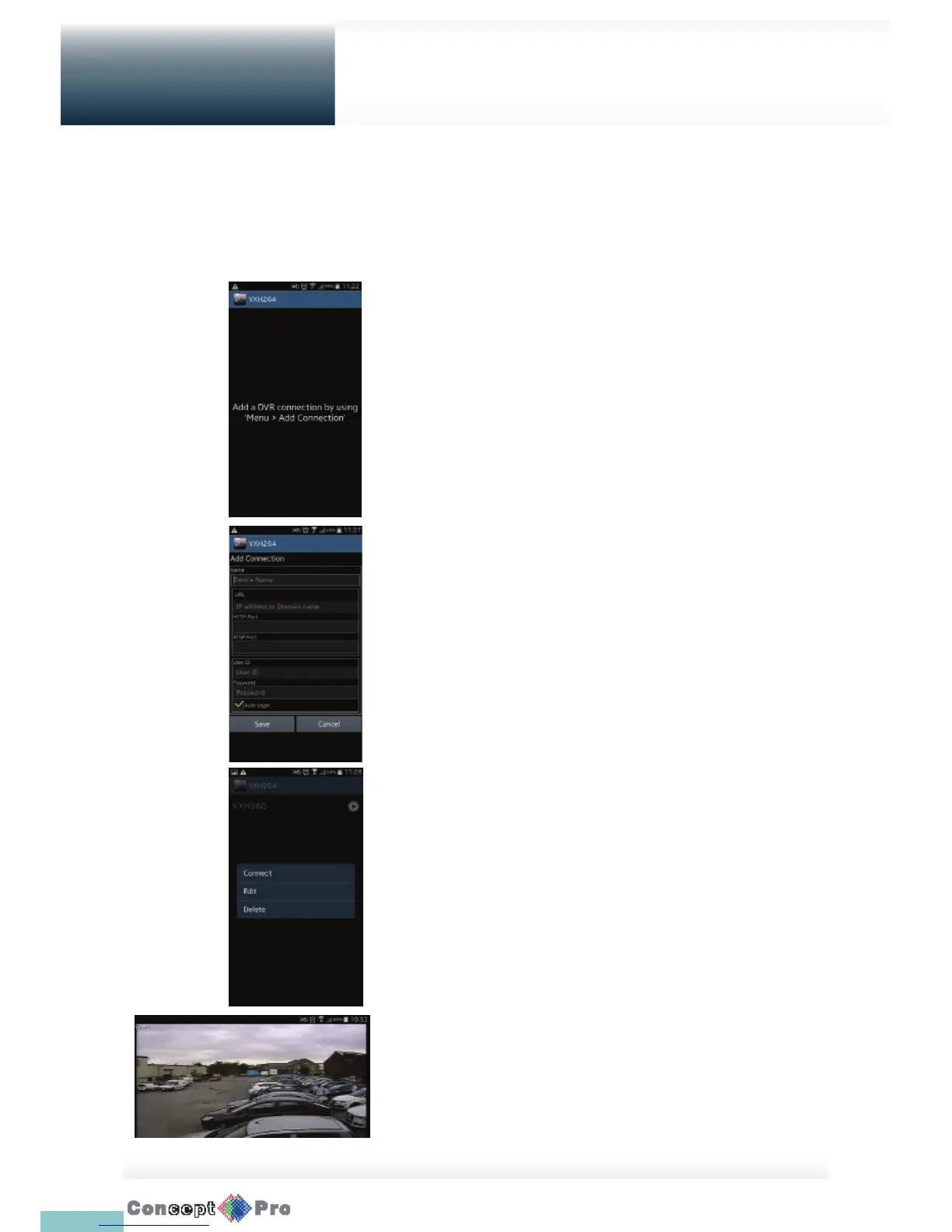
To connect to DVR with VXH264 Pro
1. Select and run the VXH264 Pro.
2. Use the Add button to select and add a site to the list.
3. Please enter a Name.
4. Provide the IP address, HTTP port number, RTSP port number, and
click <Save>.
5. Provide the access ID of the DVR as well as the password.
6. Select whether or not to save the ID and PW.
7. Press <Save>
8. Select the site that you added in the DVR List.
Press and hold the connection button to display the pop-up window.
9. Select <Connect> and try to access.
If connected successfully, you will see the screen as shown.
USING THE VXH264 PRO WITH ANDROID
How to download the Android-dedicated application
From your smart phone, access the Google Play.
Enter “VXH264” in the search bar to nd it. Downloading and install the application on your Smart Phone.
Mobile
Viewer



 To Next Page