71
Using the Archive menu during playback
1. During the playback, click <NEW ARCHIVE( )>.
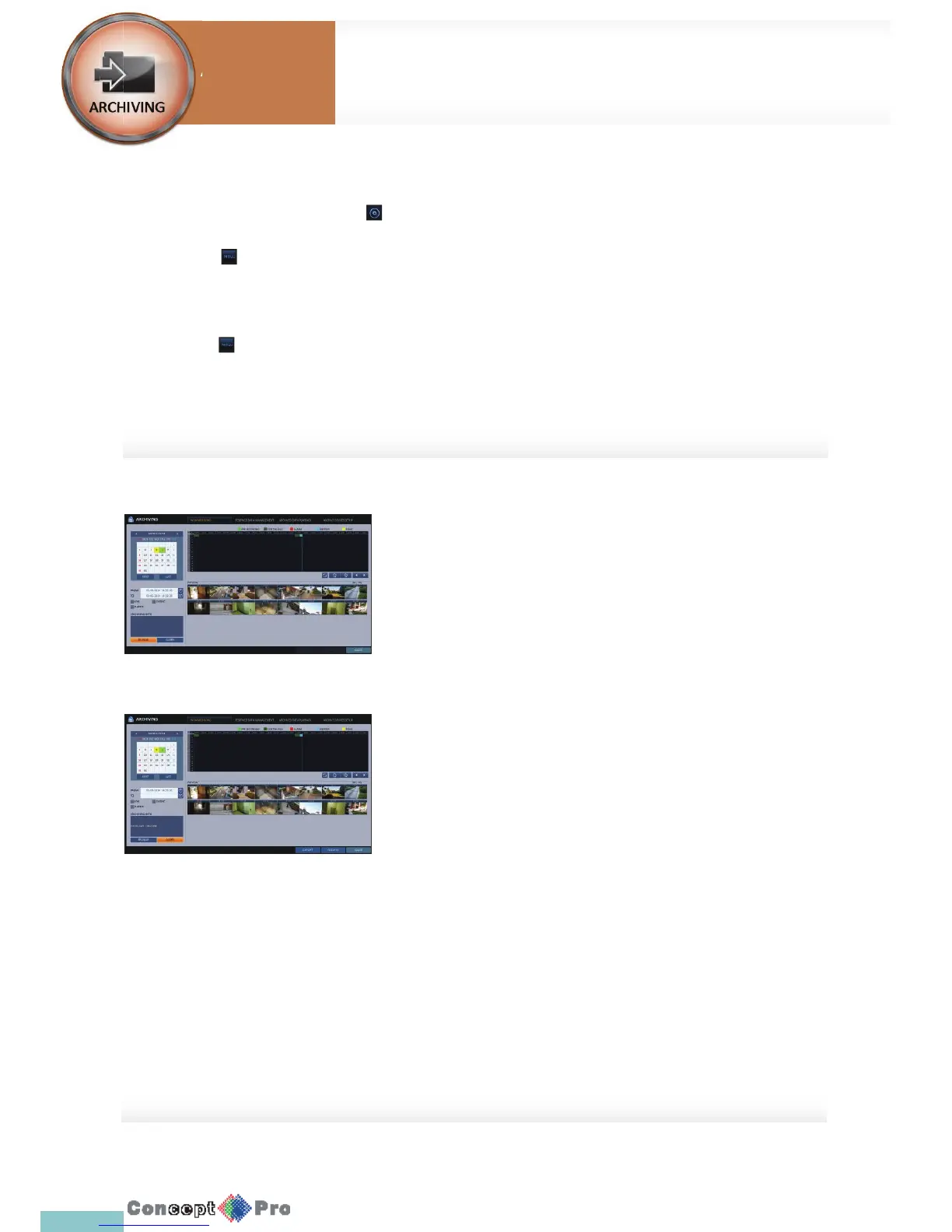
2. The “ARCHIVING SETUP” window appears where you can reserve the data.
3. Click <MENU( )> in the lower left corner and select the <ARCHIVE> menu.
4. Press the [ARCHIVE] button on the remote control.
Using the Archive menu during monitoring
1. Click <MENU( )> in the lower left corner and select the <ARCHIVE> menu.
2. Press the [ARCHIVE] button on the remote control.
Archive
You can archive the searched data or reserve it.
1. From the <ARCHIVE> menu, select <NEWARCHIVING>.
2. Select a date for the archive from the calendar in the left
R The date containing recording data will be marked in a coloured
box.
- FIRST: The rst date of recording is automatically selected.
- LAST: The last date of recording is automatically selected.
3. Check the <START> and <END> times
R Drag the timeline to specify the start and end time.
4. Mark the <LOG> and <CODEC> checkboxes and select to include the
archiving.
5. Click <QUERY>. The results will be listed in <ARCHIVING INFO>
R The maximum backup capacity for one time is 20GB
R If the archiving request exceeds 20GB, the end time will be
adjusted to within 20GB.
6. If you want to import to a storage device, connect it to the DVR and click
<EXPORT>.
7. If you just want to reserve the data, click <RESERVE>. If the
<TAG NAME> dialog appears, enter the name and click <OK>.
Click <RESERVE> to save it to the HDD
R Using <RESERVE> will compromise the recording days available.
When you have archived the reserved data to anexternal device, it
is recommended to delete the internal reserved data.
8. To exit the Archive menu, click <CLOSE>.
System
Settings
To start the Archive
Archiving



 To Next Page