101
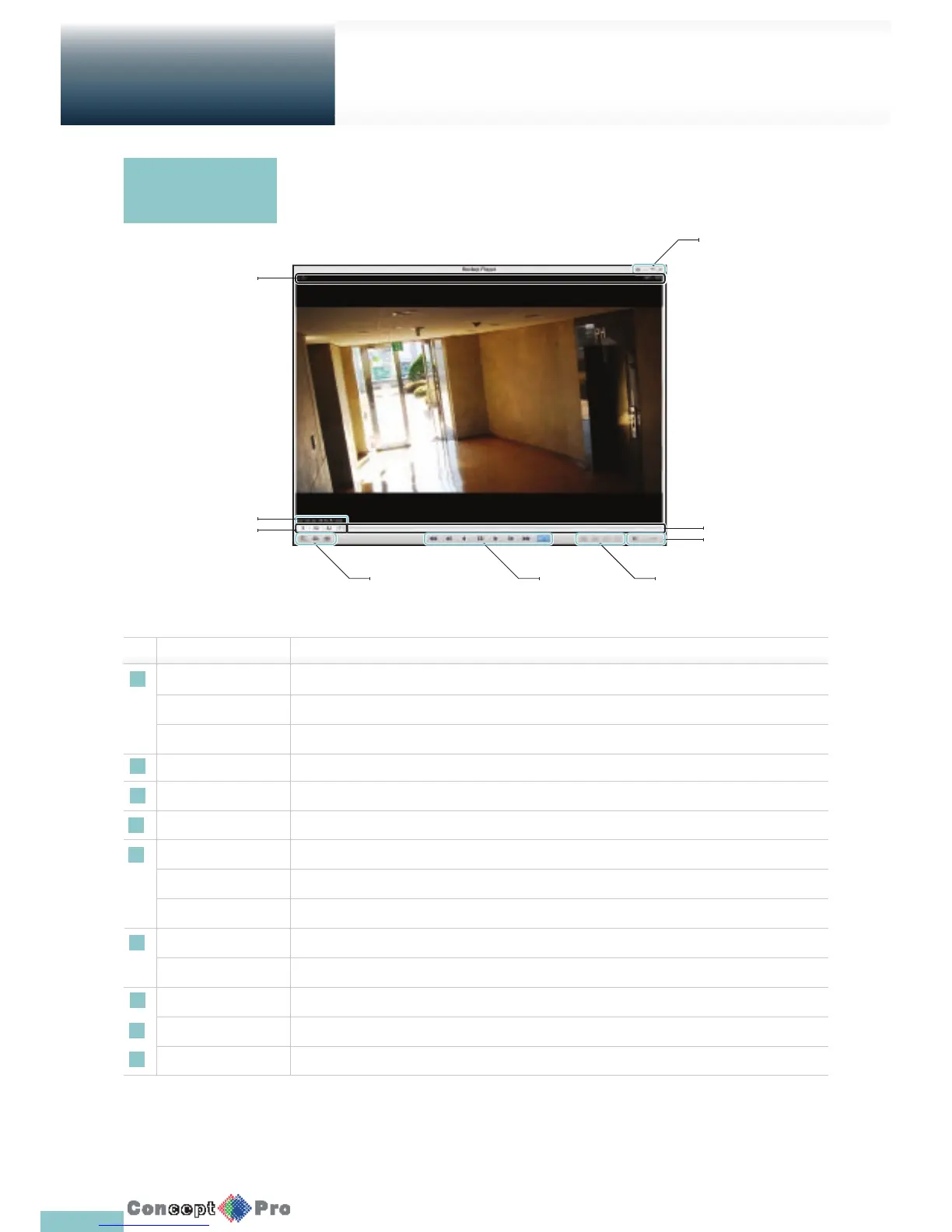
No. Name Description
1 Setup Con gure the settings.
Minimize, Maximise You can minimize or maximise the Backup Player.
Close Close the Backup Player.
2 Channel Information Show the channel information and the video resolution.
3 Play Time Display the time of the current video image.
4 Play Time Display the current playback time.
5 File Search Open the le that you backed up.
Capture Capture the current screen.
Print Print out the current screen.
6 Playback Control Control the playback direction and speed of the current video.
For more information about how to use the playback control buttons, refer to “Using the play bar”. (page 69)
7 Split Mode Switch to 1/4/8/16 split screen mode.
8 Audio Setting Show the sound signal status and volume level.
9 Play Bar Display the current playback position in the video.
Backup Player At
a Glance
Archive
Viewer
Getting started with the Backup Player
9
8
3
2
4
1
65 7



 To Next Page