5
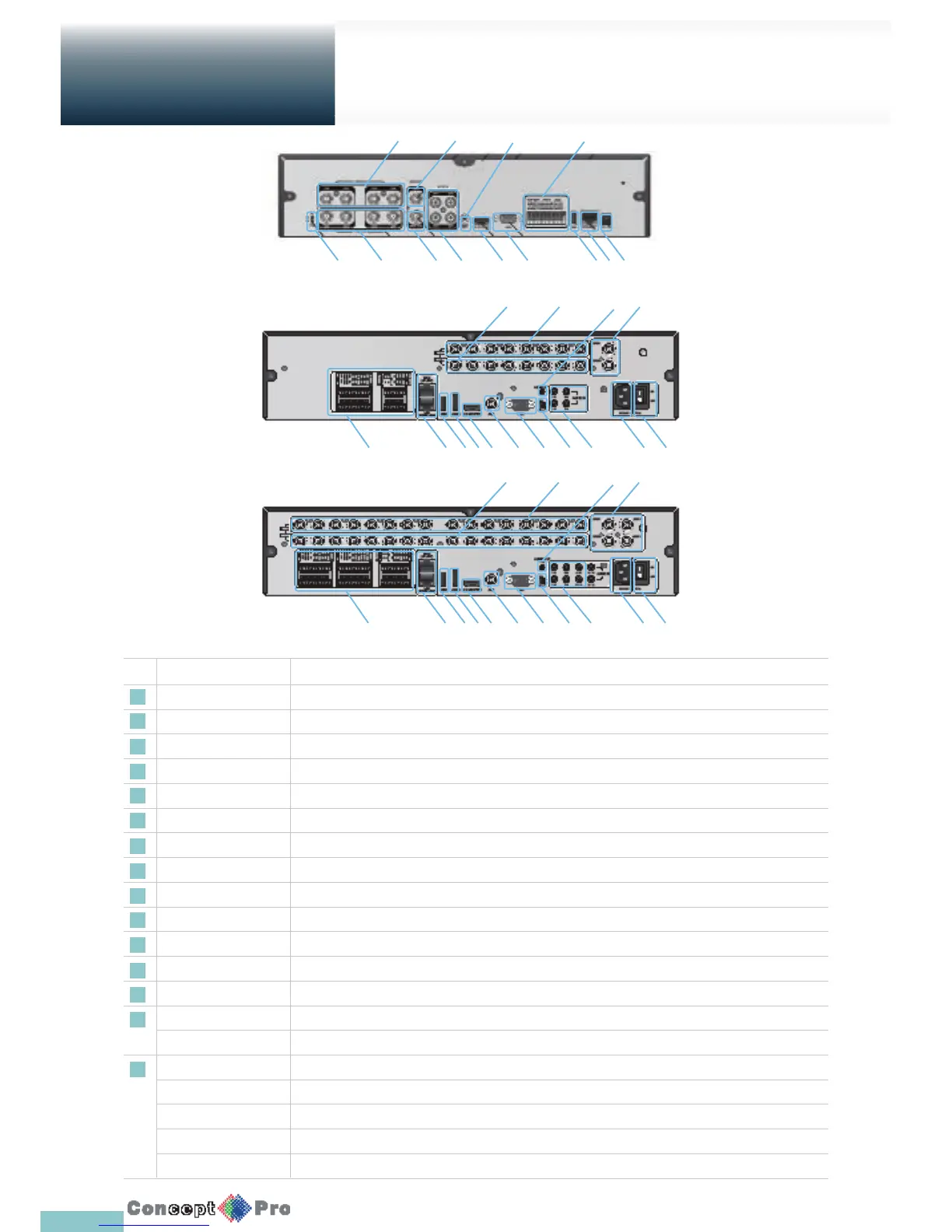
Rear Panel
Overview
No. Name Description
1 VIDEO IN Video input terminal for cameras.
2 LOOP OUT Video output to send a signal to an external video device.
3 AUDIO OUT Port for speaker connection.
4 SPOT Exclusive port for SPOT output only. (Connect to a monitor.)
5 Power Switch DVR power switch. Plug the power cord and turn this switch on.
6 100-240V (50/60Hz) Power input port.
7 AUDIO IN Port for audio input.
8 DIP Switch Switch to select a video type or an output type. Set to PAL
9 VGA VGA monitor video output port.
10 AUX Additional SPOT OUT port. (Connect to a monitor.)
11 HD-MONITOR HD monitor video output port (HDMI).
12 eSATA Connection port for external eSATA storage.
13 USB Used for connecting USB storage or mouse.
14 WAN(UPLINK) Network port for connection to the Internet, router or hub.
LAN(DOWN LINK) Port for connecting the dedicated network device. Do not share it with other device.
15 ALARM IN Alarm input port.
ALARM OUT Alarm out port. (TTL)
RELAY Relay terminal port.
RS485 Ports for communication with external devices such as PTZ camera and system keyboard.
RS232 Connection ports for signal cables to external devices such as PTZ camera, POS and ATM devices.
4 Channel
1
8
2 4 7 11 9 13 14 16
10 3 15
1
15 14 13 12 11 10 9 8 7 6 5
2
3
4
1
15 14 13 12 11 10 9 8 7 6 5
2
3
4



 To Next Page