78
Live
Web Viewer
To save the video
1. Click < > to start saving.
2. The video from the selected channel will be saved to the PC in the AVI format. (Default path: C:\SaveFolder)
Click < > again to stop saving. Click < ActiveX Setting > to display the context menu where you can change the saving path.
Print
1. Click < >.
2. The current screen will be printed with the printer connected to the PC
Screen capture
1. Click < >.
2. The current screen of the selected channel will be saved to the path speci ed in the PC. (Default path: C:\SaveFolder) Click <ActiveX
Setting> to display the context menu where you can change the saving path.
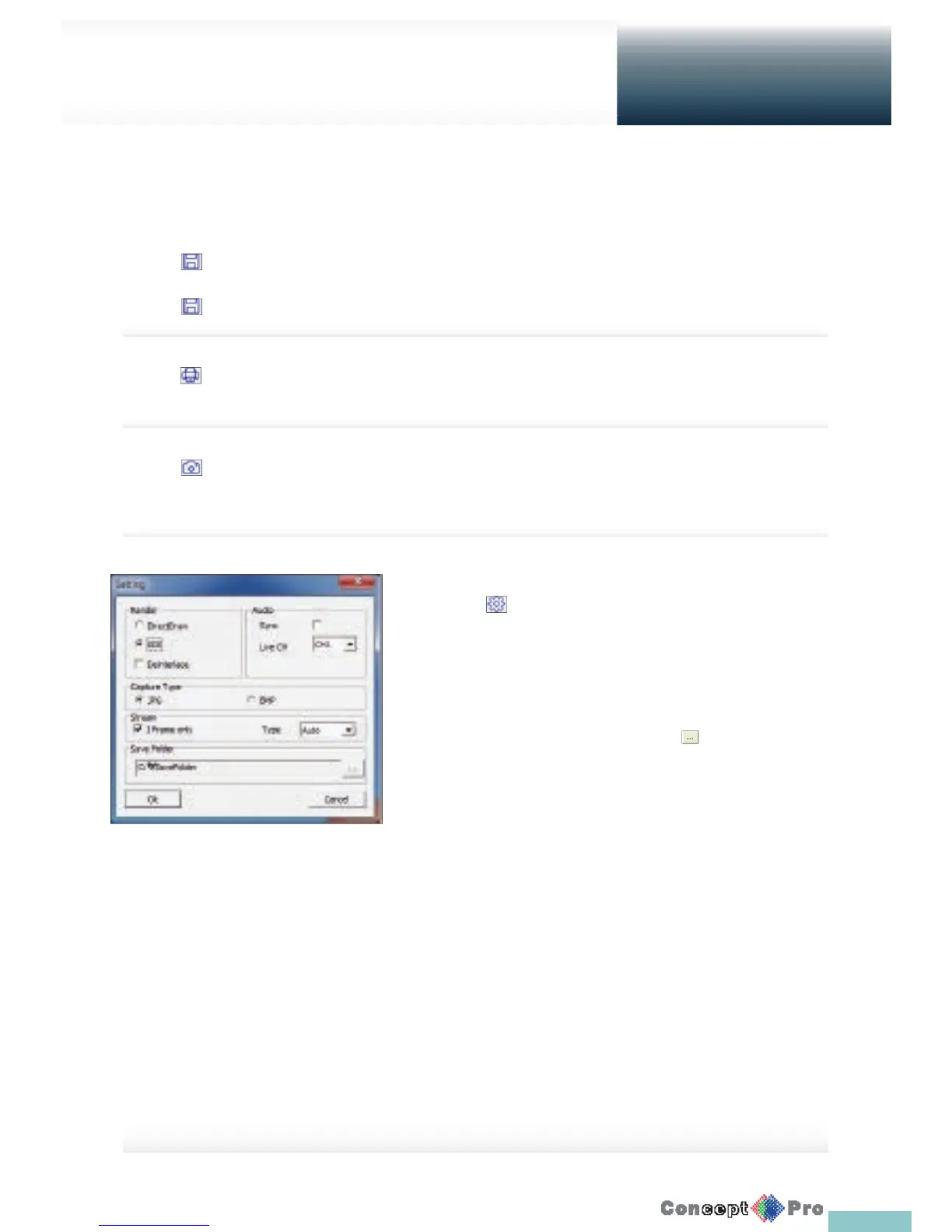
ActiveX Settings
1. Click < >.
2. When the setup screen appears, you can change the settings of the
render type, audio, capture and saving path as well as the video
streaming.
> Render: DirectDraw is recommended in order to enable the
hardware acceleration.
3. If you want to change the saving path, click < > (Save Folder) and
specify a new path.
Windows Vista users cannot change the saving path.
4. Change the streaming settings according to the PC speci cation and
network environment. Auto mode is recommended.
> Sync: If this option is set, the audio signal will be synchronized
with the video signal. However, you may encounter a delay due to
buff ering for the synchronization.
> Live CH: Set the audio signal to use in live monitoring mode.
> I Frame Only: Only the I frames (key frames) will be transferred.
> Type
- Auto: The DVR will optimize the quality and FPS to the
network status and speci cation of the connected PC before
transferring the data.
- Main: The video will be transferred in high de nition (HD).
- Second: The video will be transferred in a medium de nition(SD).
5. When done, click <OK> to save your settings.



 To Next Page