GE Voluson E10 Training Manual
© 2017 Conquest Imaging
8. Highlight the wireless network you want to use and then click
Connect.
Disconnecting from the WLAN
1. Press the Utilities key on the control console.
2. On the right side of the screen select Connectivity and then click
the Device Setup tab.
3. Click the WLAN Configuration button. The Wireless Network
Configuration tool with available Wireless Networks appears.
4. Select the WLAN you are connected to and then click Disconnect.
Adding a WLAN Profile
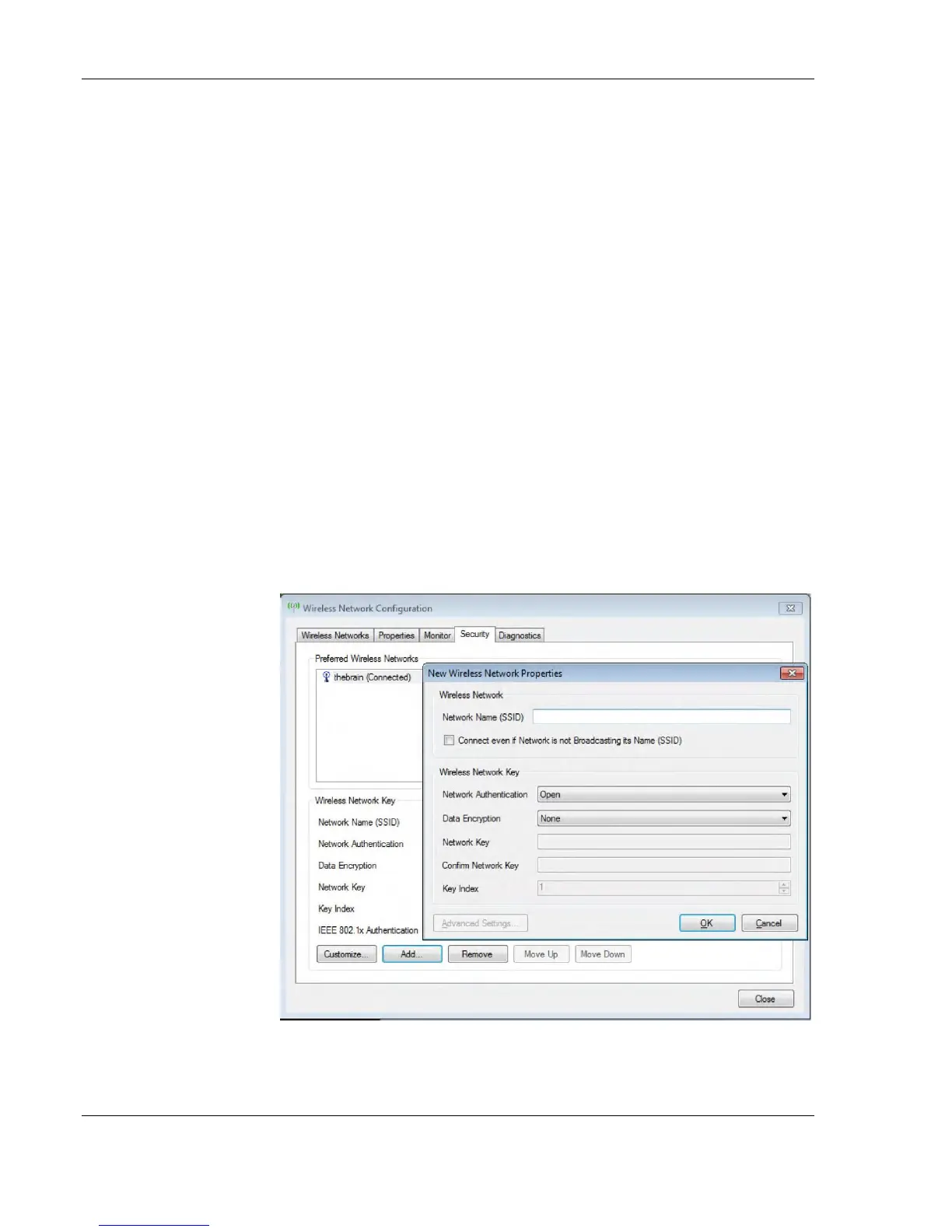
1. Open the Wireless Network Configuration tool.
2. Select the Security tab and then click Add.
3. Add the following information to the Wireless Network Properties
page:
Note If the WLAN fails to
connect, review and/or
recreate the Wireless
connection in the Security
tab.



 To Next Page