Using the scanner, how do I …? 5-12
5.3.3 How do I… apply the Sharpen filter?
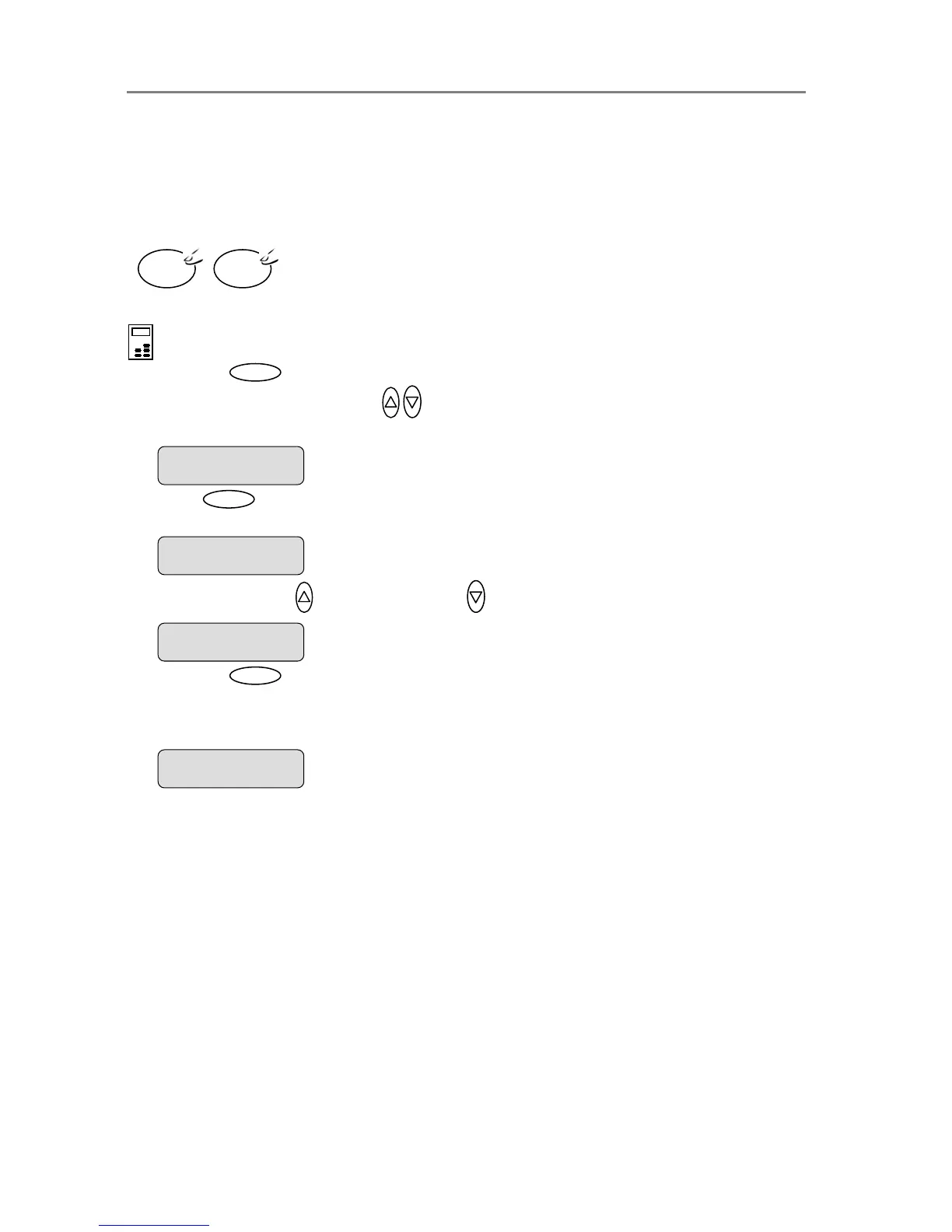
You can give your copy sharper lines with the Sharpen option. The Sharpen filter identifies
edges in the image and intensifies them. You can use the Sharpen option with both Color
Copying and B&W Copying and with all original types. When set to ON, the option will apply the
Sharpen filter when you press either the Color Copy or B&W Copy button.
To apply the Sharpen filter
On the iJET Panel –
1. Press the button to enter the main Menu.
2. Use the arrow up/down buttons
to move through the Menu options until the display
shows Sharpen as shown below.
3. Press
Enter
to move the “>” marker down to indicate you want to change the Sharpen
setting.
4. Press the arrow up
or arrow down button to change the Sharpen setting
5. Press the
Enter
button to accept the selected setting. The “>” marker will move up to the
Menu level indicating that the value is set and you can step on through the menu options if
needed. The new Sharpen setting will be applied every time you press the Color Copy or
the B&W Copy button until you repeat the steps above to change it.
B&W
Copy
Color
Copy
Sharpen
> ON
The ”>” marker is on the Menu level. You can continue
navigating the menu options with the arrow up/down
buttons.
> Sharpen
ON
Menu
The “>” marker is down to the value level so you can
change the setting.
Sharpen
> OFF
> Sharpen
OFF













 To Next Page