Scanner Operation - Panel and Indicators 4-1
4. Scanner Operation - Panel and Indicators
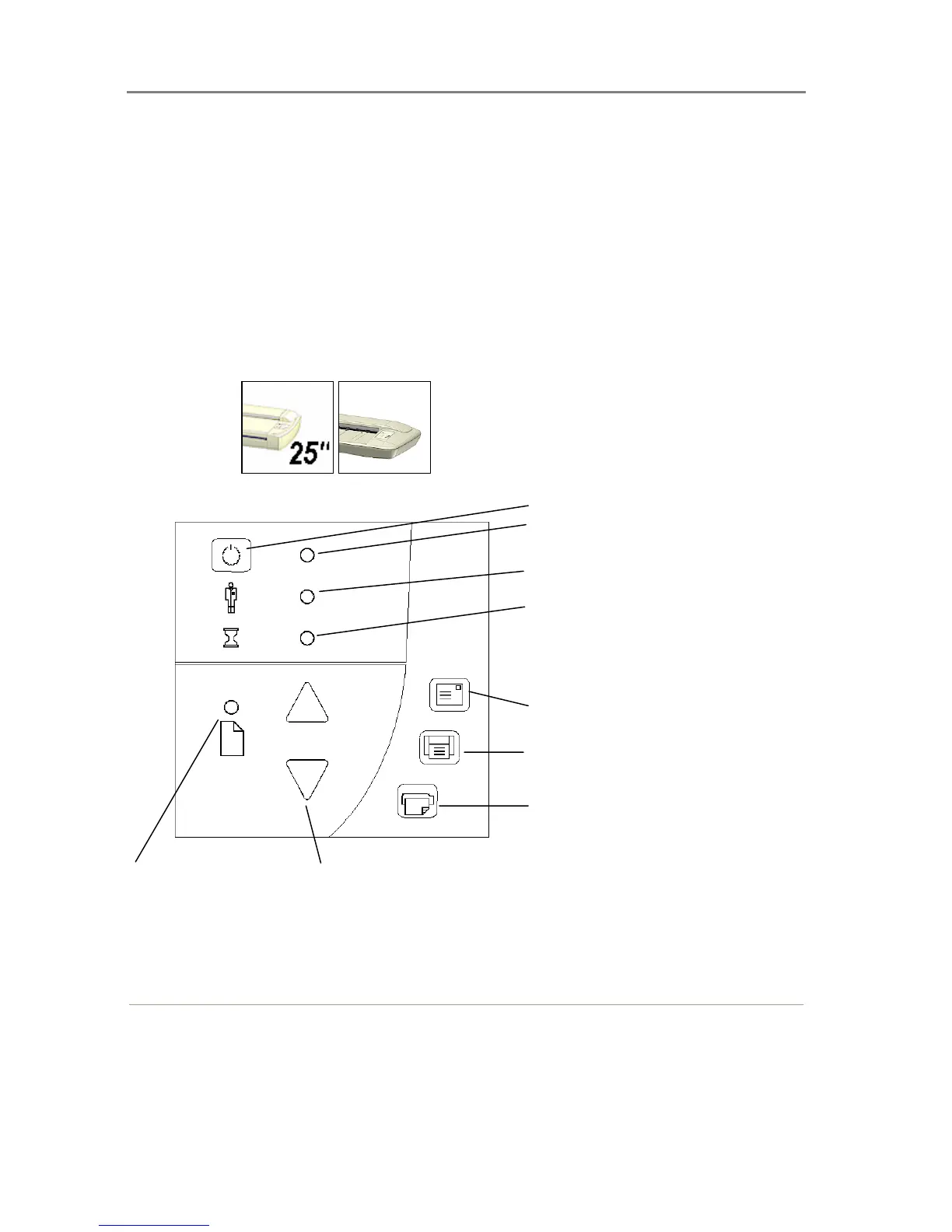
This section describes the scanner operator’s panel. The operator’s panel contains LED
indicators and operation keys. The indicator’s function is to display scanner status in relation to
its basic operations such as self-testing and media readiness. Interpretation of the LED
indicator messages and operation of the keys are described in this section. You can always
return to this section to reference specific tasks and LED patterns.
4.1 The Operator’s Panel
The standard Operator’s Panel
On Scanners:
Paper Ready LED
Power Switch
Power LED
Wait LED
Email Application
Scan Application













 To Next Page