Maintenance 7-17
7.5.4 Replacing the Dust-Filters
Fresh dust filters can reduce the amount of time spent on cleaning and calibration. The dust
filters protect your scanner’s air-cooling vents. Some scanner models are designed so users
can replace the dust filters. On other models, a service technician must perform this process.
See your scanner’s model specifications to see if the dust filters are user-replaceable on your
scanner. Your scanner monitors usage of the filters and will warn you when it is time for a
replacement through a message in the iJET Panel display window.
Replacing the Dust-filters:
On Scanners:
1.
Turn the scanner power off and disconnect the power plug.
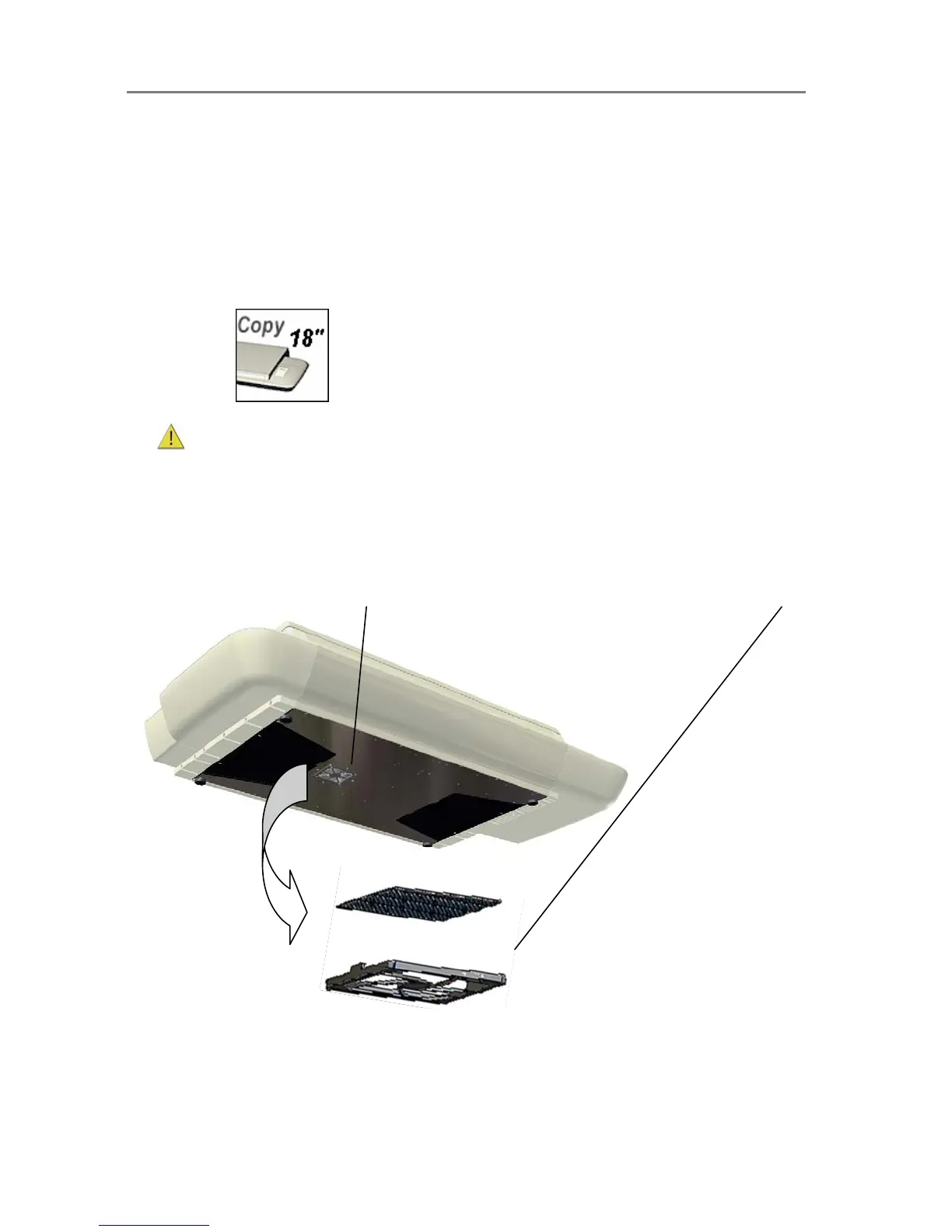
2. Locate the 2 square-shaped dust filter bins on the underside of the scanner.
3. Pull down on the edge of a dust filter bin to detach it from its frame.
4. The filter (soft material) is inside the bin. Remove the old filter and replace with a fresh one.
5. Reattach (click on) the bin to its frame on the underside of the scanner.
6. Repeat the process with the second filter.
Changing the Dust-filters:
The filter bin is on the underside of the scanner. Pull down on the filter bin’s edge to detach a filter bin from its frame.













 To Next Page