Maintenance 7-12
Replacing the White-background-platen:
On Scanners:
1.
Turn the scanner power off and disconnect the power plug.
2. Push down on the two lever buttons found near the insertion slot on each side of the
scanning area lid.
3. The lid’s locking mechanism should now be disengaged.
4. As you hold both lever buttons down, place your free fingers in the insertion slot and flip the
scanning area lid open.
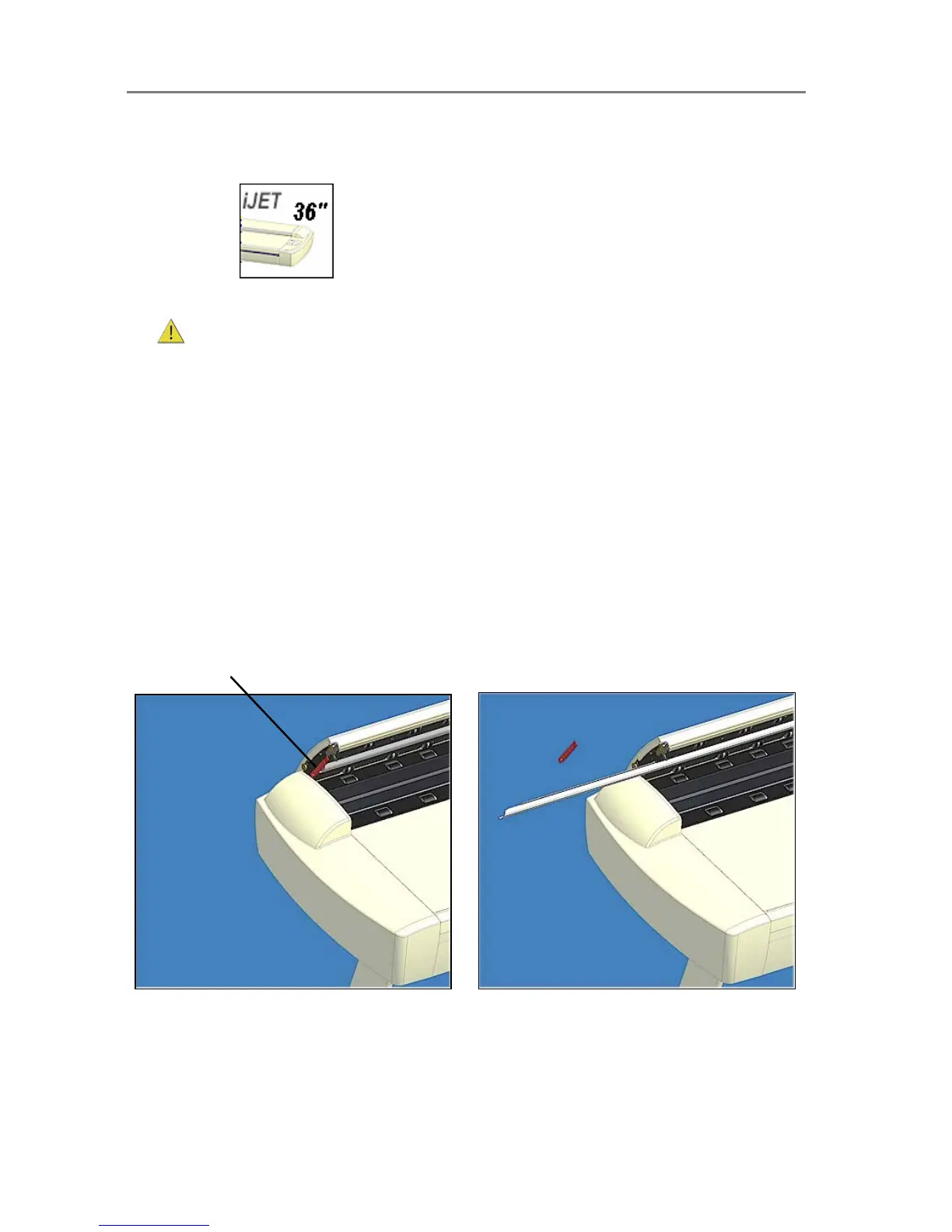
5. On the lid’s left edge, you will find a red strip. Remove the red strip to expose the edge of
the white-background-platen.
6. Grip the edge of the white-background-platen with your fingers and pull to slide it out of the
scanner.
7. Carefully slide in a new white-background-platen while taking care not to bend it.
8. Reattach the red strip.
9. Close the scanning area lid so the locking mechanism reengages.
See the illustration below:
To change the white-background-platen:
Open the lid and locate the red strip on the left side
of the scanner.
Remove the strip and slide out the white background
platen. Reinsert a new platen and replace the strip.













 To Next Page