EasyManua.ls Logo

Contex GX67D - Page 176

Contex GX67D
192 pages
Print Icon
To Next Page IconTo Next Page
To Previous Page IconTo Previous Page
Loading...
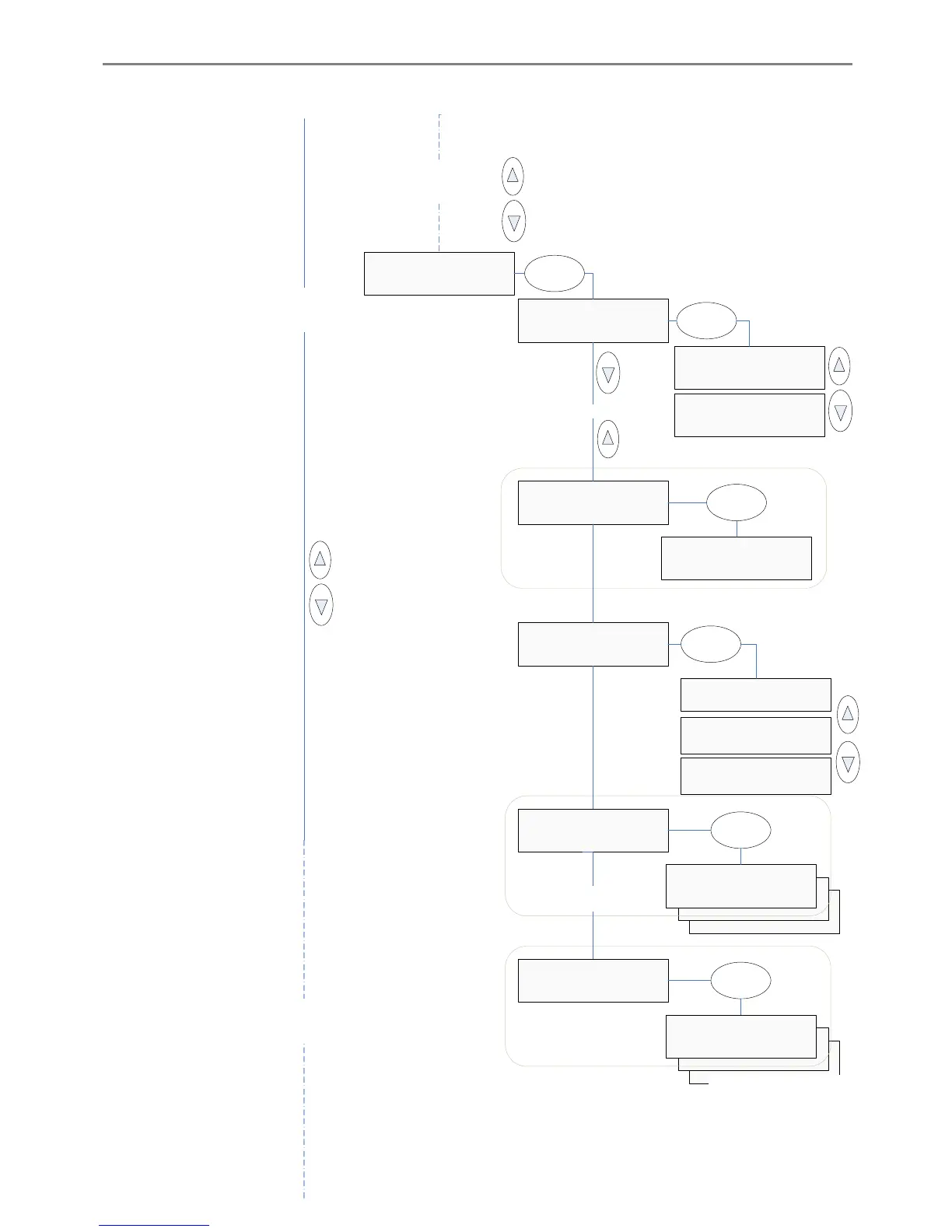
iJET Panel Quick Reference Guide 10-11
>IP Address
xxx.xxx.xxx.xxx
B&W Printer
...
>Interface
USB
Enter
Interface
>USB
Enter
Interface
>LAN
IP Address
>xxx.xxx.xxx.xxx
Enter
If Interface = ’LAN’
Active if Interface = ’LAN’
Continue to ’Network Setup’
(next page)
From Printer Setup’
(previous page)
From Color Printer
(previous page)
>Printer List
LFP WX000
Printer List
>LFP WX000
Enter
Printer Model
>Auto Configure
Printer Model
>Printer List
Printer Model
>Custom Setup
>Printer Model
Auto Configure
Enter
>Custom Setup
Command Set
Custom Setup
>Command Set
Enter
Active if Custom Setup’
selected
Custom Setup options
(see separate diagram)
Active if Printer List’
selected

Table of Contents

Related product manuals