Maintenance 7-3
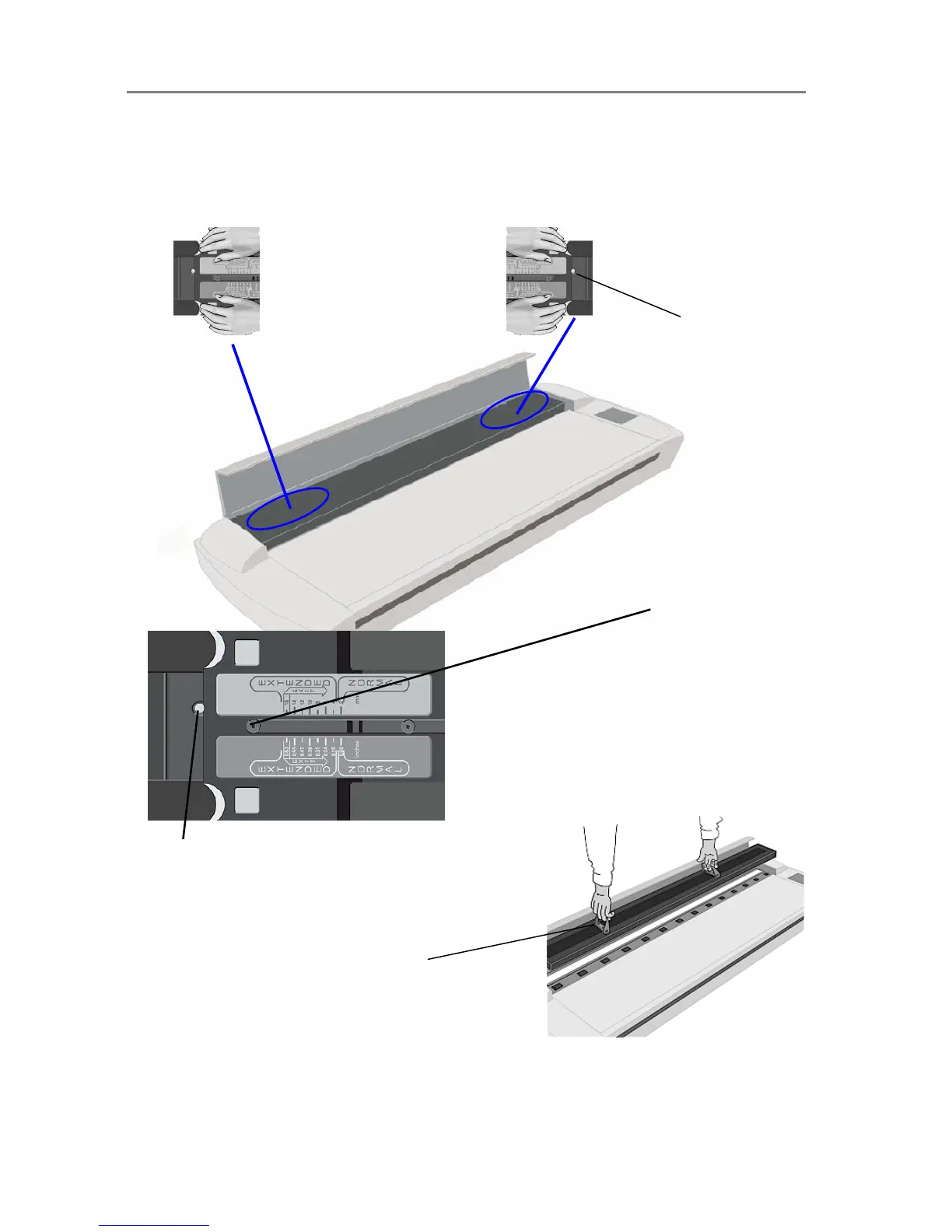
Cleaning – To access the scan area - Move the sliders to the exit position and free the pressure-platen
1. The extended media thickness adjustment sliders are on each side of the scanner.
2. Place both hands on a slider - push down and move the slider all the way towards the scanner’s middle
while maintaining pressure until the metal button pops up.
3. Repeat this on both left and right side sliders to free the pressure-platen.
The metal button
pops up when the
slider is in the Exit
position.
Exit position :
The slider is pushed all
the way towards the
scanner’s middle.
The metal button
.
Flip up the handles and use them to lift out the pressure-
platen. Clean the exposed glass and the white-
background-platen on the backside of the
pressure-platen.













 To Next Page