Secon 5 - Engineer’s Program
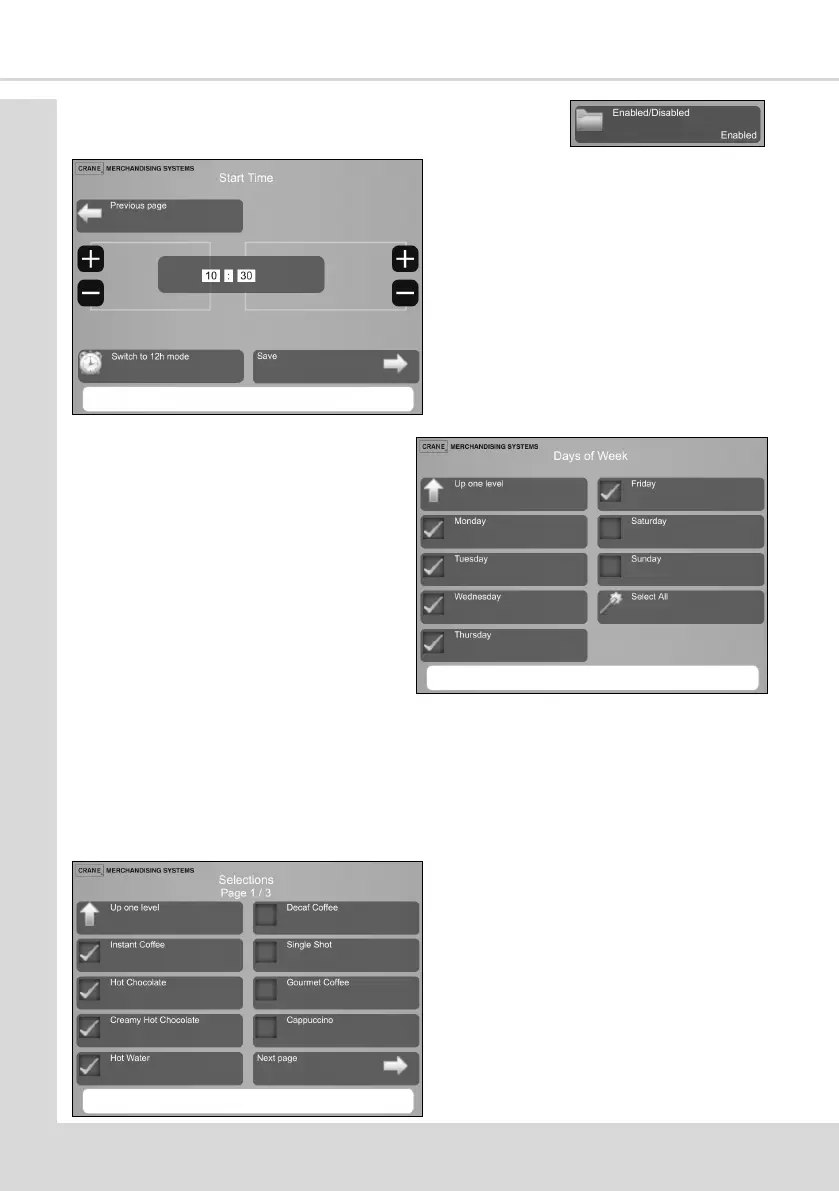
4. Select Enabled/Disabled and Enable to enable the event.
10. Frequency Type - enables the free vend period to be either Daily or Weekly.
Daily - this enables a free vend period to be available on any selected day or all days of
the week.
Weekly - this enables a free vend period to be available on a weekly basis and can be
set to be available over several days. A Start and an End Day can be selected.
5. Select Start Time to display the
Start Time screen.
6. Set the start me to 10:30 and
Save.
7. Select End Time to display the
End Time screen.
8. Set the end me of 2:30 (14:30)
and Save.
9. Select Days Of Week and select
on which days of the week Free
Vend will be available.
11. Select Selecons to select which
drinks are available for free vends
between the mes and on the days
selected previously
The drinks selected here will be
displayed with no price against
them on the selecon screen



 To Next Page