Secon 4 - Customising the User Interface
Technical Manual
6. Select Product name to display a local language keyboard.
Type in the new name and select Enter.
A maximum of 23 characters can be used.
The new name is displayed on the Opon name opon.
7. The Opon name and the Product descripon are set in the same way.
Opon name can be a maximum of 8 characters long
Product name can be approximately 23 characters long
Product descripon can be approximately 77 characters long
4.9 Congure Generic Content
This enables an image or video to be displayed when the vend is complete. To choose the
images it is the same procedure as for other images, refer to Secon 4.6 for details.
This image is displayed unl the cup is removed from the cup staon.
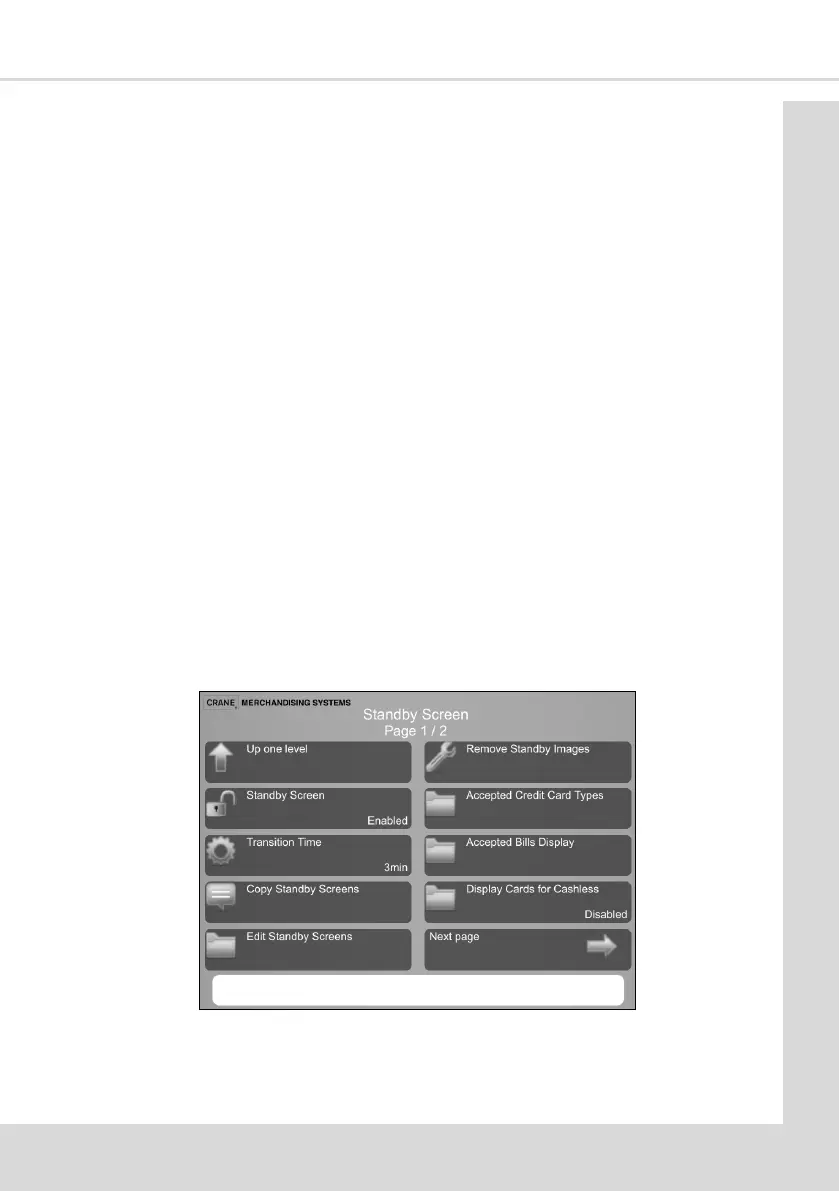
4.10 Standby Screen
This enables up to 7 standby screens or videos to be displayed in turn aer the machine has
remained idle for a set me.
This feature can be Enabled or Disabled and the Transion Time (the me aer which the
Standby Screens are displayed).
From the Main Menu select System Settings Page 3/4 and then Standby Screen to display
the following screen.
4.10.1 Standby Screen
This Enables or Disables this feature using the standard Enabled/Disabled opons. If
disabled and the machine in a standby condion the customer will see the selecon menu



 To Next Page